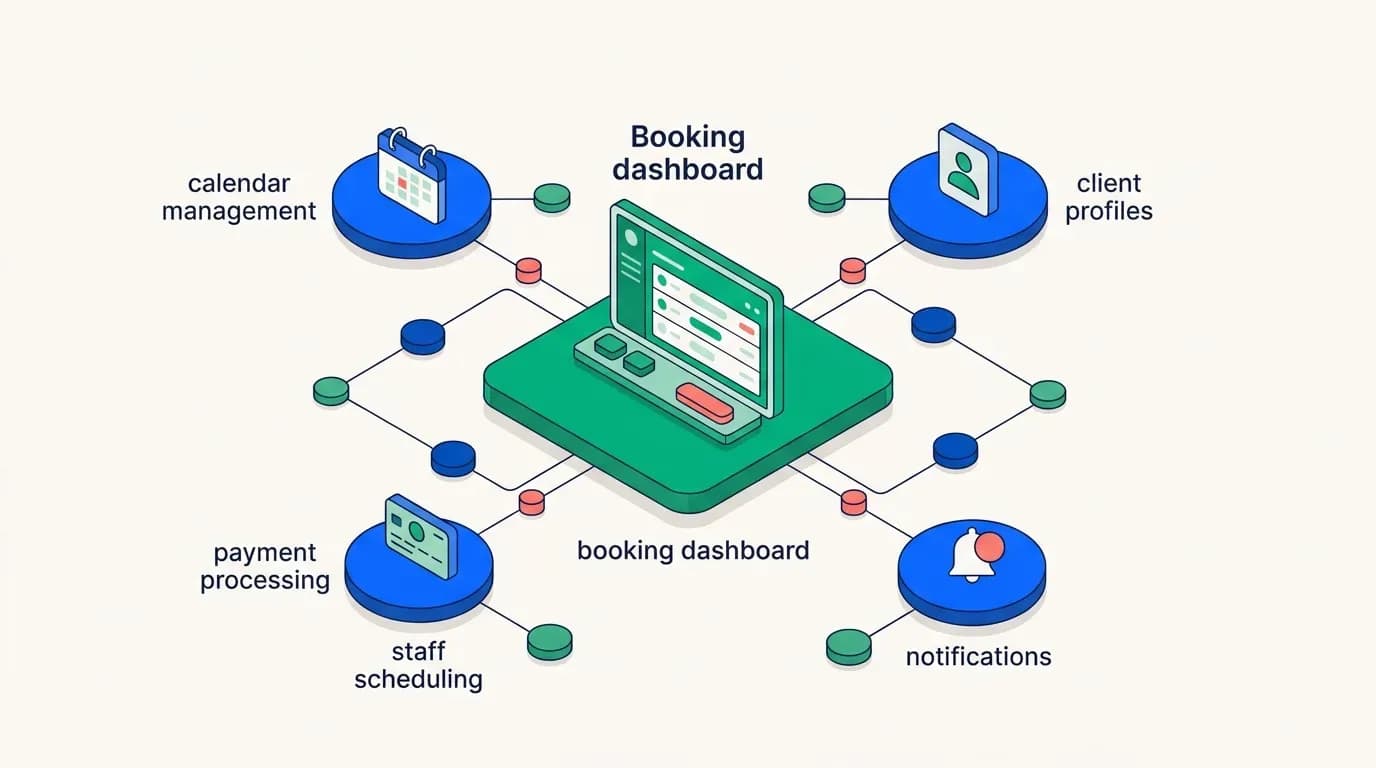
Most founders come to salon booking software development with a feature list. It looks like a brief. It isn't.
A feature list tells you nothing about how the pieces connect. Booking, staff schedules, and payments aren't three separate screens. They're one system that has to agree with itself in real time, every second of the day.
When a customer taps a 2:30 PM slot with Priya, four things have to happen at once. The slot locks, Priya's calendar updates, the payment hold goes through, and the salon owner's dashboard reflects it. If any one of those lags, you get a double-booking and an annoyed customer in your reception area.
What most teams find is that the gap between a feature that works in a demo and one that works on a Saturday afternoon with 40 appointments running isn't in the feature at all. It's in the architecture underneath it. This article breaks down what each layer actually requires, so you can walk into a conversation with a developer and ask the right questions, or read a quote and know whether it's thorough or thin.
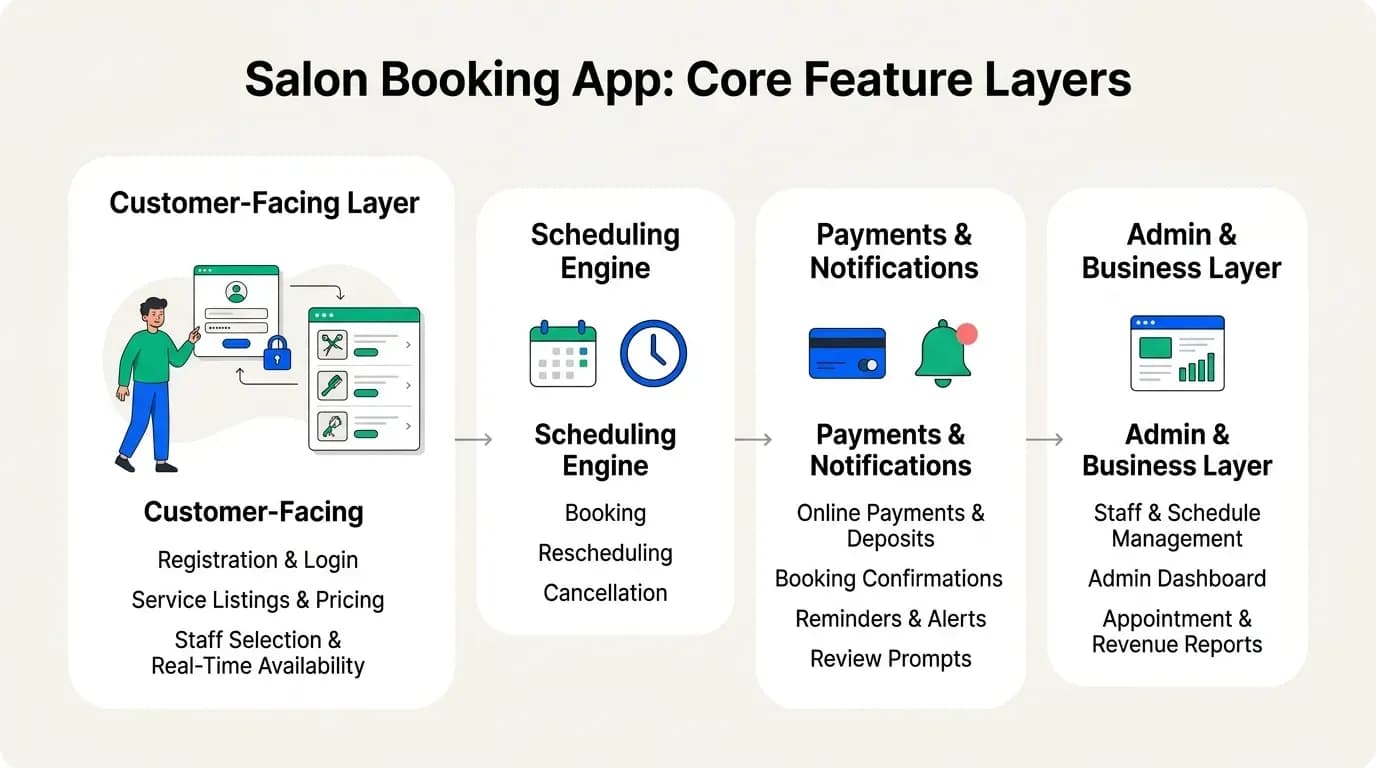
The Customer-Facing Layer
This is the part everyone pictures when they imagine the app. It's also the part that's deceptively easy to spec and surprisingly simple to get wrong.
Registration, Login and Profiles
Account creation sounds like a solved problem. It mostly is. Phone number plus OTP, or social login, takes a competent team a day or two. The part that matters is what happens on the second visit.
A returning customer should see their stylist, their usual service, and their last appointment date without typing anything. That requires a customer record linked to booking history, payment methods, and any notes staff have added ("allergic to ammonia," "prefers the 9 AM slot").
Service Listings and Pricing
Services need a name, a duration, a price, and a staff eligibility rule, since not every stylist does balayage. Those four fields drive everything downstream. Duration determines slot length. Price drives the payment amount. Eligibility filters which staff show as available. The architectural rule here is uncomplicated: this data lives in one place and updates everywhere instantly.
Staff Selection and Real-Time Availability
This is the feature most likely to break, and it breaks quietly.
To show genuinely open slots, the backend has to combine a staff member's shift pattern and their existing bookings. It also factors in time off, service duration, and any buffer time between appointments, then calculates that live, for every stylist, every time a customer opens the screen.
A slot shown as open that isn't is the fastest way to lose a customer permanently. They'll book it, get a call from the salon an hour later, and never open your app again.
The Scheduling Engine: Where Most Salon Appointment App Architecture Goes Wrong
Booking, rescheduling, and cancellation get written as three line items in most feature lists. They're one system, and treating them as three is the single most common reason a salon booking build runs over budget halfway through.
Here's why. A booking is simple: find a free slot, lock it, confirm it. A reschedule is a cancellation and a booking executed as one atomic action. If the new slot fails to lock, the old one has to come back, or your customer has no appointment at all. A cancellation has to release the slot, trigger a refund decision based on your policy window, and update the staff member's day. It also adjusts the revenue forecast and potentially notifies a waitlisted customer.
Then come the edge cases that nobody specs and everybody hits. Two customers tap the same slot within the same second. A stylist calls in sick and twelve appointments need reassigning or canceling in a cascade. A customer reschedules into a slot that opens up only because someone else is mid-cancellation.
That's not glamorous work and it doesn't demo well. It's also the difference between an app that holds up at scale and one that generates a complaint every weekend.
When you're evaluating a quote, this is the section to interrogate. Ask the developer to walk you through what happens when a stylist cancels their shift with nine bookings on it. The quality of that answer tells you more than the rest of the proposal.
The same problem exists in restaurant reservation systems—a table cancellation can cascade through a full dining service. We built that system, and the architecture is identical to what you need for salon scheduling.
Payments, Confirmations and Notifications
Payments in a salon app are rarely a single charge. You're usually looking at some mix of paying in full online or paying a deposit to hold the slot, alongside tips and package or membership credits.
Each of those is a different flow through the payment gateway. Deposits are the one founders underestimate. They genuinely reduce no-shows, that's well established in service businesses, but they introduce a refund policy that has to be decided before a line of code is written. How long before the appointment is a deposit refundable? Is it refunded to the card or held as salon credit? What happens if the salon cancels, and who can override the rule?
Decide this at the spec stage. Retrofitting refund logic into a live payment system is expensive, and it's one of the most frequent sources of scope creep on these projects.
Notifications sit in the same category of underrated. Confirmations, reminders at 24 and 2 hours, cancellation alerts, and a prompt for a review afterward all belong here. Customers don't notice these when they work and notice immediately when they don't. Technically this means push notifications through a service like Firebase, with SMS as a fallback for customers who've disabled push, plus email for receipts. Three channels, three delivery states to track, and a rule needed for what happens when a push fails silently.
The Business Side: Admin and Staff Management
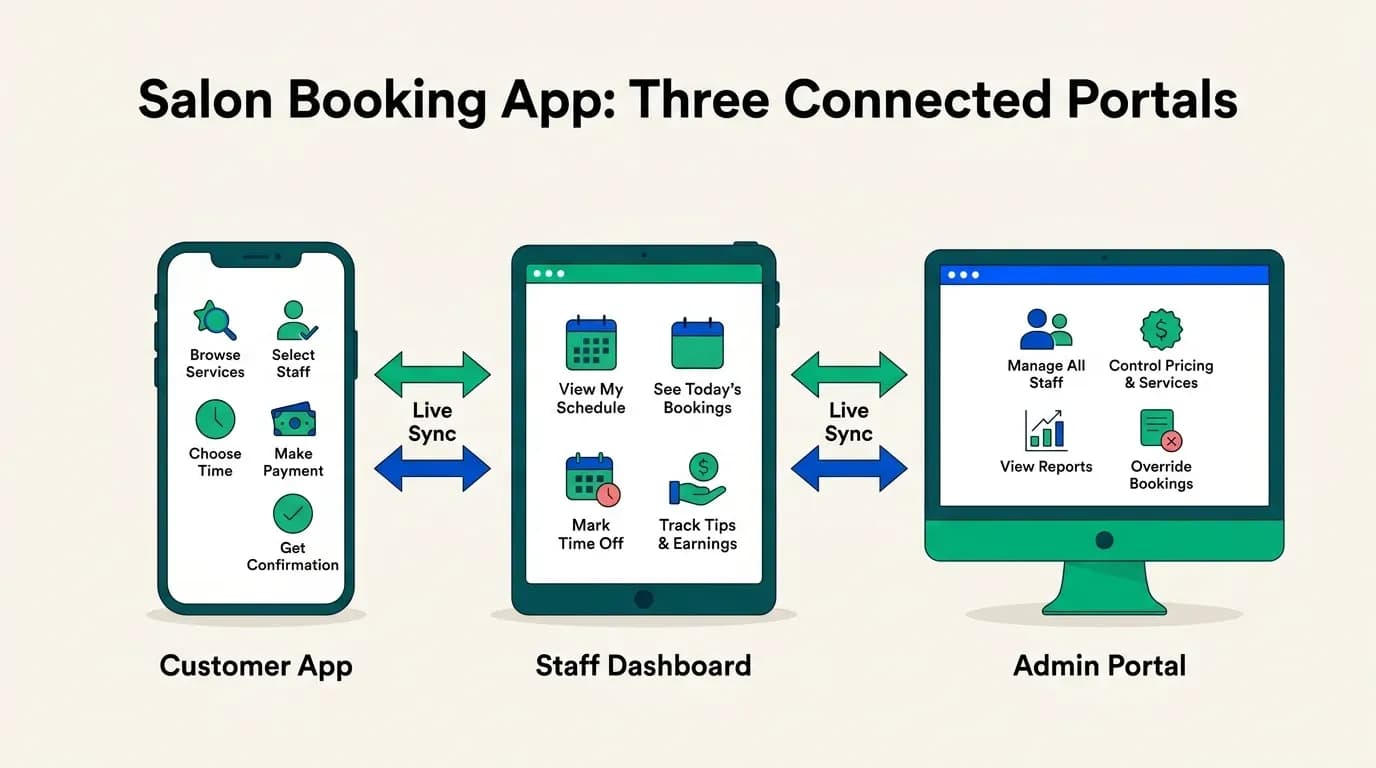
A customer app alone is half a product. What makes this a two-sided salon marketplace app is the business-facing half, and it carries at least as much logic as the customer side.
Staff and Schedule Management
Staff scheduling software for salons has to handle shift patterns that are rarely clean. Part-time stylists working Tuesday and Saturday. A therapist who takes a 90-minute lunch. Rotating weekend coverage, approved time off, and a commission structure that varies by service.
Every one of those rules feeds directly into the availability a customer sees. You cannot build the customer availability screen and the staff schedule screen as distinct projects with a sync between them. They're two views of one calendar. When a manager approves a leave request, the slots have to vanish from the customer app before the next person opens it.
Admin Dashboard
The owner's dashboard is the control panel.
Today's bookings across every stylist, walk-in entry, and manual booking creation for phone customers all live here. Service and pricing management, staff permissions, and the ability to override anything round it out. That last point matters more than it sounds. Real salons run on exceptions: squeezing in a regular, extending an appointment, comping a service after a complaint. If the admin can't override the system, staff will stop using the system. The architectural requirement is that overrides write to the same data layer as normal bookings and get logged, so your reports stay honest.
A dashboard reading from a delayed replica or a nightly batch is a scheduling conflict waiting to happen. Live data or it isn't a dashboard.
Appointment and Revenue Reports
Revenue by stylist, by service, by day. Utilization rates. No-show percentages, repeat customer ratio, and average ticket value. These are the numbers that tell an owner whether to hire, which services to push, and who deserves a raise.
And they're entirely downstream. A report is only as accurate as the scheduling and payment layers feeding it. If cancellations don't cleanly reverse their revenue entries, or if deposits are recorded separately from final payments, your reports will be wrong in ways nobody catches for six months. This is the clearest argument for why architecture outranks any individual feature on a list.
Your Salon App Tech Stack, Realistically
Node.js or Laravel on the backend. PostgreSQL or MySQL as the primary database, because bookings are relational and you need transactional integrity. Redis handles slot locking and caching. Stripe or Razorpay for payments, depending on your market. Firebase for push, Twilio for SMS fallback.
None of this is exotic, and that's the point. Unusual choices cost you later when you need to hire or hand over. What matters is that the stack supports real transactions and real-time updates, the two things salon booking lives or dies on. Scale shapes this too, so decide which of the three you're building for on day one. Multi-location as an afterthought means rewriting your data model.
Custom Salon Booking App vs Template: Making the Call
A template script bundles these features as fixed, generic modules. For testing whether people in your area will book online at all, that's a reasonable way to find out cheaply. We won't pretend otherwise.
It becomes limiting the moment your business needs something specific. Commission splits that vary by stylist seniority. A membership model with monthly credits. Multi-location staff who float between branches, or a deposit rule that differs by service. In a template, each of those is either impossible or a costly modification to code you don't own and can't fully audit.
The honest objection to custom is cost and uncertainty. Salon app development cost on an open-ended hourly contract can genuinely spiral. That's why we don't work that way. We agree a fixed price and a fixed launch date before work starts, with first release from $8,000 depending on scope. Over 18 years and 1000+ businesses, we've found the discipline of scoping properly upfront is what keeps both numbers honest.
Get a Fixed Price, Fixed Launch Date for Your Salon App
Tell us what your salon, spa, or clinic actually needs. How many locations you have, how your staff get paid, and what your cancellation policy is all feed into the scope against the architecture above.
Get a quote. Fixed price agreed before we start.
Common questions
Do I need all 13 features for a first launch?
No. Core booking, live availability, and payments are usually enough to validate that customers will use it. Deeper staff management, loyalty, and reporting can follow once you have real usage data telling you what people actually need.
Can a non-technical founder brief these requirements confidently?
Yes. You don't need to know how row-level locking works. You need to know that slot conflicts are a real problem and ask how they're handled. Understanding how the layers connect is enough for a productive conversation with any competent developer.
How long does a build like this take?
It varies with scope. For reference, we've launched comparable two-sided apps, including a medicine delivery app with a booking layer, in about 30 days. More locations, more payment rules, and more integrations extend that, which is why we agree the date in writing before starting.
Will costs stay within the original quote?
Within the agreed scope, yes, that's what fixed price means. Costs change if you change scope mid-build, which happens and is fine, but it's a decision you make deliberately rather than a surprise on an invoice.

Arun Andiselvam
LinkedInI am a startup veteran who has built five brands. I sold the first, an SEO tool, for a six figure exit, and now lead Appkodes, building custom mobile and web apps for founders and businesses. I bootstrapped every one of them from day one.