
Canva’s innovative approach to design has transformed the industry and inspired a wave of new graphic design tools. This new movement of simplicity aims to make professional-quality design accessible to everyone. Since its launch in 2013, Canva has been in charge of democratizing design, and by the end of 2025 it had 265 million monthly users and about $4 billion in annual recurring revenue. We can see the results as in a growing demand for intuitive, user-friendly platforms that allow users to edit images and generate images with ease. A Venngage survey showed that 40% of marketers opt for the simplicity of online tools or graphic makers to create visuals.

Entrepreneurs have capitalized on the surge in demand for no code by creating their design tools to simplify and expedite development without requiring a single line of code. In this blog post, we’ll dive into essential components that one must focus on to develop an app like Canva from scratch — from underlying functionalities that brought global prominence for Canva to how you should deal with the technical complexities of building an exceptional platform. Follow along as we offer a complete guide on how to create a platform that can last in today’s design world.
A Brief History of Canva: From MVP to Graphic Design Tool Giant
Canva didn’t start as a global design powerhouse. It began as a modest solution to a familiar problem: creating school yearbooks. In 2012, co-founders Melanie Perkins, Cliff Obrecht, and Cameron Adams recognized the need for a simpler and more accessible design tool. Their idea was to provide a no-code editing tool that is as easy for anyone to use.
Canva also provides a user-friendly, intuitive interface that needs no coding. Designers drag and drop images, shapes and text as block-based elements to produce stunning visuals. This no-code function approach created an entry point where everyone can design with trust.
It started strong with yearbooks and quickly expanded from there. Now, this custom template library has become the best website for every designer to use. It was a model that worked for businesses and educators as it could be used easily with the template-based system. Moreover, constantly evolving features like video content and background removal make this design giant a leader in the visual content revolution.
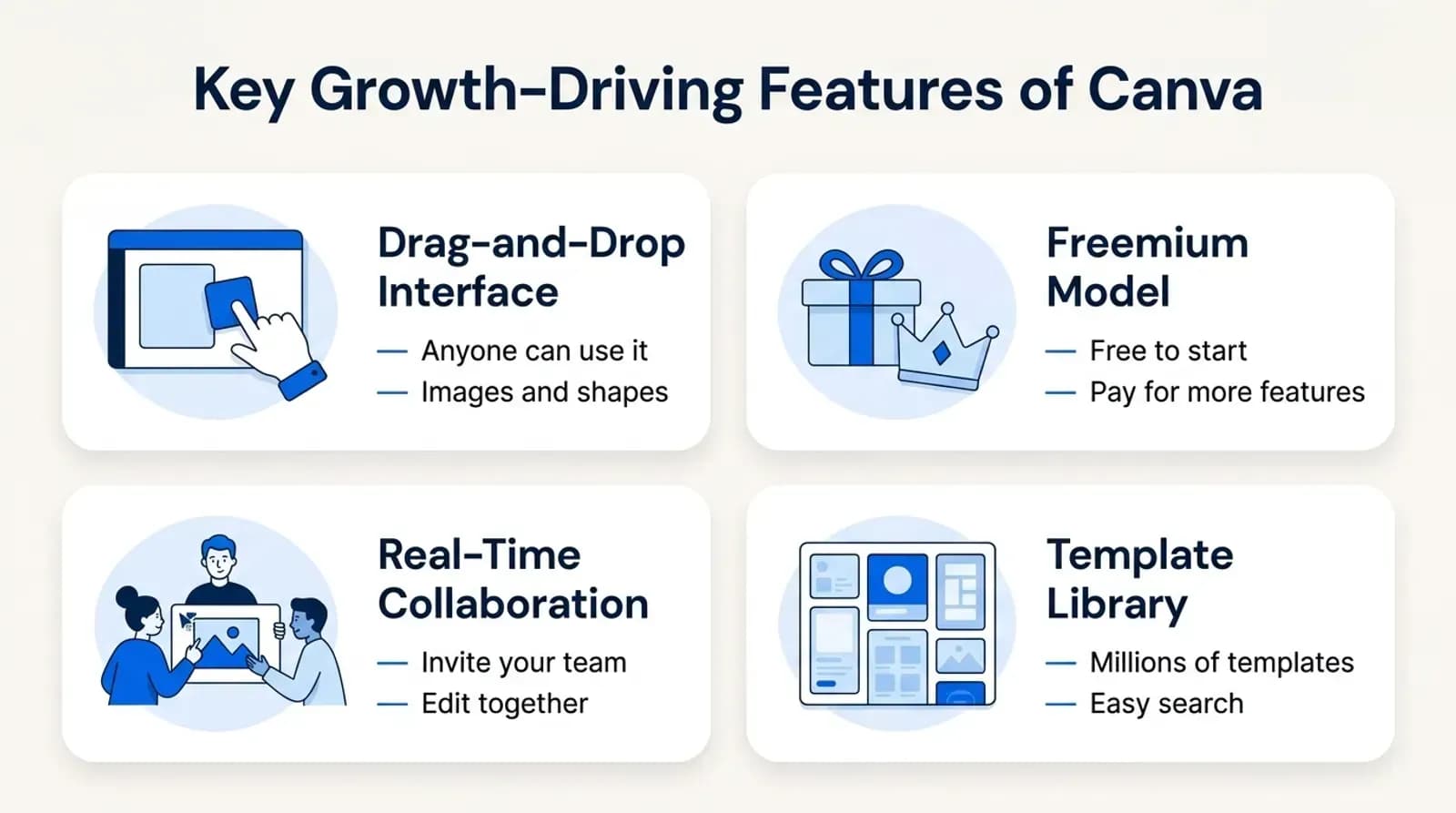
Key Growth-Driving Features of Canva
What made Canva so popular are its unique features, which are accessible to everyone, not just professional designers with pro tools. Let’s discuss those unique features.
1. Drag-and-Drop Interface
The drag-and-drop interface is one of Canva’s most defining features. A person without any prior design experience can also upload images easily. This no-code tool removes the need for users to understand complex design principles or software. It allows them to easily create designs by dragging elements. Users can place images and shapes directly onto a canvas. The intuitive interface allows users to customize and see the results of their actions immediately.
2. Freemium Model
Canva’s business model is built on the freemium model which provides users with free access to basic design tools and resources. This free tier is often more than enough for casual users or small businesses with limited needs. Canva also offers paid subscription plans like Canva Pro or Canva Enterprise to access advanced features. This model has been highly effective in attracting a large user base. A startup founder or a solopreneur can start using the platform without any financial commitment and then upgrade as their needs grow. It has also created a sustainable revenue stream for the company by converting free users into paying customers over time.
3. Collaborative Tools To Edit Images
Collaboration is key where multiple stakeholders need to provide input in editing. Canva includes built-in collaborative tools that make it easy for teams to work together on designs. Users can then share the image for which others are free to view, comment, or edit said work right within that platform. These features, which enable real-time collaboration, are particularly beneficial to remote teams. Canva provides version control as well which allows teams to not only see changes in their design but also revert back if required. This more efficient way of working as a team ensures better productivity for businesses while the quality and branding culture is intact.
Read our article on how to build an app like slack for real time communication.
4. Template Library and Advanced Image Editing
When it comes to resources, the Canva application offers an extensive library with over 140 million design elements, including stock images, videos, audio files, graphics, and templates users search for. This vast collection is available to Canva Pro and Teams subscribers, making it a go-to platform for designers and non-designers alike. Editors can remove backgrounds, expand images, and change colors, fonts, images, and layouts to personalize them.
This is especially handy for users who do not have the skills, time or perhaps both to make beautiful designs quickly and effortlessly. Being able to access these templates enables the user to assist in maintaining a uniform brand presence, all while being open for designing unique styles and designs.
Cost and Time to Build an App Like Canva
Building something like it is quite a bit more complex and requires an even bigger commitment in time and resource investment. An application for Canva needs to be built in such a way it closely resembles the graphic design tool, but with fewer complex features. It should still allow users some freedom to explore and customize without making them feel overwhelmed. Below is a closer look at the approach:
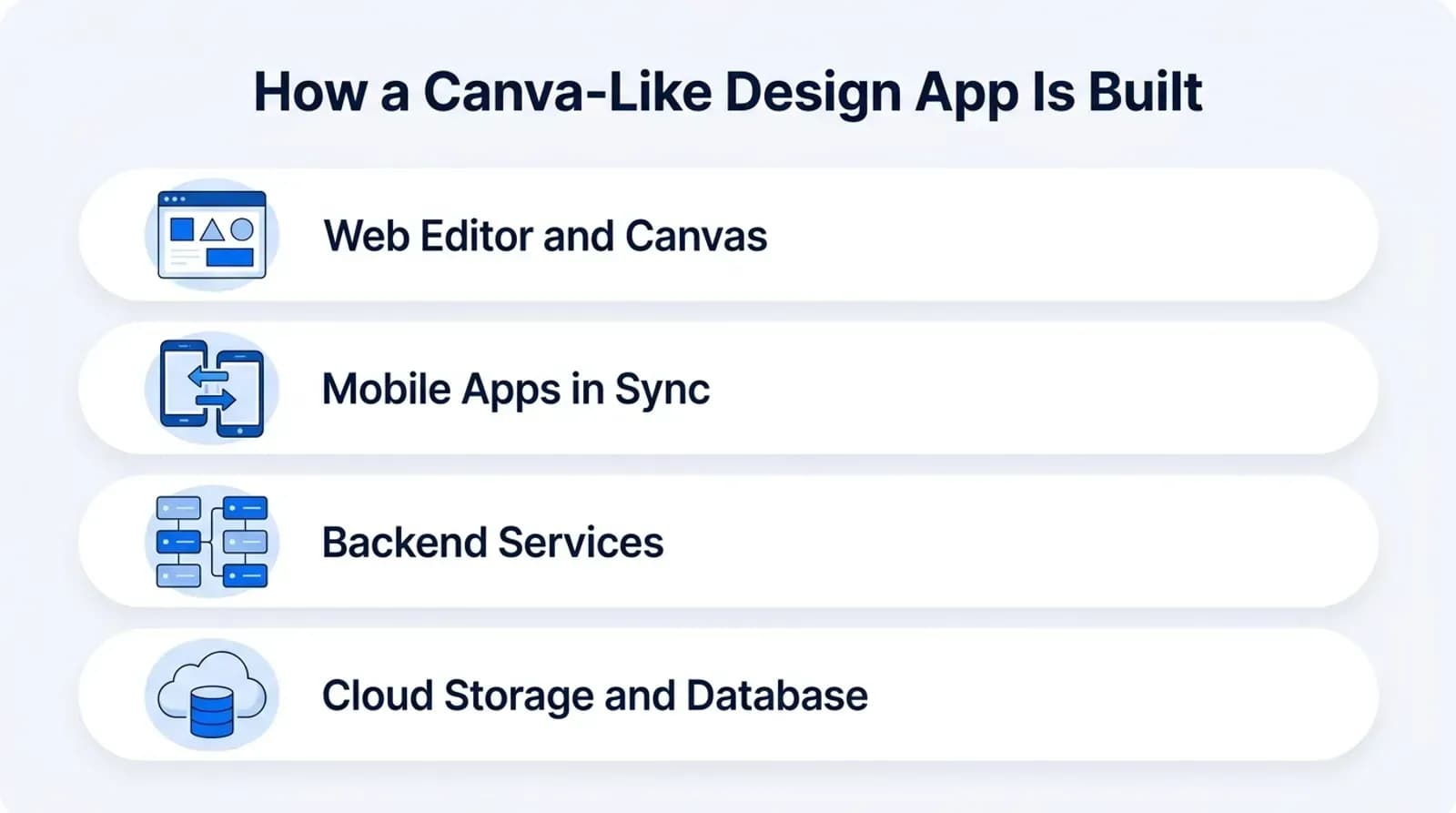
Web App Development
Frontend Development
The editor is the touching point for your user. So a user-friendly and good-looking UX is very important, as it decides how usable the tool seems. Being such a visual software as well, the front end of a graphic design tool is not only about being functional but also helping with creativity — in order for users to navigate around and create their designs easily.
Utilizing No-Code Platforms
One of the transformative approaches in modern web development, particularly beneficial for startups and non-technical founders, is the use of no-code platforms. Tools like Bubble or Webflow democratize the development process by enabling the rapid construction of web applications without deep coding knowledge. These platforms provide drag-and-drop functionality, which simplifies the interface design process and allows for quick iterations. They are useful for testing an idea quickly, but a design editor with a real-time canvas, collaboration and large media libraries soon needs custom code to perform well.
Drag-and-Drop Functionality
Drag-and-drop functionality is one of the biggest things for a graphic design tool like Canva. Drag and drop empowers users because such an interaction model is intuitive: position components where they need to be, resize elements, and manipulate their properties without needing to navigate complicated menus or memorize keyboard shortcuts. Besides enhancing user experiences, it provides relationships with this tool by an enlarged audience, right from professional designers who would want efficiency in customization to those who are not exactly designers.
Ensuring Responsive Design
In today’s multi-device ecosystem, a responsive design is not optional but a necessity. To ensure that the custom app you built performs seamlessly on various devices—desktops, tablets, and smartphones—enhances user engagement and retention. Responsive design involves adjusting the layout and functionality of the application based on the screen size and orientation, providing a consistent experience across all platforms. This approach not only improves accessibility but also ensures that users have a uniformly positive experience, whether they are creating on the go or from the comfort of their office.
Backend Development
The backend of a design app like Canva is the core engine driving data processing, user management, and real-time collaboration.
Choosing Scalable Technologies
Selecting the right technologies is fundamental to backend development. Languages and frameworks like Node.js or Python are favored in modern application development due to their ability to handle asynchronous processes and support large-scale applications. These technologies facilitate efficient data processing and are well-suited for the demands of a graphic design tool, which requires handling high volumes of user interactions and data with minimal latency.
Implementing a Microservices Architecture
The microservice architecture decomposes the back-end into a set of small, independent services—an approach in which each microservice is self-contained and implements its own certain functionality. It allows for better modularity with easy maintenance. It also reduces the complexity concerning development and testing individual components, and it allows the application to better scale up.
Optimizing Database Management
The choice of backend technology, for the management of databases, is far more critical than that of front-end technology. Whether the database is SQL-based, like PostgreSQL which powers the structured data handling and complex queries, or a NoSQL database like MongoDB powering flexible schema-fast iteration, the choice made should fit what the application requires. The database design should make robust and efficient storage of data, including the inputs from users related to the design elements to allow full availability with speedy access.
Cloud Storage Integration
Scalability would be supported by services, such as AWS S3 or Google Cloud Storage, from which the ability to scale the application with little intervention from human beings is enhanced. These are common platforms offering trusted storage solutions scaled dynamically with an increase in an application’s storage requirements to match a growth in user traffic.
Ensuring Data Security
Security in the storage or dealing with user-generated content and personal data is a very keen concern. Advanced security and encryption both at rest and during transit help secure all incoming data from users and prevent unauthorized access. Performing security audits and following compliance standards like GDPR and CCPA help protect the sanctity and integrity of data privacy.
Of course, these practices safely guarantee that user data secures itself and builds trust among platforms. Performance reasons, especially for a design tool, require fast access and manipulation of the visuals. Accessing data should, therefore, be done efficiently. This calls for the optimization of cloud storage solutions for high performance targeted by various mechanisms and strategies at low latency-alternatively, high data retrieval.
Creating a Mobile App Like Canva
iOS and Android Versions
Developing mobile applications for an app like Canva enhances accessibility and user engagement by allowing seamless interaction across various devices. Robust synchronization features for consistency across web and mobile platforms are necessary.
Optimize for Native Platforms
For an app like Canva, native app development is chosen to leverage the unique capabilities of iOS and Android devices. By using platform-specific languages—Swift for iOS and Kotlin for Android—the applications can maximize device features such as advanced graphics processing and sensors. This approach ensures high performance and smooth user interactions, which are crucial for a graphics-intensive application. While this requires managing separate codebases, the benefit is a highly responsive and cohesive user experience that feels right at home on each device.
Synchronization with Web App
Effective synchronization between mobile and web versions of your design app is essential for a seamless user experience. Utilizing WebSocket technology enables real-time, bidirectional communication that ensures any action taken on one platform is instantly mirrored on the other. This capability is critical not just for individual users moving between devices but also for teams that collaborate in real-time. Whether adjusting a design element or sharing an image, changes are synchronized across all sessions, maintaining continuity and enhancing collaborative efforts.
Estimated Time and Cost for Mobile App Development
An estimation of the time and financial resources needed to develop a tool like Canva provides good insights into both project and financial planning. The development process, in this case, can roughly be broken down into two kinds of things: a Minimum Viable Product and a fully-featured version, each with its own time frame and financial implications.
MVP Development
The build phase for MVP generally takes 6-9 months. It is supposed to be the development step that includes core functionalities that may help validate product ideas with users. The costs will sum up to $100,000 to $150,000 approximately. Such funds can cover basic design, frontend and backend development costs, and initial market testing costs among others. In that case, developing an MVP turns out to be quite a good strategy for testing user interest and gathering further valuable feedback without intense early commitments of resources.
Full-Featured Version
Once the MVP is validated, you go on to build out a full-fledged version of your project. This phase is also more intensive than the previous treatment and lasts between 12 to 18 months. The aggregate cost goes as high as the range of $250,000-$500,000 when associated costs advance to broader development efforts.
This includes the integration of advanced features, better security protocols, extensive user interface enhancements, and scalability solutions. In addition to these costs, this phase includes for more extensive testing, deployment, and initial marketing efforts needed to appropriately position the product in the market.
How Appkodes Can Help You Build It
Building an app like Canva from scratch is a big project, but you don’t have to build all of it at once. Appkodes builds a focused first version around your idea: the editor, templates and the features your users need first, as a custom MVP you can grow from.
Why Choose Appkodes?
Building an app like Canva is ambitious and needs meticulous planning, substantial investment, and expert execution. Knowing how long and how much it will cost you to build anything from a basic MVP up to the next Figma is paramount. With Appkodes you get:
A Fixed-Price Plan: A costed plan at a fixed price before any work starts, so you know the budget up front.
Experienced Team: Access a team of developers who are experienced in building complex, feature-rich applications. Every app is built new around your product, including secure sign-in with email and social accounts.
A Fast First Release: Most first releases go live in about 30 days, so you can put the editor in front of real users sooner.
Post-Launch Support: Continuous support and updates ensure your app stays competitive in the market.
With the assistance of a development expert like Appkodes, these challenges can be managed and your product can launch sooner. Ready to make it your reality? Contact us to plan your design app.
Common questions
How much does it cost to build an app like Canva?
A focused MVP with the editor, templates and export typically costs $100,000 to $150,000; a full-featured platform can reach $250,000 to $500,000. Appkodes gives you a costed plan at a fixed price first.
How long does it take to build an app like Canva?
A Canva-scale MVP usually takes 6 to 9 months and a full version 12 to 18 months. A smaller first release with core editing features can go live in about 30 days.
What features does a design app like Canva need?
A drag-and-drop editor, a template and asset library, image editing such as background removal, real-time collaboration, export and sharing, and web plus mobile apps that stay in sync.
How does Canva make money?
Through a freemium model: the basic tools are free, and Canva Pro, Teams and Enterprise subscriptions unlock premium templates, assets and advanced features.
Which tech stack suits a Canva-like app?
A web canvas built with React or a similar framework, Node.js or Python on the backend, PostgreSQL or MongoDB, cloud storage like AWS S3, and Swift and Kotlin apps synced over WebSockets.

Arun Andiselvam
LinkedInI am a startup veteran who has built five brands. I sold the first, an SEO tool, for a six figure exit, and now lead Appkodes, building custom mobile and web apps for founders and businesses. I bootstrapped every one of them from day one.