
If you run a gym and you're reading this, you already know the problem. Member details live in a spreadsheet. Fees live in a notebook or a WhatsApp thread. Attendance is whatever the front desk remembers, and renewals get missed until someone walks out. A gym management app fixes that by putting members, money, attendance, trainers, and reporting in one place that your staff can actually operate on a busy Monday evening.
You need seven core feature blocks: member management, membership and fee handling, attendance, trainer and staff control, automated reminders, dashboards and reports, and a set of extras like enquiry follow-up and multi-branch support. Build those as your first release, keep the scope narrow, and get a fixed price and a fixed launch date agreed before anyone writes code. Everything below explains what each block has to do, where off-the-shelf tools quietly fail, and what the gym app development cost actually depends on.
Why Gym Owners Outgrow Subscription Platforms
The monthly-tier model that most fitness platforms run on looks cheap at sign-up. It stops looking cheap around the time your gym starts working. Tiers are built so the features you need next, proper reporting, staff permissions, automated reminders, sit one level up from wherever you are. Small, growing gyms end up paying for a tier sized for a chain because one feature they need is locked inside it.
Multi-location is where the math breaks hardest. A lot of platforms treat each gym as a separate account with its own subscription and its own login. You open a second branch and your software bill doubles. Meanwhile your ability to see both branches in one view gets worse, not better, and some owners end up logging in and out of distinct accounts just to answer a question about total active members.
There's a second cost nobody quotes you: the gap between "all-in-one" marketing and what the platform actually does. The gaps show up in predictable places: class waitlists, makeup credits, cancellation policies, and reporting that doesn't export the way your accountant wants it. We've also seen plain scheduling limits bite hard, like software that can't generate batches or add days to an existing plan, which is a problem the moment you run fixed-time group sessions.
Owning the software changes the equation. You pay once to build, you pay hosting, and you add the feature you need when you need it instead of upgrading a plan. For a gym chain planning three or more locations, or any operator with a model the generic tools don't fit, that's usually the cheaper path within the first couple of years.
Required Features: What a Gym Management App Must Do
This is the feature set we'd scope for a first release. It's deliberately complete on operations and deliberately thin on nice-to-haves. The goal is software your front desk can run the whole business on, not a showcase.
1. Gym Member Management
Everything starts with a clean gym member management system. You need to add, edit, search, and filter members fast, by name, phone, or plan. A front-desk search that takes three taps and returns the right person is the single most-used screen in the whole product, so it gets designed first.

Each profile holds contact details, photo, emergency contact, and complete membership history, including every plan the member has ever been on. Membership start date, expiry date, and renewal status sit at the top of the profile where staff can see them without scrolling. From that same profile, you open a member's attendance record and their full payment history, who paid what, when, and what's still outstanding. When a member argues about a due amount at the counter, that screen ends the argument in seconds.
2. Membership and Fee Management
Create and manage any number of plans: monthly, quarterly, annual, personal training packages, class packs, couple plans, student rates, and seasonal offers. Each plan carries its own duration, price, tax treatment, and rules about freezing or transferring.
Fee tracking handles the real world, not the ideal one. That means paid fees, pending dues, partial payments, cash versus online splits, and discounts recorded with the staff member who approved them.
Invoices and receipts generate automatically and go out by WhatsApp, SMS, or email with your branding on them. Expiry and due-date reminders fire on a schedule you set. Good gym billing and attendance software ties those two things together so a member who hasn't paid shows up in the same view as a member who hasn't trained. Both are churn signals.
3. Attendance Management
Daily attendance is the pulse of the business. The app should support manual entry for walk-ins and edge cases, QR code check-in where a member scans at the counter or on their phone, and integration with biometric or RFID hardware where your devices support it.
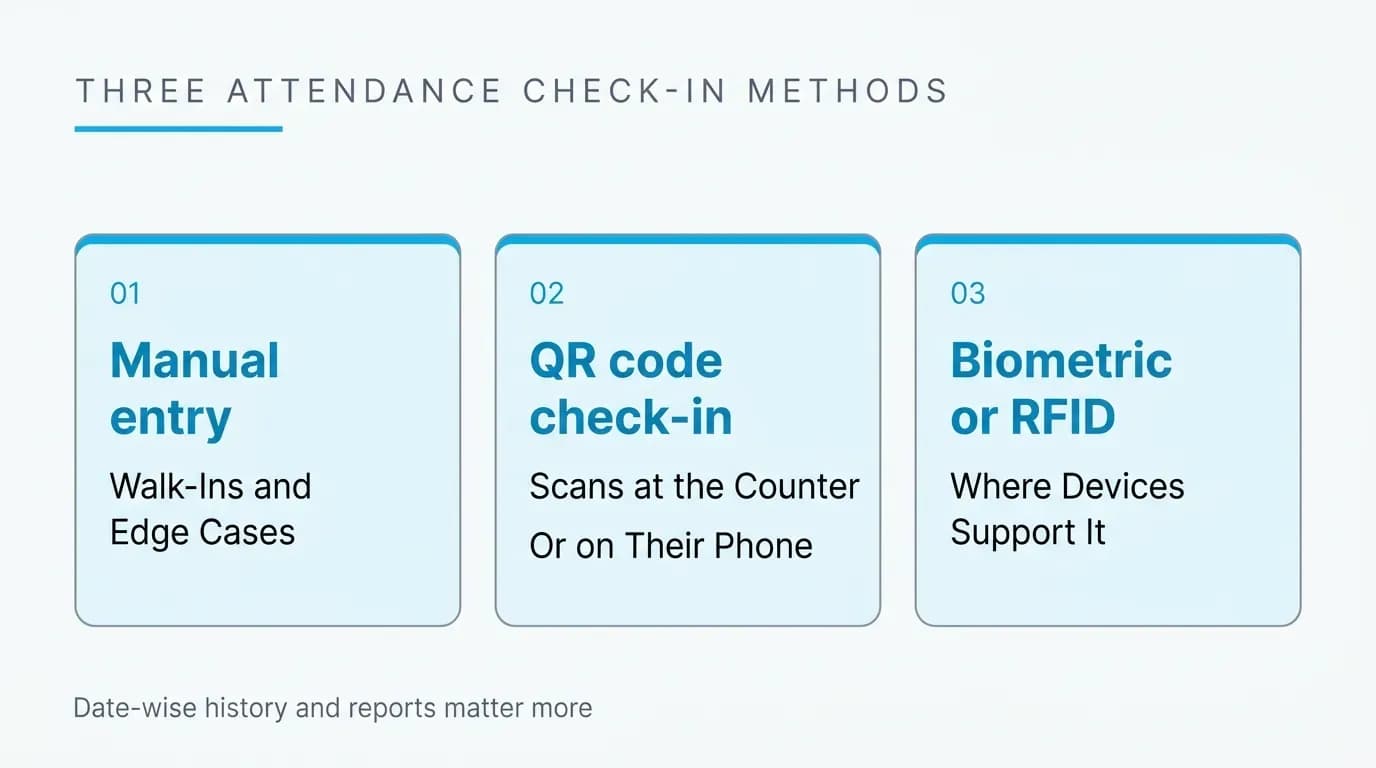
Date-wise history and reports matter more than the check-in method. You want to answer "who hasn't been in for three weeks," "what's our busiest hour," and "how many unique members used the gym last month" without exporting anything. Those three answers drive staffing, class timings, and retention calls.
4. Trainer and Staff Management
Add trainers and staff with roles and permissions that actually restrict things. A trainer sees their own clients and schedule. The front desk takes payments but can't delete records or change prices, and only an owner or manager sees revenue. Permissions that are too loose or too vague are an easy problem to avoid in a custom build, and they're the easiest thing to get right in a custom build.
Schedules, batches, and time slots live here too. That means assigning trainers to batches, capping batch sizes, and handling the trainer who covers a 6 a.m. slot twice a week. Trainer and staff attendance is tracked the same way member attendance is, which gives you a clean input for payroll and commission.
5. WhatsApp, SMS and Push Notifications
Automated reminders are the feature that pays for the build. Membership expiry reminders at sensible intervals, fee due reminders, overdue notices, birthday messages, and class reminders all go out without anyone remembering to send them.
Templates should be editable by you, not by a developer, covering tone, language, and timing. Where WhatsApp Business API is available in your market, it's usually the channel members actually read, with SMS as fallback and push notifications inside the member app for anything time-sensitive. Keep message volume sensible. Reminders work until members start muting you.
6. Dashboard and Reports
The owner dashboard opens on total members, active memberships, today's check-ins, and today's collection.
Below that sit pending payment reports, monthly revenue and expense reports, member growth, and renewal rates by plan. Export to Excel and PDF is not optional, since your accountant will ask, and so will anyone you ever sell the gym to. Proper gym CRM and reporting software also tells you which plans renew, which trainers retain clients, and which lead sources convert, so you're spending on the marketing that works.
7. Additional Features That Separate a Tool from a System
Enquiry management with follow-up CRM lets you capture walk-ins and web leads, assign them, schedule callbacks, and track conversion. Diet plans and exercise programs get assigned by trainers to discrete members. Measurements and progress tracking come with photos and charts, because visible progress is what keeps members paying.
Multi-branch management works under one login with branch-level and consolidated views. Separate secure access covers admin, staff, trainers, and members. Cloud storage with automated backups means a lost laptop isn't a lost business. Build these and you have a fitness club management app rather than a digital register.
Class Waitlists, Access Control, and the Features Platforms Skip
Two features deserve their own attention because they're where generic software most often disappoints, and both directly affect revenue.
The first is class waitlists with automatic filling. Popular time slots sell out. People cancel, and empty spots stay empty unless the system promotes the next person on the list and tells them immediately. Done properly, the waitlist promotes automatically, sends the notification, and applies a confirmation window after which it moves to the next person. Pair that with clear cancellation rules and a makeup credit system, where late cancels lose the credit and legitimate cancels keep it, and you stop refereeing disputes at the counter.
The second is billing-to-access sync. If you run door access, membership status and access rights have to be the same record. When a payment fails or a membership cancels, access cuts off on its own, and when someone pays at the counter, access restores within seconds. Where this is handled by two separate vendors, the failure mode is predictable and infuriating. Billing says it's an access problem, access says it's a billing problem, and you sit in the middle while a lapsed member walks in every morning. Building both against one source of truth removes the argument entirely, and if you do integrate third-party hardware, insist on one party owning the integration end to end.
Integration accountability is worth writing into your contract. Name who is responsible when the hardware, the payment gateway, and the app disagree. We've seen gym owners change platforms purely because support went quiet or deflected blame. The software was fine, the ownership wasn't.
What Drives Gym App Development Cost
Scope drives cost. A single-branch build with member management, billing, attendance, reminders, and reports is a different product from a multi-branch platform with door hardware, waitlists, and a member-facing mobile app.
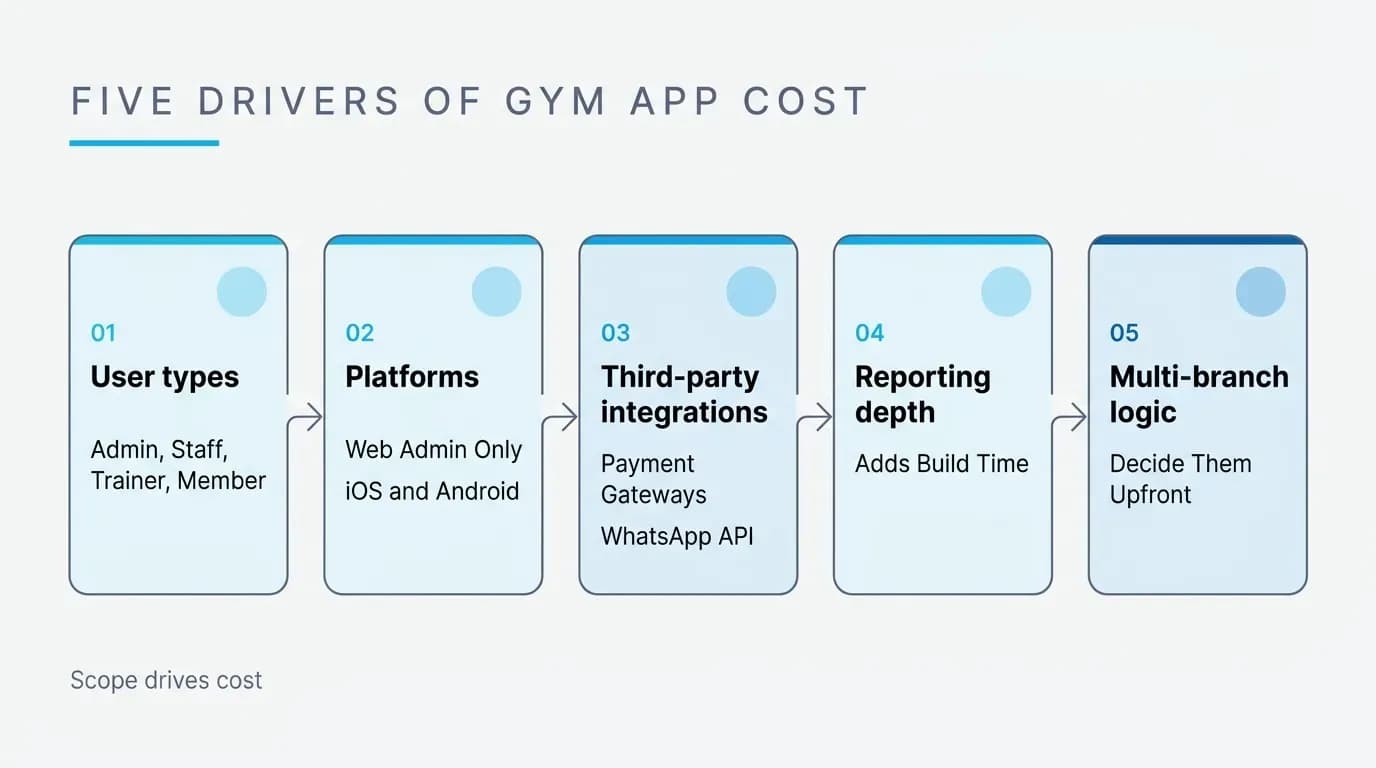
Realistically, the price moves on five things. Number of user types matters, covering admin, staff, trainer, and member. Number of platforms matters too, whether that's web admin only or web plus iOS and Android. Third-party integrations add cost, from payment gateways to WhatsApp API to biometric devices. Reporting depth and multi-branch logic round out the list. Each one adds build time, and none of them are optional surprises if you decide them upfront.
At Appkodes, we quote a fixed price and a fixed launch date before work starts, and that number doesn't move unless you change the scope. Our first releases start from $8,000, a level we've delivered at for a delivery app and a Slack-style team tool, and a focused gym build sits in a comparable range depending on which of the features above make the cut. Scope changes mid-build get re-quoted openly rather than absorbed quietly and billed later.
Compare that honestly against subscriptions. Take your current monthly bill, multiply by the plan tier you'll need in two years, multiply again by the number of locations you intend to open, and add the per-transaction payment fees most platforms layer on top. For single-location gyms with simple needs, a subscription might genuinely win. For anyone scaling or running a model the tools don't fit, ownership usually wins sooner than expected.
Hidden Fees to Check Before You Sign Anything
Before you commit to either path, ask directly about these: per-transaction processing fees on top of the gateway's own cut, SMS and WhatsApp message charges, setup or onboarding fees, data migration charges, per-staff-login fees, charges for API access to your own data, contract lock-in periods, early termination penalties, and what it costs to export your member list if you leave. Get the answers in writing. The gap between advertised price and true annual cost is almost always in that list.
Your Model Decides Your Build
A CrossFit-style box that runs scheduled classes needs batches, capacity caps, waitlists, and attendance by session. A personal-training studio needs trainer calendars, session packages, credit balances, and no-show policies.
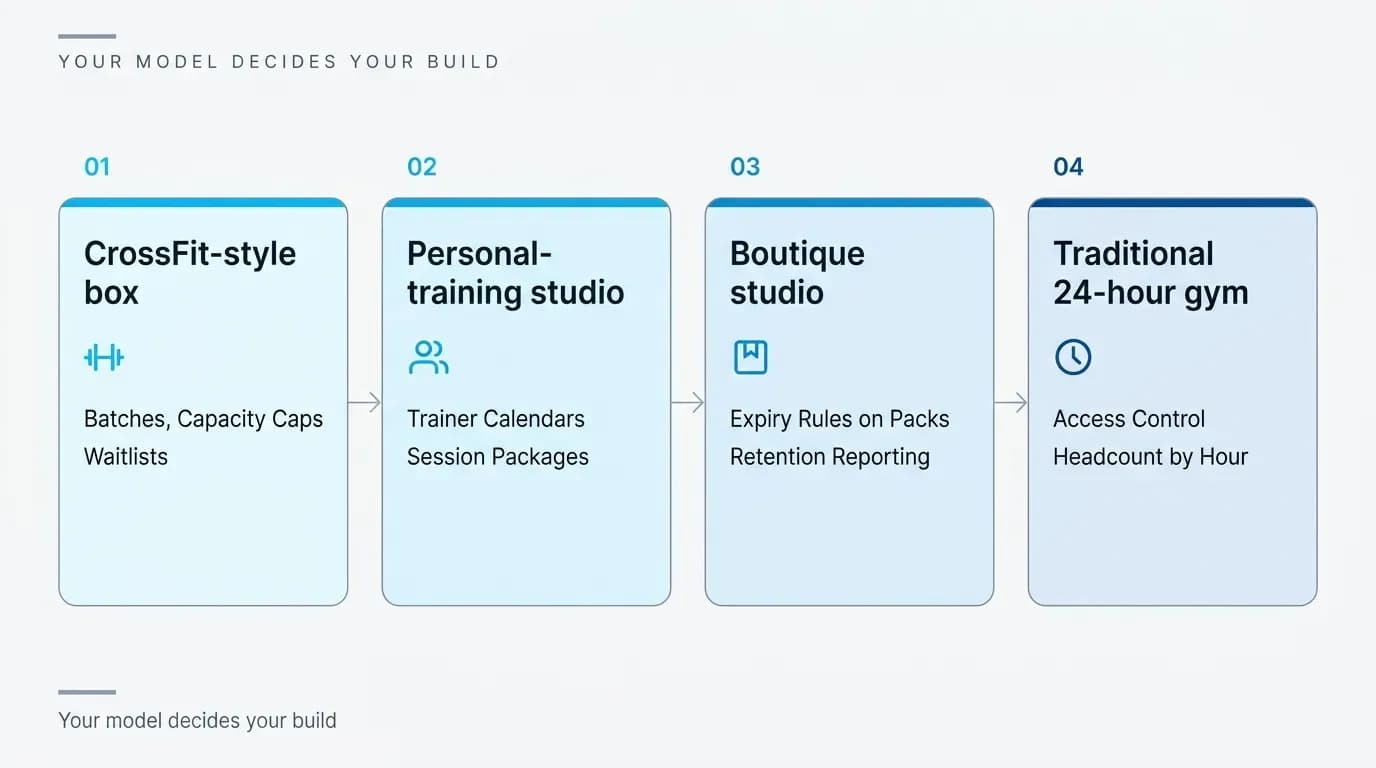
A boutique studio selling class packs needs expiry rules on packs and sharp retention reporting. A traditional 24-hour gym needs access control, headcount by hour, and uncomplicated recurring billing. Generic platforms average these models and serve none of them perfectly, which is exactly why the gaps feel so personal when you hit one.
Write down how your gym actually runs, in your words, not software words, before you look at any gym management software features list. That document is your scope, and it's what stops you paying for modules you'll never open.
How to Get It Built Without Overspending or Missing the Date
Start with your operations document, then cut it. First release covers member management, plans and fees, attendance, reminders, and the owner dashboard. Everything else, diet plans, progress photos, access hardware, branch two, goes on a phase-two list that's written down and priced, not forgotten.
Insist on a fixed price and a fixed launch date before work begins. Get a demo environment early and put your actual front desk staff in it during build, not after. Staff usability is the thing that decides whether the software gets used. If checking in a member takes too many taps, your team will go back to the notebook within a month. Budget a short training window and record a few short screen videos for new hires.
Plan your data migration before launch day. Export your member list, clean the duplicates, standardize phone numbers, and decide which historical payments you actually need. Run the old system and the new one in parallel for a couple of weeks, then switch.
Building a custom gym platform without a fixed scope and timeline can easily stretch into a long, open-ended effort. That's the honest alternative to a professional build, a long solo effort with no fixed date. Our job is to compress that into a scoped project with a date on it. If you want to see how we frame scope and timelines generally, our app development guides and our walkthrough on creating an app for your business cover the process, and for a fast first version our FlutterFlow mobile-first MVP approach is worth reading.
Tell us how your gym runs and what you want in release one. We'll come back with a fixed price and a fixed launch date before any work starts, and you'll know exactly what you're spending and when you're opening.
Common questions
What are the core features needed in a gym management app?
A gym management app needs seven core feature blocks: member management, membership and fee handling, attendance, trainer and staff control, automated reminders, dashboards and reports, and extras like enquiry follow-up and multi-branch support. These features should cover operations comprehensively so that front desk staff can run the whole business on the software.
Why do gym owners outgrow subscription-based gym software?
Subscription platforms use a tiered model where features you need next are locked in higher-priced tiers, forcing you to pay for features sized for larger chains. Multi-location gyms face doubled software bills for each branch with separate logins, and gaps between marketing claims and actual functionality emerge in areas like class waitlists, makeup credits, and reporting.
How does attendance tracking help gym business decisions?
Attendance data lets you answer critical questions like who hasn't been in for three weeks, what your busiest hour is, and how many unique members used the gym last month without exporting anything. This information drives staffing decisions, class timings, and member retention calls.
What is the difference between class waitlists on generic platforms versus custom builds?
Generic platforms often skip proper class waitlists with automatic filling, leaving empty spots when members cancel. A custom build can automate promotion from the waitlist, send immediate notifications, apply confirmation windows, and pair this with clear cancellation rules and makeup credit systems to prevent disputes.
How much does it cost to build a gym management app?
Focused gym app builds start from $8,000 depending on which features are included, with a fixed price and fixed launch date agreed before work starts. The final cost depends on the number of user types, platforms needed (web only versus web plus iOS and Android), third-party integrations, and reporting depth.

Arun Andiselvam
LinkedInI am a startup veteran who has built five brands. I sold the first, an SEO tool, for a six figure exit, and now lead Appkodes, building custom mobile and web apps for founders and businesses. I bootstrapped every one of them from day one.