Most feature lists for live streaming apps read like a shopping catalog. Chat, gifts, filters, followers, done. Then the build starts. The first stream buffers for eight seconds, the audio drifts out of sync with the video, and the founder discovers that the features nobody listed, stream key handling, encoder fallbacks, moderation queues, are the ones that decide whether anyone stays.
So here is the short answer first. The live streaming app features that actually matter fall into three groups. There's the plumbing that makes a stream watchable, meaning low-latency streaming, adaptive bitrate, dropped-frame recovery, and audio sync. There's the social mechanics that make people stay and spend, like virtual gifting, PK Battles, chat, co-hosting, and multi-screen viewing. And there's the control layer that keeps you out of trouble: moderation, stream key security, copyright handling, analytics. Everything else is decoration, and getting the first group wrong means the other two never get a chance.
We've built apps in this space for years, and the pattern repeats. Founders over-invest in cosmetic features and under-invest in the stream pipeline. This guide walks through what to specify, in the order you should specify it, and what each layer does to your live streaming app development cost.
Start With Low-Latency Streaming, Not the Feature List
Latency is the gap between a host speaking and a viewer hearing it. On a standard HLS setup that gap can stretch long enough that a host answering a chat question is replying to something the viewer typed half a minute ago. Every interactive feature you want to build collapses at that delay, whether it's gifting reactions, PK Battles, or live Q&A. The host thanks someone for a gift that arrived ages ago, and the battle timer ends before half the audience sees the final score.
Low-latency streaming is the foundation, and it is a protocol decision, not a setting you flip later. WebRTC gives you near-conversational delay and is the right call when hosts and guests talk to each other. Low-latency HLS or CMAF-based delivery sits a little further behind but scales to large audiences more cheaply. Most serious apps use both: WebRTC for the host-to-guest layer, segmented delivery for the broad viewing audience, with a transcode step in between. Specify that architecture up front. Retrofitting low-latency streaming onto an app built on standard HLS means rebuilding the player, the ingest, and most of the real-time event bus.
The second half of this decision is delivery cost. Low-latency streaming at scale is bandwidth you pay for every minute, and the bill grows with concurrent viewers, not with registered users. Before you pick resolutions and bitrate ladders, work out what a thousand concurrent viewers at 1080p costs you per hour against what those viewers actually spend. A lot of apps quietly cap default playback quality and let viewers opt up, which is a sensible trade. Plan delivery cost as a product decision, not an infrastructure afterthought.
Stream Key Security: The Feature Nobody Puts on the List
A stream key is a password. That is the whole of it. Anyone holding a channel's stream key can push video to that channel, and the platform will happily broadcast it. We have seen keys leak in the most ordinary ways. A screenshot of encoder settings gets posted in a support thread. A downloadable OBS preset gets shared with a creator community. A tutorial video leaves the settings panel on screen for a few seconds. The key is right there, readable, and nobody notices until something nasty appears on a popular channel.
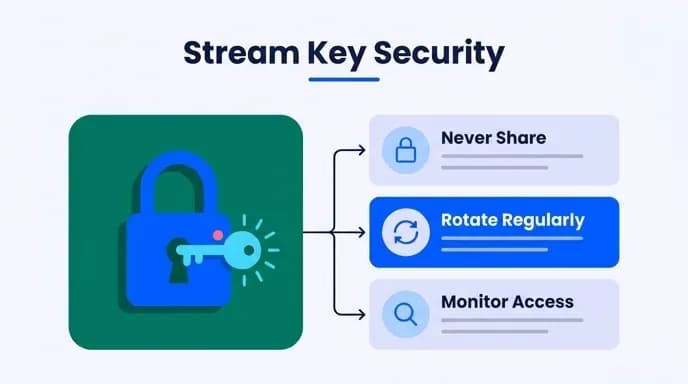
Build your app so that this is hard to get wrong. Mask the key in every UI where it appears, with a reveal action that requires re-authentication. Give every creator a one-tap regenerate button and make it obvious. Log which IP and encoder last pushed to each key, and surface that to the creator, so an unexpected ingest shows up as something they can see. If you support agency accounts where a manager streams on a creator's behalf, issue scoped keys per manager rather than sharing one.
Then go further. Rotate keys automatically after a long dormant period, and invalidate them when a creator changes their password. Treat key handling in your documentation the way you would treat payment credentials, so a real one never appears in a screenshot, a preset file, or a public tutorial. This costs very little to build and prevents the single most embarrassing failure a streaming platform can have.
Custom RTMP Destinations and Encoder Support
Serious creators do not stream from a phone camera. They stream from OBS, Streamlabs, vMix, or hardware encoders, and they expect to point those tools at your platform the same way they point them at any other platform. That means publishing a custom RTMP ingest URL and stream key, documenting your accepted codecs, keyframe interval, and bitrate ceilings, and not assuming everyone will use your built-in mobile broadcaster.
A common question founders face early on: how do you send a stream to a custom RTMP destination instead of using the built-in integrations? If your answer is "you can't," you've excluded the exact creators who bring an audience with them. Support RTMP ingest, and support SRT if you want creators streaming over unreliable connections, because SRT recovers from packet loss in a way RTMP does not.
Two details make the difference between an ingest that works and one that generates support tickets. First, give creators a private test mode. A stream only they can see, so they can confirm the destination receives video and plays it back correctly before an audience shows up. Auto-configuration wizards guess at upload capacity and frequently guess wrong. A real test stream, watched back, is the only thing that proves the chain works end to end. Second, show live ingest telemetry in the creator dashboard, covering incoming bitrate, frame rate, dropped frames, and keyframe compliance, so a creator can diagnose their own setup instead of writing to you. Both are small features that pay for themselves within weeks of launch.
Virtual Gifting, PK Battles and the Rest of the Monetization Layer
Now the money. The monetization features for streaming apps that reliably work in this category are not subscriptions and not pre-roll ads. They are impulse purchases tied to a moment on screen.
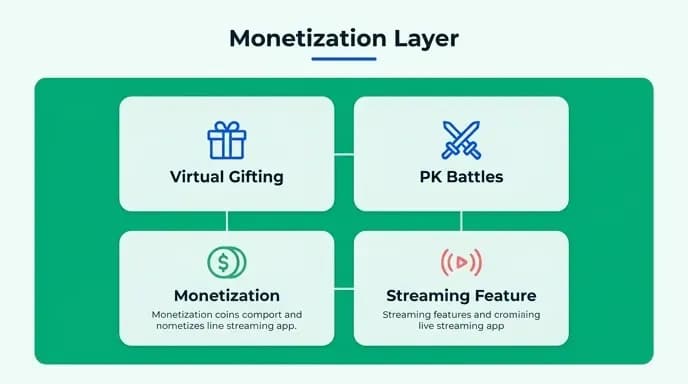
The virtual gifting feature is the backbone. Viewers buy coins, spend coins on animated gifts, and hosts convert gift value into earnings minus your platform share. The feedback loop matters more than the size of the catalog. The gift must appear on the host's screen fast enough that they can react on camera, and the sender's name must be visible, with an animation that feels worth the price. Build a tiered catalog: cheap gifts that anyone sends constantly, mid-tier gifts for regulars, and a small number of expensive ones with full-screen animations that create an event in the room. Add a leaderboard of top senders per stream and per month, because status is what converts a one-time buyer into a repeat one.
The PK Battles feature is the other engine. Two hosts go head to head on a split screen for a fixed timer, and their viewers send gifts to push their side's score up. It works because it converts passive viewers into participants with a deadline. Synchronized timers across both hosts and every viewer are what make it work, along with a score that updates in real time without a page refresh, a clear loss animation, and matchmaking that pairs hosts of similar audience size so battles stay close. A lopsided battle is boring and nobody spends in it.
Around those two, layer the supporting earners: paid private rooms or one-to-one video calls, locked streams that require a ticket, host-level subscriptions for a badge and emotes, and an affiliate or agency structure where talent managers earn a cut for recruiting hosts.
Also plan the withdrawal side carefully, since payout thresholds, KYC checks, tax documentation, and a dispute path all need attention. Founders consistently underestimate payouts, and it is the part that gets you regulatory attention. We cover the full build sequence in our guide on how to build a live streaming app, including where the payment and payout work sits in the timeline.
Multi-Screen Streaming and Co-Hosting
A multi-screen streaming app is one where more than one video source shares the frame: two hosts in a PK Battles feature, a host pulling up to three guests from the audience, a panel of four, or a viewer watching several streams at once in a grid. This is a different engineering problem from single-host broadcasting, and it needs to be in the brief from day one.
The hard parts are mixing and sync. One option composites the streams server-side into a single output, simpler for viewers and cheaper on their bandwidth, but it adds latency and transcode cost. The other delivers each participant's stream separately and lets the client arrange them, which keeps latency low but multiplies the viewer's connection count and battery drain. Most apps run a hybrid: client-side composition for small co-host counts, server-side mixing once the panel grows.
One useful control to copy from conferencing tools: let a participant stop downloading other participants' video while still receiving shared screens or the main host feed. On a weak mobile connection, cutting incoming video is the difference between staying in the room and dropping out entirely. Where tools implement this it tends to need a recent client version and permissions set at both the account and the individual level, so build your version with a clean default rather than burying it behind admin toggles. Also decide early what a multi-screen streaming app does on small phones: four tiles on a 6-inch screen are four unreadable faces. Prioritize the active speaker, make the layout switchable, and let viewers pin a host.
Troubleshooting Dropped Frames, Quality Drops and Audio Sync
These three complaints fill support inboxes, and your app should answer them before a human has to.
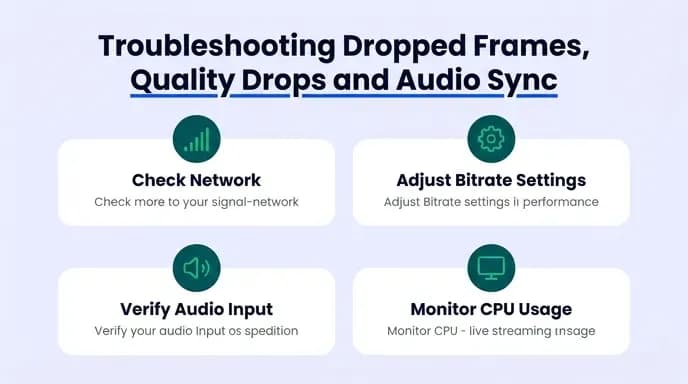
Dropped frames are almost always upload-side. The encoder is producing more data than the connection can carry, so frames get discarded. Your app can detect this from ingest telemetry and tell the host in plain language, something like "your connection can't carry your current settings, lower the bitrate," instead of silently degrading. Build an adaptive bitrate ladder so viewers on poor connections step down in quality rather than buffering, and make the ladder's lowest rung genuinely low. Audio-only fallback is worth building too. A viewer who can still hear the host stays in the room.
Audio sync drift is nastier because it creeps in slowly. It usually comes from mismatched clocks between audio and video capture, a Bluetooth headset adding delay on the host side, or a transcode step that resamples audio without adjusting timestamps. Fix it at the source. Lock to a single timestamp clock on capture, expose a manual audio offset slider in the host settings, and warn hosts when a Bluetooth device is the active input. On the playback side, your player should resync on timestamp rather than trying to catch up by skipping audio, which sounds worse than the drift.
Build a diagnostics panel into the host app: current bitrate, dropped frame count, round-trip latency, audio offset, and a one-tap "run test stream" action. Hosts who can see what is wrong fix it themselves. Hosts who see nothing blame your platform and leave.
Overlays, Smart Scene Switching and Chat Moderation
Overlay customization is where creators judge whether your app respects them. Preset overlay packages are a fine starting point, but creators want to pull apart distinct assets inside a package, move them, hide them, and swap the color palette to suit a different mood while keeping the same theme. Build your overlay system as composable layers with editable color tokens, not as flat images. The same applies to alerts. A creator should be able to restyle the gift alert that fires during a virtual gifting feature moment without replacing the whole pack.
Smart scene switching is the feature creators ask for most and get least. Switching scenes automatically, covering initial soon, live, intermission, and ending, based on what is actually happening, removes a whole category of on-air mistakes without the host touching anything mid-stream. Pair it with context-aware chat bot logic that responds to recognizable situations rather than firing the same canned line at fixed intervals.
Chat moderation is not optional, and it is a performance problem as much as a safety one. At high concurrency, rendering every message kills the client, so sample the visible feed, batch renders, and keep the full log server-side. On the safety side, build in per-stream slow mode, follower-only and subscriber-only chat, word and link filters, shadow-muting so a timed-out user still sees their own messages, and a moderator role with its own queue. Give creators the ability to embed their key dashboard panels inside their broadcasting software rather than running a separate browser window, which eats the CPU headroom their encoder needs.
Copyright, Music Licensing and VOD
Music is the fastest way to get a young platform into legal trouble. Hosts play tracks they like, rights holders issue notices, and the platform, not the host, is the party on the receiving end. You need a documented notice-and-takedown process, a repeat-infringer policy, DMCA agent registration if you serve US users, and ideally a licensed in-app music library so hosts have a safe option that is easier than the unsafe one. We don't give legal advice, so have a lawyer review your policy for each market you operate in. The engineering work is straightforward though: audio fingerprinting or at minimum fast manual takedown, per-stream content flags, and clean records of what was broadcast when.
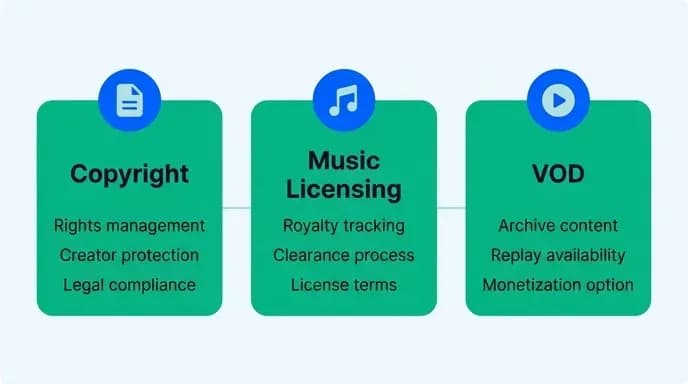
That last point connects to VOD. On most platforms a public live stream converts to permanent video on the channel once it ends, and that archive often brings in more viewers over time than the live audience did. Build the replay path deliberately: automatic recording, trimming, thumbnail selection, clip extraction for short-form sharing, and a toggle for hosts who want streams to vanish. Archives also make moderation and copyright response possible, since you can actually review what went out.
Analytics and Discoverability
Generic dashboards, showing total views, watch time, and follower count, tell a creator nothing they can act on. The analytics creators actually use show retention moments and chat activity spikes, covering where viewers left, what was on screen at that minute, which segment of a stream made the room erupt, and which gift tiers fired when. Map gifting events, chat volume, and join-leave curves onto the same timeline, and you have given hosts something that changes how they plan their next stream.
Discoverability is the other half. A streaming app with no distribution is a streaming app with empty rooms, so treat feed ranking as a core feature. Rank on live engagement signals, not follower count, so a new host with an active room can surface. Build category and language browsing, push notifications when a followed host goes live, auto-clipping for off-platform sharing, and a landing page per host that works without the app installed.
What This Costs and How to Scope It
Live streaming app development cost tracks almost entirely with the pipeline, not the screens. A single-host app with chat and a basic virtual gifting feature is a contained build. Add WebRTC co-hosting, a PK Battles feature with synchronized scoring, a multi-screen streaming app layout, RTMP ingest for external encoders, payouts with KYC, and a moderation console, and you are building multiple systems that each need their own testing.
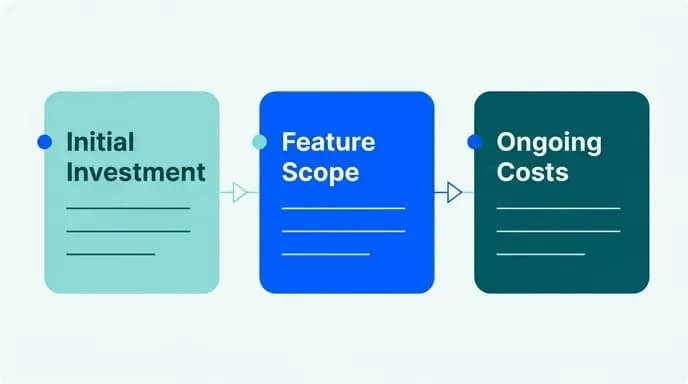
Our advice is to launch an MVP with the pieces that prove demand: low-latency streaming, chat, the virtual gifting feature with payouts, and one social hook, usually the PK Battles feature, because it drives spending harder than anything else. Then add overlays, analytics depth, and multi-encoder support once you know who your hosts are. A template script can look like a shortcut, but most are built on older delivery stacks, and the moment you need genuine low-latency streaming or a custom ingest path, you are rewriting the core anyway.
We work on fixed price, fixed launch date, agreed before anything starts. That is what makes a build predictable for a founder without a technical background. First releases start from $8,000 depending on scope, and scope is the honest variable here. Two apps with the same feature list can differ a lot once concurrency targets and payout rules are nailed down.
If you want a number against your actual spec, our live streaming app development team will scope it and give you a fixed price and a launch date before work begins. Send us the must-have live streaming app features on your list and we'll tell you which ones belong in release one.
Common questions
What is the most important feature for a live streaming app?
Low-latency streaming is the foundation that makes all other interactive features possible. Without it, features like gifting reactions, PK Battles, and live Q&A collapse because the delay between a host speaking and a viewer hearing it becomes too long for real-time interaction.
How do I protect my stream key from being leaked?
Mask the stream key in every UI where it appears with a reveal action that requires re-authentication, give creators a one-tap regenerate button, log which IP and encoder last pushed to each key, rotate keys automatically after dormant periods, and invalidate them when a creator changes their password. Treat key handling in documentation the way you would treat payment credentials so a real key never appears in screenshots or public tutorials.
What are the best monetization features for live streaming apps?
Virtual gifting and PK Battles are the most reliable monetization engines, as they create impulse purchases tied to moments on screen rather than relying on subscriptions or pre-roll ads. Supporting features include paid private rooms, locked streams requiring tickets, host-level subscriptions, and affiliate structures where managers earn a cut for recruiting hosts.
Why do live streams have audio sync problems?
Audio sync drift usually comes from mismatched clocks between audio and video capture, a Bluetooth headset adding delay on the host side, or a transcode step that resamples audio without adjusting timestamps. It can be fixed by locking to a single timestamp clock on capture, exposing a manual audio offset slider in host settings, and warning hosts when Bluetooth devices are active.
What encoders and protocols should a live streaming app support?
A live streaming app should publish a custom RTMP ingest URL and stream key so creators can use industry-standard encoders like OBS, Streamlabs, vMix, or hardware encoders. Supporting SRT is also valuable for creators streaming over unreliable connections, as it recovers from packet loss in ways RTMP does not.

Arun Andiselvam
LinkedInI am a startup veteran who has built five brands. I sold the first, an SEO tool, for a six figure exit, and now lead Appkodes, building custom mobile and web apps for founders and businesses. I bootstrapped every one of them from day one.