If you are posting a brief for a cross-platform iOS and Android app that handles farm dashboards, crop health tracking, weather data, irrigation scheduling and expense reporting, here is the short answer. This is a mid-complexity build. It lives or dies on how little it asks of the user, and the cost swings far more on integrations than on screens. A first release with a clean dashboard, growth-stage tracking, weather, scheduling with reminders, and basic financial reports is achievable as a focused MVP. Adding AI disease diagnosis, IoT sensor ingestion and offline-first sync is what turns a tidy project into a long one.
Our work across many Farm Management & Crop Monitoring System App Development projects has shown a consistent pattern. Founders overestimate the difficulty of the dashboard. They underestimate everything that happens when a phone has no signal in the middle of a field. This guide walks through the features that matter, the tech stack choices worth defending, what drives agriculture app development cost, and the questions you should put to any developer before you sign.
What a Farm Management and Crop Monitoring App Actually Has to Do
Strip away the pitch decks and the job breaks into five parts. Tell me what is happening on my land right now. Tell me what state my crops are in. Tell me what the weather is about to do to them, and tell me what I need to do today and what it all cost.
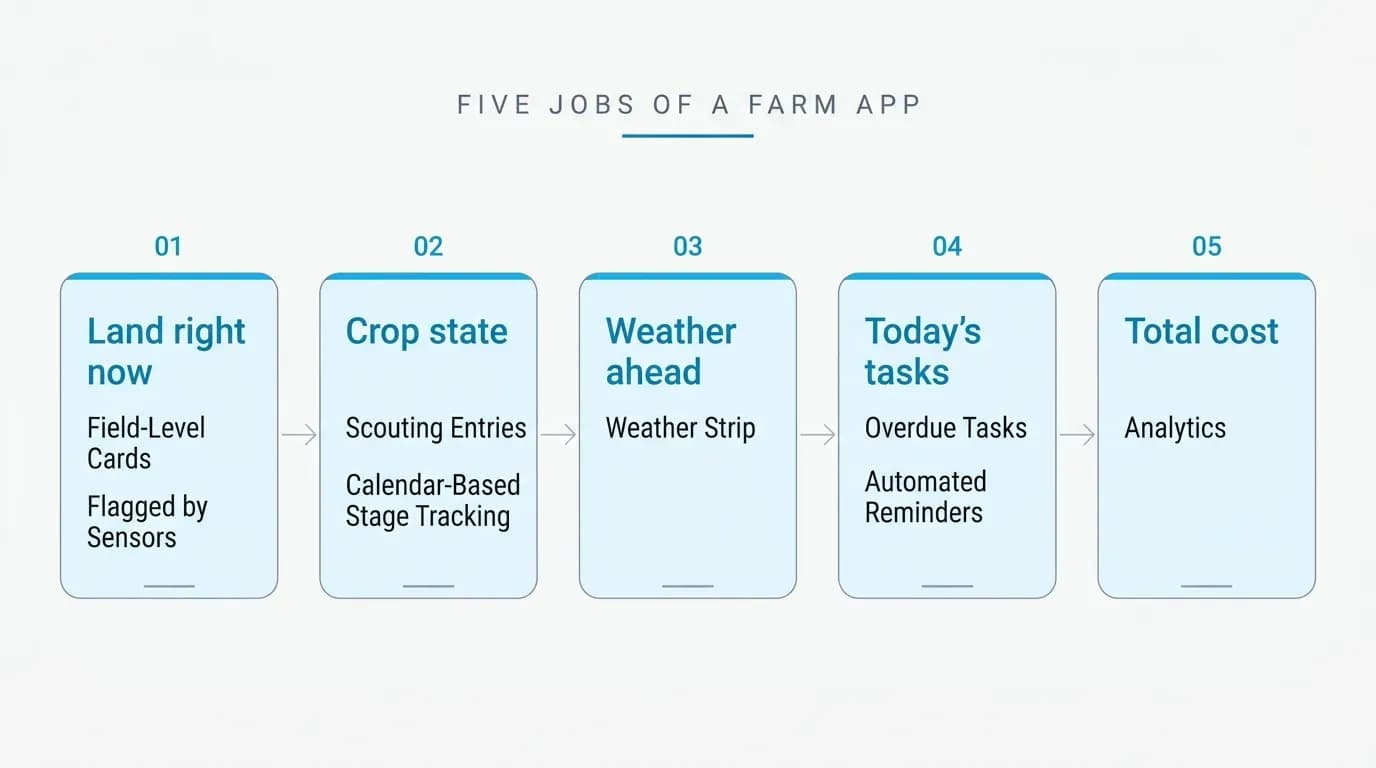
The dashboard is the front door. It should open to a single screen that answers "what needs my attention" without a tap: field-level cards, a weather strip, overdue tasks, and anything flagged by sensors or scouting notes. Resist the urge to put analytics on the home screen. Analytics belong one level down, where someone sitting at a desk will look for them.
Crop health and growth stage monitoring is where most briefs get vague, so be specific in yours. Do you want calendar-based stage tracking, where a crop advances through defined phases from planting date? Do you want scouting entries with photos and geotags, or satellite and drone imagery layered over field boundaries? These are different builds entirely. A crop health tracking app that logs observations manually is straightforward. One that interprets imagery is a data pipeline with a mobile front end, and the cost difference is not small.
Task and irrigation scheduling with automated reminders sounds simple, yet it is the feature most likely to get abandoned. Reminders that fire at the wrong time, or that cannot be snoozed or reassigned to a worker, get silenced within a week. Build scheduling around recurring jobs, crew assignment, and completion logging with a timestamp, so the schedule doubles as a record.
Financial reports for labor and material expenses should tie back to the task log. If a worker marks an irrigation job complete, the hours and the water or fuel used should land in the expense ledger without separate data entry. That link is the difference between a farm management tool and two apps bolted together.
Real-Time Disease Diagnosis: Where AI Belongs and Where It Doesn't
Growers increasingly expect a monitoring app to tell them what is wrong with a leaf, not just store a picture of it. Deep learning models trained on plant disease imagery can classify common problems from a phone photo, and this capability has moved from research novelty to something practical for crop monitoring app development. Large machinery and equipment players have been acquiring specialized crop monitoring technology companies, which tells you where the market thinks value sits.
Here is the honest version for a founder. On-device or cloud image classification for a defined set of crops and a defined set of diseases is achievable in a first or second release. What is not achievable on an MVP budget is a general-purpose model that handles any crop, any pest, any lighting condition, and any growth stage with the confidence a grower needs before spraying.
So scope it narrowly. Pick the two or three crops your initial customers actually grow. Use an existing pretrained vision model and fine-tune it rather than training from scratch. Return a ranked set of possibilities with a confidence indicator instead of a single verdict, and give the user a path to escalate: send the photo, the GPS point and the growth stage to an agronomist or extension contact. Diagnosis support that makes an expert faster is more defensible than diagnosis that replaces one.
Predictive monitoring is the natural extension. Combining logged scouting history, local weather and growth stage lets you flag elevated risk windows for specific diseases before symptoms appear. For specialty crops, orchards or high-value horticulture, this is often the feature that justifies a subscription, because a missed window there costs real money.
IoT, Energy Efficiency and Smart Irrigation Integration
Sensors are the second axis of this build, and they change the architecture. IoT-based monitoring is one of the clearer wins available right now. Tracking pump runtime, soil moisture and power draw lets growers cut operational spend without giving up yield, because so much irrigation energy is spent watering soil that did not need it.
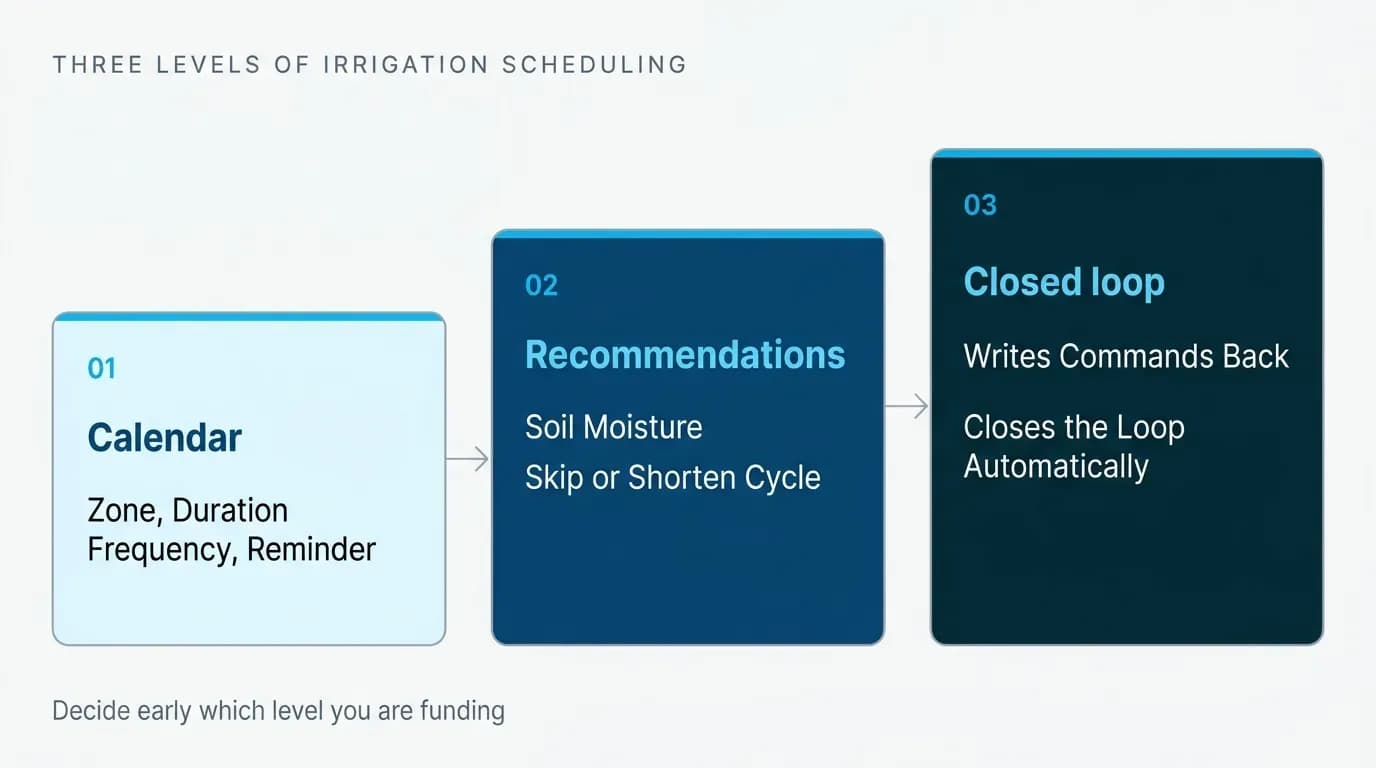
If irrigation is central to your product, treat the irrigation scheduling app side as its own module with its own data model. At the simplest level it is a calendar: zone, duration, frequency, reminder. One step up, it reads soil moisture and weather forecast data and recommends skipping or shortening a cycle. At the top end it writes commands back to a controller and closes the loop automatically.
Each step adds integration work. Reading from a sensor gateway over MQTT or a vendor API is manageable. Writing commands to field hardware means handling failures, confirmations and safety states, because a stuck valve is a real-world consequence, not a bug report. Decide early which level you are funding, then build the data model so the higher levels can be added later without a rewrite.
Smart irrigation that pairs IoT with cloud processing is one of the few AgriTech features where the water and energy saving is visible on a bill within a season. That makes it an uncomplicated thing to sell and a hard thing to half-build. If budget is tight, ship the recommendation layer first and let the farmer act on it manually. You get most of the value and none of the hardware control risk.
Offline-First Design and the Connectivity Problem
Most farm apps are demoed on office Wi-Fi and used where there is no signal at all. If your app needs a round trip to a server to log a scouting note, it will fail in the exact moment it matters.
Your architecture needs to be offline-first. The phone holds a local database as the source of truth for the session, and every action, task completion, observation, photo, expense entry, writes locally and queues for sync. When connectivity returns, the queue drains, with conflict resolution rules decided in advance rather than improvised later. Last-write-wins is fine for a task status, but it is not fine for an expense total that two people edited.
Photos need special handling, since a scouting photo taken in a field can be large, and uploading a backlog over a weak connection drains battery fast. Compress on capture, upload on Wi-Fi by default, and let the user override.
Map tiles and field boundaries should cache too. A grower who opens the app at the far end of a block and sees a gray rectangle where their map was will not open it twice. Offline capability is not a nice-to-have in this category. It is the thing that separates an app that gets daily use from one that gets deleted after harvest.
Why Farmers Hesitate, and How Your UX Answers It
Adoption is the risk nobody puts in the brief. There is real hesitation among growers toward drones, sensors and monitoring platforms, not because the technology does not work, but because the time cost of learning it lands during the busiest weeks of the year, and because the value arrives a season later than the effort. In India particularly, the gap between available tools and willingness to use them is wide enough that it should shape your product decisions, not just your marketing.
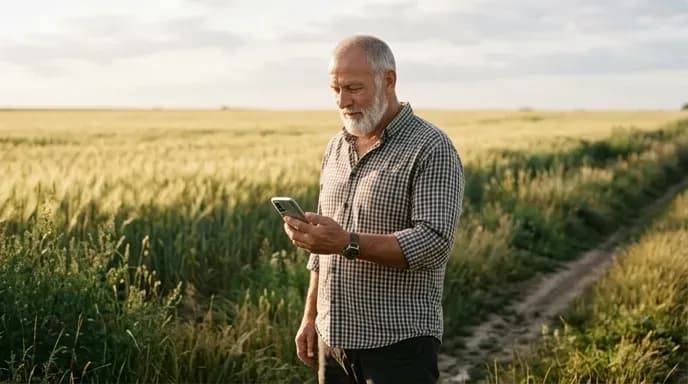
Smallholders and homesteaders have a sharper version of the same instinct. The whole point of the operation is to minimize cash going out, so software that is not clearly essential loses to a notebook. Meanwhile the growers who do track things carefully often do it with notably plain methods: geotagged trees, a garden layout redrawn each year, a hive weight and temperature reading. Those habits are a specification, not a problem, so mirror them.
The app should deliver value on day one, before any data is entered, with local weather, a planting calendar for their region, and a blank but useful dashboard. Every input should be optional and every input should be fast, through voice notes, photo-first entry, and one-tap task completion. Data management cost should be cut relentlessly, by importing field boundaries, remembering last season's inputs, and defaulting to yesterday's crew. Systems that cut the admin burden see better retention than systems with more features.
Uncluttered UI is not an aesthetic preference here. It is the adoption strategy: large touch targets for gloved hands, high contrast for bright sunlight, and a flow that survives being interrupted mid-entry.
Integration With Advisors, Extension Offices and Traceability
A farm app that only talks to the farmer is a notebook with a battery. The ones that stick connect the grower to the people who already advise them.
Build a share path from the start. A scouting record, a photo set, a field history exportable as a link or PDF that an agronomist, extension officer or co-op advisor can open without creating an account. Advisors become your distribution channel when the app makes their job easier.
Traceability is the other underserved area. Specialty producers, organic growers or small processors need track-and-trace records for certification and buyers, and the enterprise systems built for this are priced for enterprises. An affordable track-and-trace module that logs inputs, harvest lots and movement, and prints a easy record, is a genuine gap. If you have been reading our guide to building inventory management software, the lot-tracking logic is closely related, and a lot of it transfers directly.
One more integration worth scoping is land-use and zoning information. Growers evaluating a parcel struggle to find out quickly whether their intended livestock or crop is permitted, and that question usually arrives under time pressure during a purchase. Surfacing it well would be a differentiator, so just be careful to present it as reference information rather than legal guidance.
Tech Stack, Timeline and Agriculture App Development Cost
For a cross-platform build, React Native or Flutter both work. We lean toward Flutter when heavy offline map rendering and custom charts are involved, and React Native when the team expects to share logic with a web dashboard. Either way, you want a single codebase, not two native teams, unless you have a specific hardware reason.
Backend: Node.js or Python with PostgreSQL and PostGIS for geospatial data. PostGIS matters, since field boundaries, point observations and zone queries all get simpler with it. Add a time-series store if sensor volume is high, an object store for photos, and a message queue for sync and notifications. Weather comes from a commercial API, so budget for its ongoing cost, not just the integration.
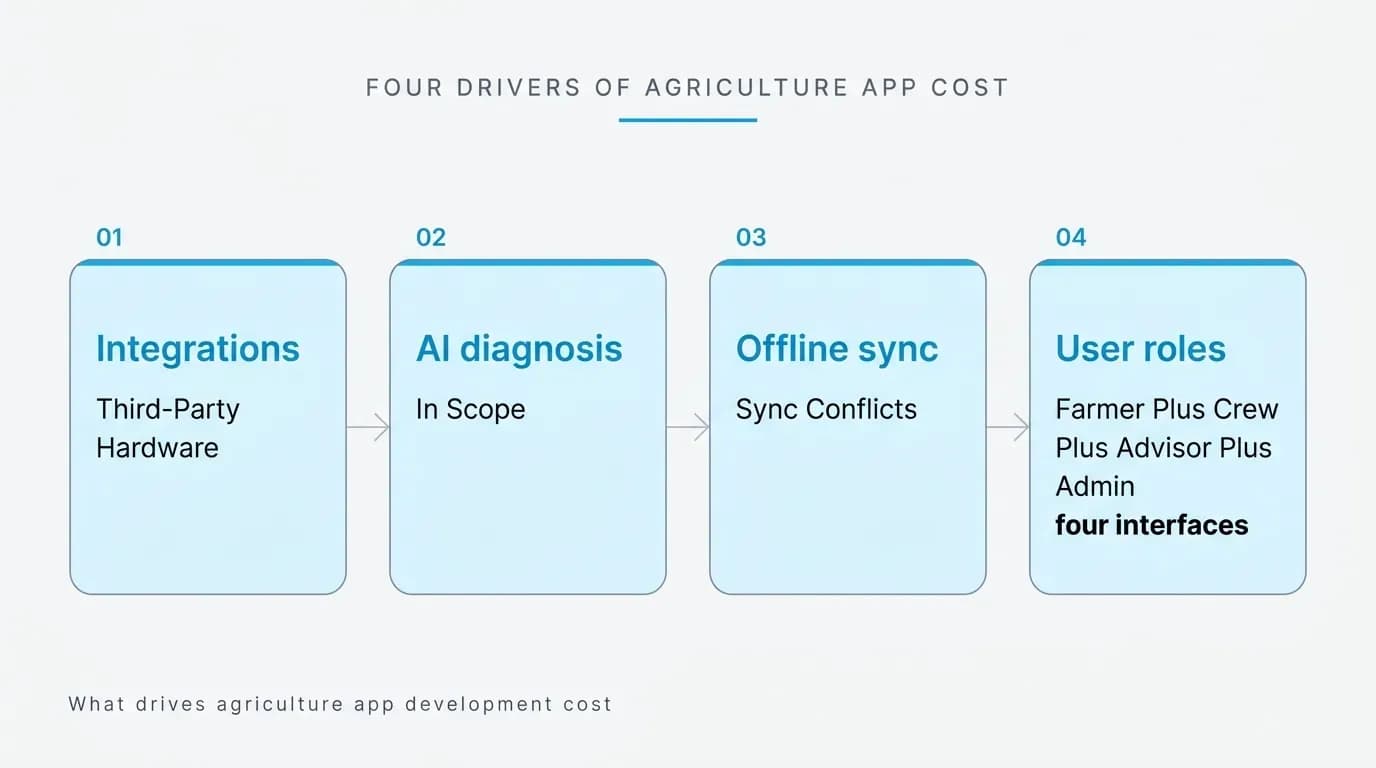
What drives agriculture app development cost, in order, is the number of third-party and hardware integrations, whether AI diagnosis is in scope, offline sync complexity, and the number of user roles. A farmer-only app is one thing. Farmer plus crew plus advisor plus admin portal is four interfaces.
When you evaluate a cross-platform farming app developer, ask for the data model before the designs. Ask how they handle sync conflicts, and ask what they would cut to hit a first release. A good AgriTech app development company will argue with your feature list, not just price it.
At Appkodes we agree a fixed price and fixed launch date before work starts, so the number in the proposal is the number you pay. First releases start from $8,000 depending on scope, and we have launched comparable apps in around 30 days when the feature set is tightly held. Scope drives both, so we size it honestly with you rather than quoting blind.
Scoping Your First Release
Ship the dashboard, field and crop records, growth stage tracking, weather, task and irrigation scheduling with reminders, and labor and material expense logging. That is a complete, usable product and a defensible set of farm management software features.
Hold back AI diagnosis, sensor ingestion, controller write-back, traceability and advisor portals for release two, sequenced by what your first customers ask for loudest.
Our app development guides and our blog cover how we structure that sequencing, and the general principles in creating an app for your business apply here as much as anywhere. If you want a fixed price and a fixed launch date for your farm management and crop monitoring build, send us your feature list and we will come back with a scoped proposal, including what we would leave out and why. Get a quote from our team and we will agree the number before any work begins.
Common questions
How much does it cost to build a farm management app?
The cost swings far more on integrations than on screens. What drives agriculture app development cost, in order, is the number of third-party and hardware integrations, whether AI diagnosis is in scope, offline sync complexity, and the number of user roles.
What should a farm management app dashboard show?
The dashboard should open to a single screen that answers "what needs my attention" without a tap, displaying field-level cards, a weather strip, overdue tasks, and anything flagged by sensors or scouting notes. Analytics should belong one level down, where someone sitting at a desk will look for them.
Can AI diagnose crop diseases from photos?
On-device or cloud image classification for a defined set of crops and diseases is achievable in a first or second release, but a general-purpose model that handles any crop, pest, lighting condition, and growth stage with grower-required confidence is not achievable on an MVP budget. The recommendation is to scope narrowly, pick two or three crops, use an existing pretrained vision model, and give users a path to escalate to an agronomist.
Why do farmers hesitate to use monitoring apps?
Growers hesitate because the time cost of learning new technology lands during the busiest weeks of the year, and because the value arrives a season later than the effort. Additionally, software that is not clearly essential loses to simpler methods like notebooks, especially among smallholders and homesteaders focused on minimizing cash outflow.
What happens when a farm app loses internet connection?
If an app needs a round trip to a server to log information, it will fail in the exact moment it matters. The architecture must be offline-first, with the phone holding a local database as the source of truth, and every action writing locally and queuing for sync when connectivity returns.

Arun Andiselvam
LinkedInI am a startup veteran who has built five brands. I sold the first, an SEO tool, for a six figure exit, and now lead Appkodes, building custom mobile and web apps for founders and businesses. I bootstrapped every one of them from day one.