
Most founders who come to us with a fitness app idea ask the same first question. What does it take to build one that people actually keep using? The honest answer is that the build itself is the predictable part. Workout logging, meal tracking, subscriptions, and push notifications are solved problems with known effort. What separates a fitness app that earns recurring revenue from one that sits unopened after week two is onboarding, retention mechanics, and a niche sharp enough that users feel the app was made for them specifically.
This guide walks through the full picture of fitness mobile app development, covering the feature set, the stack, how to wire in AI that genuinely helps rather than decorates, and what you should budget. It also covers the parts nobody tells you. That means validating a niche before you write code, what happens after launch when the app is done and the users aren't, and whether a web-first approach saves you money.
Start With the Niche, Not the Feature List
The generic fitness app is dead ground. Competing with the big names on "track your workouts" means competing on marketing spend you don't have. The apps that survive pick a user whose needs the giants ignore. Think postpartum strength training, climbers building finger strength, or people managing type 2 diabetes through activity and diet. Shift workers whose sleep and meal timing never match a standard plan fit here too, along with rehab patients following a physio's protocol between appointments.
Validating that niche before building is where early founders get stuck. With no users yet, you have no usage data to analyze, and the instinct is to build first and ask later. Do the opposite instead. Talk to twenty people in the niche and ask what they currently use and where it fails them.
Post in the communities those people already gather in and describe the problem, not your solution. If nobody recognizes the problem, you've found that out for free. Run a simple landing page and see who signs up for early access.
One pattern we see repeatedly: features get built because the founder or the developer thinks they're interesting, not because a user asked for them. A clever AI form-check feature that nobody requested will eat months of your budget. The users who stay are the ones who got the boring thing they needed, done well, on day one. Build for them first, and treat everything else as a candidate for version two.
Core Features: Onboarding, Profiles, and Personalized Dashboards
Onboarding decides your retention curve before the user has seen a single workout. Fitness apps lose people in the first session more than anywhere else. Long signup forms, a demand for payment details before any value is shown, and a wall of settings to configure all do the damage. Keep the first run short: goal, current activity level, any constraints, then let them into a usable dashboard. Let social or email sign-in handle authentication, and allow people to explore before creating an account if your model permits it.
The profile you capture at onboarding feeds everything downstream, so capture it deliberately. Height, weight, age, training history, injuries, available equipment, dietary restrictions, and schedule constraints all matter. Each field should earn its place by changing what the user sees. If a question doesn't alter a plan, a recommendation, or a calorie target, cut it from the first screen and ask later, in context, when the answer matters.
The dashboard is the daily habit surface. It should answer three questions in one glance: what am I doing today, how did yesterday go, and am I moving toward my goal? Resist the temptation to show everything you've collected. A dashboard crowded with charts reads as work, and users skip work. We usually build a focused today-view with one primary action, with deeper analytics a tap away for the users who want them.
A detail worth getting right early: crash-free first sessions matter more than any monetization tweak. When your user base is small, a crash on signup day costs you a user you will never get back. Fix stability and onboarding friction before you touch pricing experiments.
Workout Tracking, Exercise Libraries, and Activity Monitoring
The practical workout tracking app features fall into four groups. First, the exercise library. This is a structured catalog with names, muscle groups, equipment, difficulty, and short demonstration clips or animations. Build this as proper structured data in SQL rather than a pile of video files, because every plan generator, search filter, and substitution feature you build later depends on querying it.
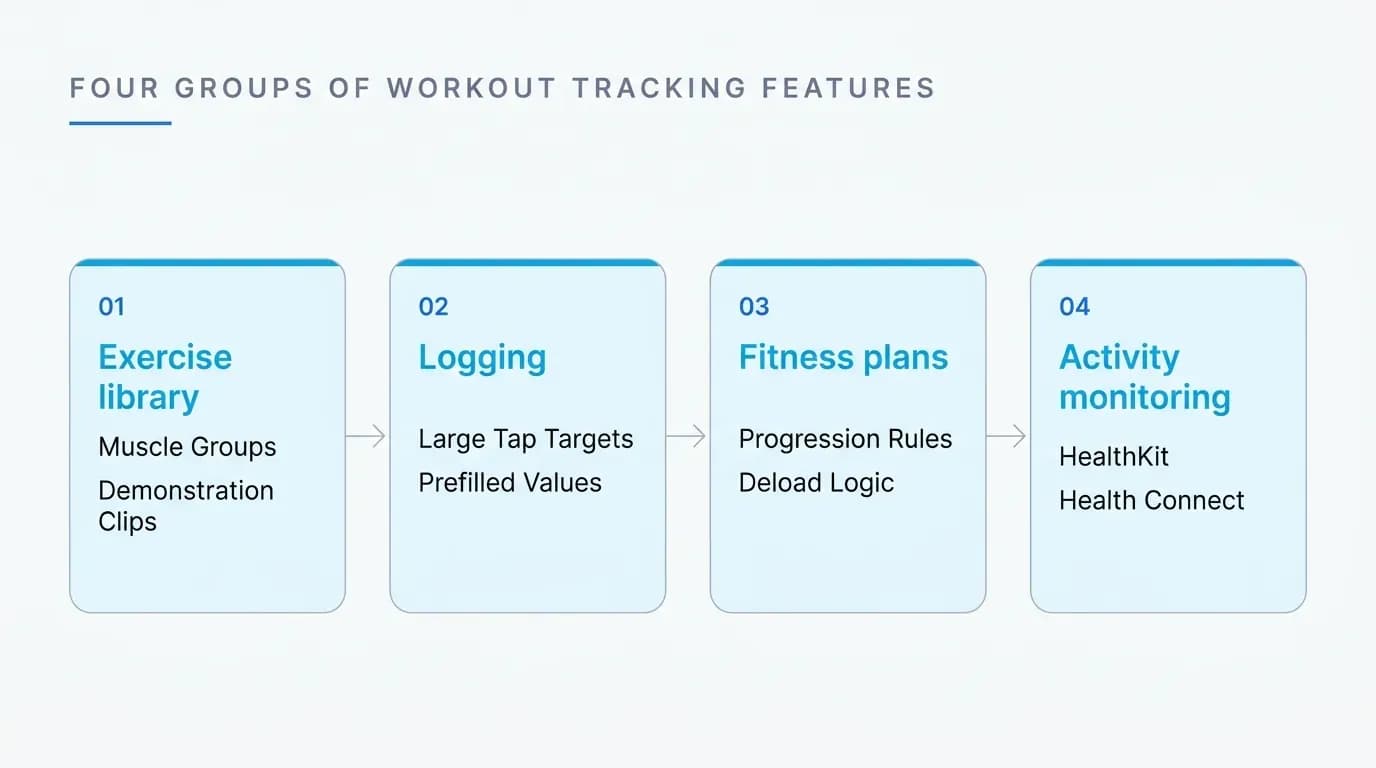
Second, logging. Sets, reps, weight, duration, distance, and perceived effort all need a home here. The interface here has to be quick enough to use between sets with sweaty hands. Large tap targets, prefilled values from last session, and one-tap increments all help. A logging screen that takes thirty seconds to fill in will be abandoned at the gym and never backfilled.
Third, fitness plans. Programs with weeks, sessions, progression rules, and deload logic. Users need to see what's next without thinking, and plans should adapt on their own. If someone skips three sessions, the app should offer a sensible restart rather than marking them failed.
Fourth, passive activity monitoring through HealthKit on iOS and Health Connect on Android, plus wearable data where it's available. Steps, heart rate, sleep, and workout sessions logged elsewhere all flow in automatically. Wearable integration deserves its own planning cycle. Our breakdown of wearables in the healthcare industry covers the data handling and permission questions that come with it.
Nutrition Tracking, Meal Planning, and Macros
Nutrition tracking app development is usually underestimated. The feature sounds uncomplicated: log food, see calories. But the quality of the experience rests entirely on the food database and the speed of entry. You'll license a nutrition database rather than build one, and you'll spend real effort on search ranking so that typing "chicken" surfaces the item your user means rather than three hundred near-duplicates.
Speed of entry is the retention lever here. Barcode scanning, recent and favorite foods, saved meals, copy-yesterday, and portion presets all reduce the daily tax of logging. Photo-based logging with AI estimation is increasingly expected, though it should be presented as an estimate the user can correct, not a verdict.
Meal planning sits on top of tracking. Generate a week of meals that hit the user's calorie and macro targets while respecting allergies and cooking time. Add a shopping list, and let users swap any meal without the plan falling apart. That swap behavior is what makes a plan survive contact with real life.
For macro tracking, show progress against targets in a way that doesn't shame people. Rings and remaining-budget framing work better than red warnings. Users who feel judged by an app delete it. The nutrition side of a wellness product is where tone of voice does measurable work on retention.
Integrating Claude AI for Personalized Recommendations
A fitness app with AI recommendations is only as good as the context you feed the model. Dropping a generic chatbot into a corner of the app adds nothing. What works is using Claude as a reasoning layer on top of structured data you already hold: the user's profile, their logged sessions, adherence patterns, nutrition totals, and wearable signals.
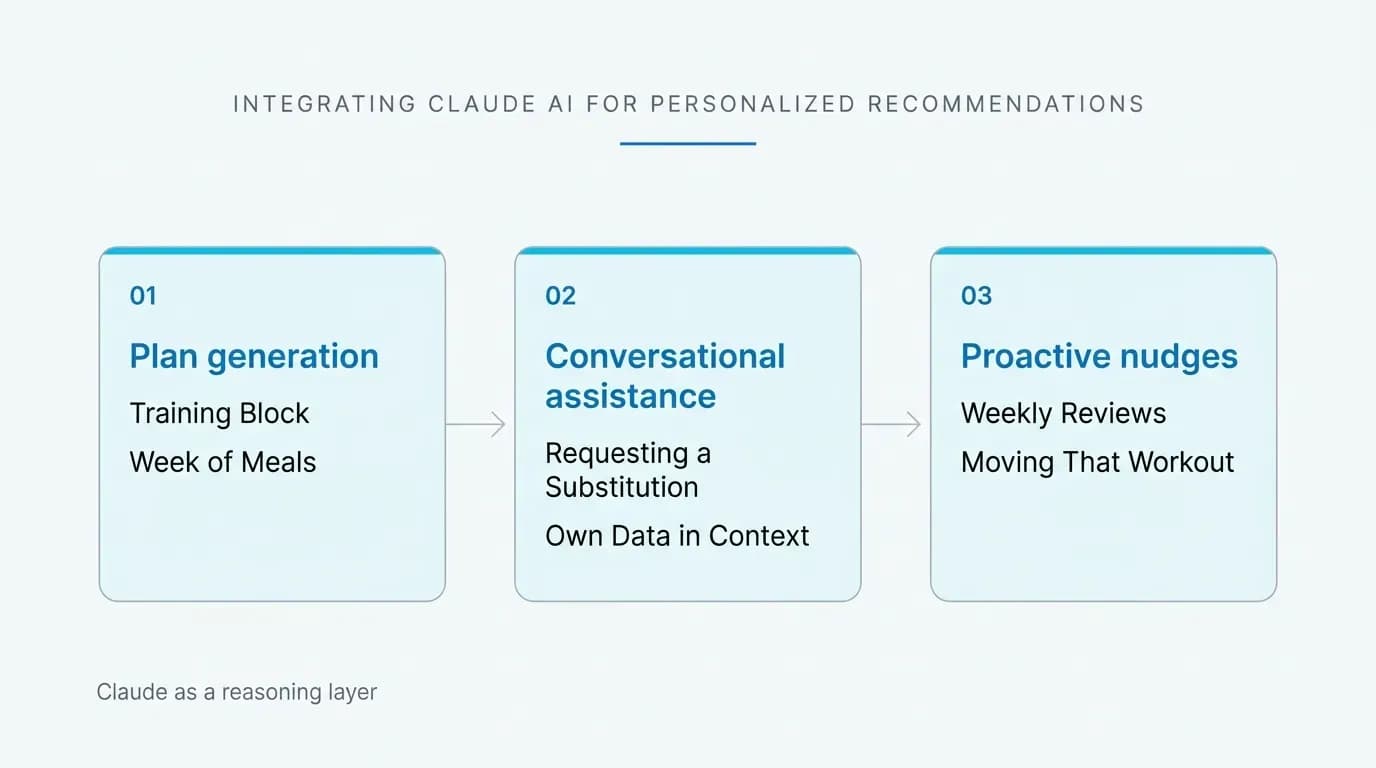
Three applications earn their keep. Plan generation lets Claude draft a training block or a week of meals constrained by the user's equipment, schedule, and restrictions, with your exercise and food databases supplied as the available options so the output is always something the app can actually render. Conversational assistance covers users asking why a session was programmed a certain way, requesting a substitution for a sore shoulder, or asking what to eat before an evening run, answered with their own data in context. Proactive nudges round this out: weekly reviews that notice someone always skips Friday sessions and suggest moving that workout rather than nagging.
Run AI calls server-side through Cloud Functions, never from the client. That protects your API keys, lets you cache and rate-limit, and gives you a place to validate output before it reaches a user. Every generated plan should pass through deterministic checks. Exercises need to exist in your library, volume needs to sit inside sane limits, and calorie targets need to stay above a safe floor. The app should fall back to a template plan if a call fails.
Set the boundaries explicitly in your system prompts and in your UI. A wellness app should not diagnose, and it should route users toward a qualified professional for anything medical. Build that refusal behavior deliberately rather than hoping the model handles it. In thoughtful AI wellness app development, the model is tuned to make good suggestions inside guardrails your product defines, with a human escalation path when the question stops being about fitness.
The Stack: React Native or Flutter, Firebase, REST APIs, and SQL
When choosing a cross-platform fitness app, React Native and Flutter both work, and the choice usually comes down to your team and your animation needs. React Native wins when you want shared logic with a web app and a hiring pool that's easy to extend. Flutter wins when you want pixel-identical UI and heavy custom animation without fighting the platform. Either way, you ship iOS and Android from one codebase, which is what keeps a first release affordable.
On the backend, Firebase Authentication handles sign-in including Apple and Google, which Apple requires if you offer other social options. Firestore is a good fit for user-facing documents that sync in near real time, think today's plan, recent logs, and chat threads. Cloud Functions run your AI calls, subscription webhooks, scheduled plan generation, and anything that must not run on a device you don't control.
Not everything belongs in Firestore. Exercise libraries, food databases, program templates, and analytics queries belong in SQL, exposed through REST APIs. You want joins, aggregates, and consistency for that data, and you want to migrate it without rewriting app code.
Sync is the hard part. People train in basements and on planes with no signal. Design for offline-first: write locally, queue the change, and reconcile on reconnect with a clear conflict rule. Usually that's last-write-wins per field with timestamps, and append-only for logs so nothing is lost. Test by putting devices in airplane mode mid-workout, because that's exactly how your users will find the bug if you don't. Our app development guides go deeper on architecture decisions at this stage.
Monetization: Stripe Subscriptions and Store In-App Purchase Rules
Stripe handles a fitness app subscription model cleanly on the web. Regular plans, trials, proration, dunning for failed cards, and a customer portal for cancellations all come built in. Where founders get caught out is the app stores. Digital content and features consumed inside the app must use Apple and Google in-app purchases, with their revenue share, not your own payment sheet. Web purchases through Stripe are fine, and users who subscribed on the web can unlock in the app.
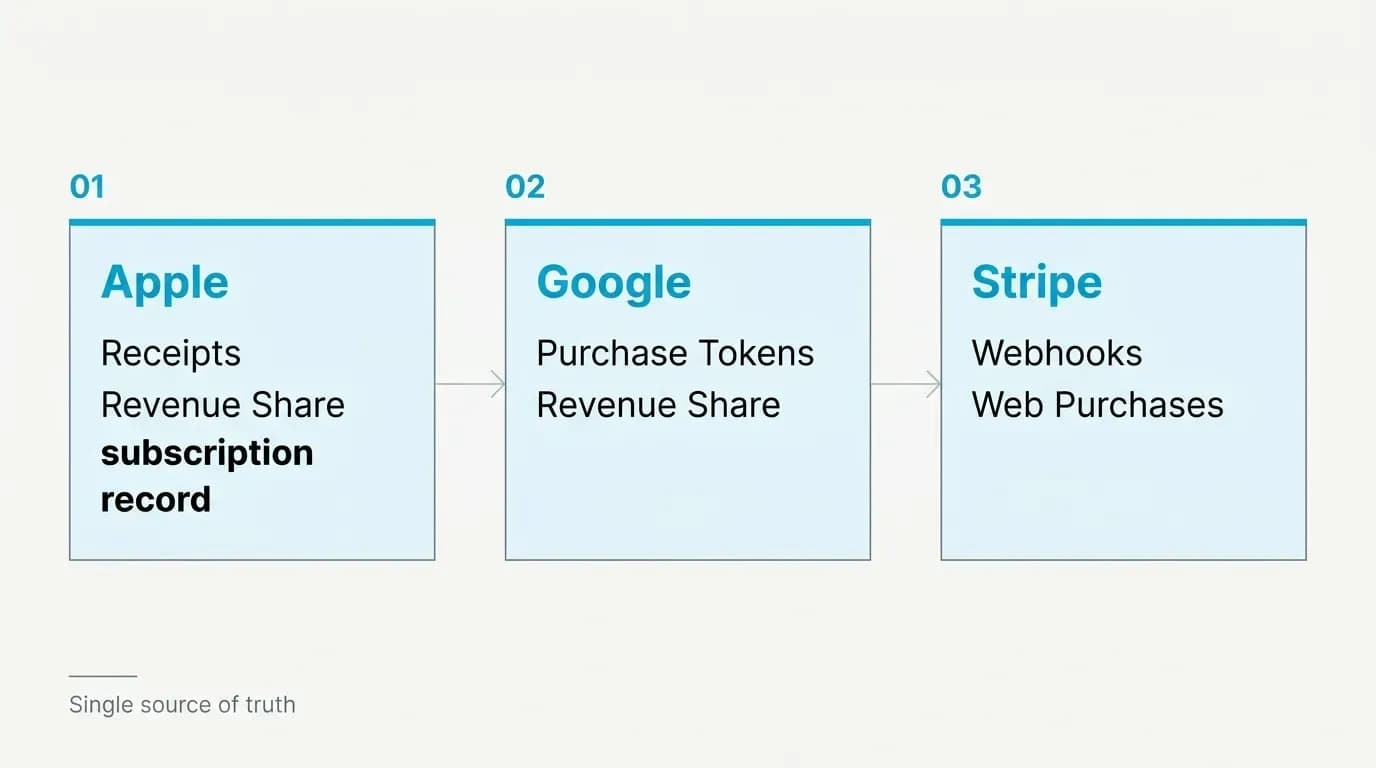
Practically, that means building an entitlement service as the single source of truth. Receipts from Apple, purchase tokens from Google, and Stripe webhooks all write to the same subscription record. The app only ever asks your backend whether this user has premium access. Without that layer you end up with three competing definitions of "subscribed" and a support queue full of people who paid and can't get in.
Design the paywall around proven value. Let people log workouts and meals free, and charge for AI-generated plans, advanced analytics, or coach access. Pushing a hard paywall before anyone has had a win is the fastest way to inflate installs and flatten revenue.
Retention, Gamification, and What Happens After Launch
Fitness apps don't fail because the tracking is bad. They fail because nothing brings people back. Streaks, progressive challenges, badges tied to real milestones, leaderboards within a friend group, and shared challenges all work, but only when they reward consistency rather than intensity. A streak that breaks after one missed day punishes exactly the people you're trying to keep. A weekly target with rest days built in survives real life.
Social features need care. Public leaderboards suit competitive niches and repel beginners. Small private groups, partner check-ins, and comment threads on a shared challenge tend to serve wellness audiences better. Personalized notifications belong here too. A nudge timed to the user's actual training window beats a 7am blast to everyone.
The challenge most founders don't anticipate arrives the week the build is finished. The app is live, the features work, and nothing happens. Plan distribution before launch: the niche community you validated in, a content channel, and partnerships with coaches or clinics, alongside store listing optimization with real screenshots. Budget for it alongside the build.
What It Costs and How Long It Takes
Figures get thrown around loosely here. A production-grade native fitness app with deep Apple ecosystem integration, proprietary content, and a large team can run past a million dollars, and a sports app with many screens of complex components takes serious effort. But that's not what you need first. A focused health and fitness MVP development effort, covering onboarding, tracking, AI plans, subscriptions, and one platform pair, is a much smaller scope.
AI assistants and no-code tools genuinely help at the validation stage. Describing your concept to Claude, building a web prototype that handles auth and a database, and putting it in front of real users costs you little and tells you a lot. That web-first path works well, and the code usually doesn't survive to production. You hand the validated concept to a team for proper hardening instead. The approach fits standard apps better than complex ones.
We work on a fixed price, fixed launch date basis, agreed before anything starts. Scope drives both numbers, so the honest version is simple. Tell us the feature set and we'll put a price and a date on it in writing. Related reading on healthcare app features and digital transformation in healthcare will help you scope the clinical side if your app touches it.
Ready to put numbers on your idea? Send us your feature list and we'll come back with a fixed price and a fixed launch date before any work begins.
Common questions
What features should a fitness app have to keep users engaged?
Core features include onboarding that captures relevant user profile data, a personalized dashboard showing today's workout and progress toward goals, workout tracking with an exercise library, nutrition tracking with meal planning, and passive activity monitoring through HealthKit or Health Connect. The key to retention is onboarding, retention mechanics, and a niche sharp enough that users feel the app was made specifically for them.
How should I integrate AI into a fitness app?
Use Claude as a reasoning layer on top of structured data you already hold: the user's profile, logged sessions, adherence patterns, nutrition totals, and wearable signals. Three applications earn their keep: plan generation constrained by equipment and schedule, conversational assistance answering questions with the user's data in context, and proactive nudges like weekly reviews. Run AI calls server-side through Cloud Functions, validate output before it reaches users, and set explicit boundaries so the app routes users to qualified professionals for medical questions.
Should I validate my fitness app idea before building it?
Yes, validate your niche before writing code by talking to twenty people in that niche about what they currently use and where it fails them. Post in communities those people gather in describing the problem rather than your solution, and run a simple landing page to see who signs up for early access. If nobody recognizes the problem, you've found that out for free before investing in development.
What technology stack should I use for a fitness app?
Use React Native or Flutter for cross-platform development to ship iOS and Android from one codebase. Use Firebase Authentication for sign-in, Firestore for user-facing documents that sync in real time, and SQL databases exposed through REST APIs for exercise libraries and food databases. Design for offline-first so users can train without signal and sync changes when they reconnect.
How do I monetize a fitness app with subscriptions?
Use Stripe for subscriptions on the web with regular plans, trials, and dunning for failed cards. For in-app purchases on Apple and Google, you must use their in-app purchase systems with their revenue share. Build an entitlement service as the single source of truth that checks receipts from Apple, purchase tokens from Google, and Stripe webhooks so the app only asks your backend whether a user has premium access.

Arun Andiselvam
LinkedInI am a startup veteran who has built five brands. I sold the first, an SEO tool, for a six figure exit, and now lead Appkodes, building custom mobile and web apps for founders and businesses. I bootstrapped every one of them from day one.