Building a mobile app takes time, tools, and plenty of testing. But once it’s live, there’s a bigger challenge waiting: getting people actually to find and download it. Relying on app stores alone limits your reach, especially when your competitors are showing up in search results too. That’s where having a dedicated website comes in.
A site built with WordPress gives you full control over how your app appears online, from landing pages to blog content that drives search traffic. With the right WordPress SEO approach, that website becomes a long-term channel for discovery, downloads, and user growth.
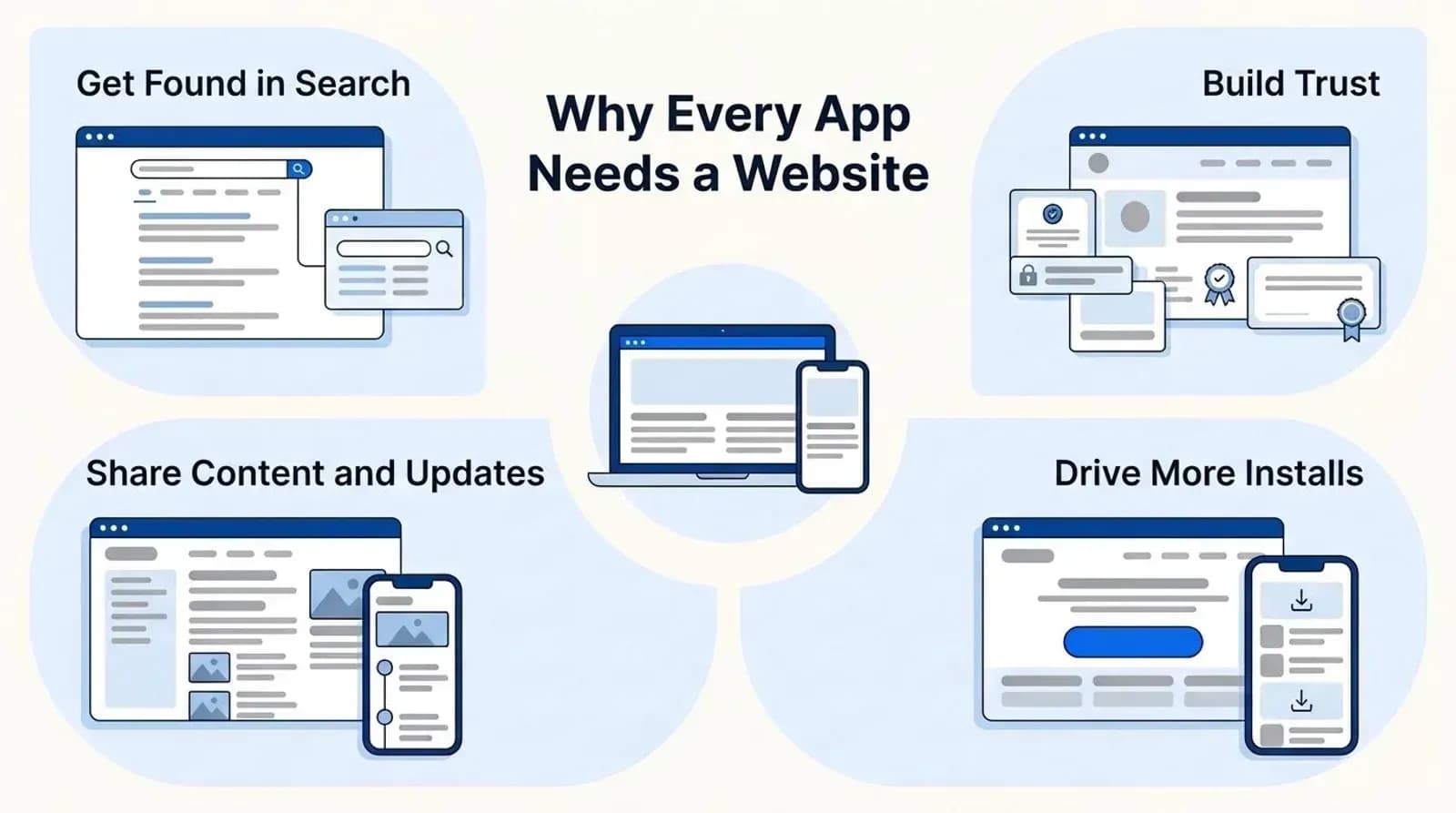
Why Every App Needs a Website
App stores are crowded. The App Store alone lists more than 2.1 million apps, so even with a solid product, it’s tough to stand out when you’re listed alongside thousands of similar options. A website gives your app an independent presence, one that’s fully under your control and easy to promote across channels like search, email, and social media.
It also builds trust. A site gives you the space to explain what your app does, display screenshots, answer common questions, and provide updates. That kind of transparency helps people feel more confident before they hit “Install.” And the good news is, finding the easiest way to build a website is simpler than ever.
For those using WordPress, there’s another advantage: the platform is flexible, widely supported, and built with search visibility in mind. With the right setup, you can target the keywords your audience is already searching, which makes your app easier to find and download.
A well-built site provides a foundation for marketing, monetization, and long-term growth.
Why WordPress is the Best Platform for App Creators
WordPress powers a huge portion of the web for good reason: about 40% of all websites, and nearly 59% of sites with a known CMS. It’s flexible, free to use, and supported by a massive ecosystem of themes, plugins, and tools. For app creators, that means you don’t have to start from scratch or hire a developer to build something functional.
You can launch a clean, responsive landing page in a day. Want to add a blog to share updates or tutorials? Just install a plugin. Need to connect email signups or analytics? There’s already a solution available.
It’s also SEO-friendly out of the box. Clean code structure, customizable URLs, and mobile optimization make it easier to improve your site’s visibility from day one. That kind of technical foundation matters when your goal is to reach more users.
For creators focused on growth, WordPress offers the speed and flexibility needed to test ideas, adjust messaging, and build content that drives downloads.
Understanding WordPress SEO: What App Creators Need to Know
SEO, or search engine optimization, is the process of making your website easier to find through search engines like Google. For app creators, that means showing up when someone searches for the type of tool you’ve built or the problem your app solves.
WordPress gives you the flexibility to handle SEO without needing to touch code. You can set custom page titles, write keyword-rich descriptions, and structure your content in a way that search engines understand. Plugins like Yoast or Rank Math simplify a lot of this, offering on-page tips as you create content.
But SEO isn’t just about keywords. Site speed, mobile responsiveness, internal linking, and proper use of headings all play a part in how your site ranks. WordPress makes it possible to manage these elements effectively, even if you’re not technical.
When set up correctly, your site can bring in consistent, targeted traffic over time, people who are actively searching for what your app offers. That traffic can lead to more installs, better user engagement, and stronger word-of-mouth growth.
5 Key SEO Tips for Your App’s WordPress Website
Your app’s success doesn’t stop at the app store. A well-optimized WordPress website ensures potential users can actually find your app when they search for solutions online. Here’s how to turn your site into a powerful discovery tool with five practical SEO tips.
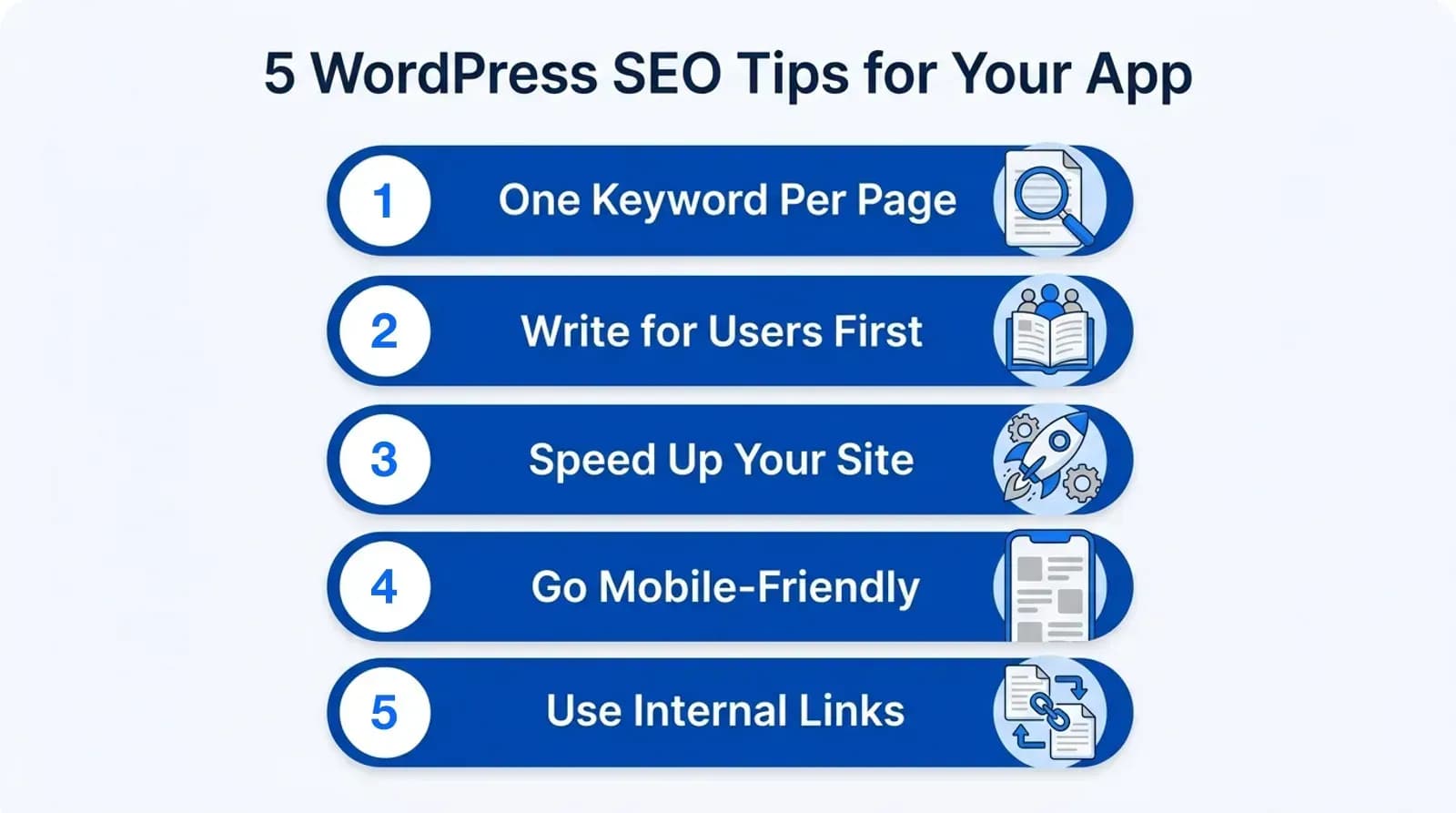
1. Focus on a Single, Clear Keyword Per Page
What this means: Each page of your site should target a unique keyword or phrase that matches what your audience is searching for. Doing so helps search engines understand the page’s purpose and improves your chances of ranking for that specific term.
Example: If you’re launching a food delivery app, your homepage could target “on-demand food delivery app”. A blog article might focus on “how to start a food delivery business”.
Practical steps
- Research relevant keywords with tools like Google Keyword Planner, Ubersuggest, or Ahrefs.
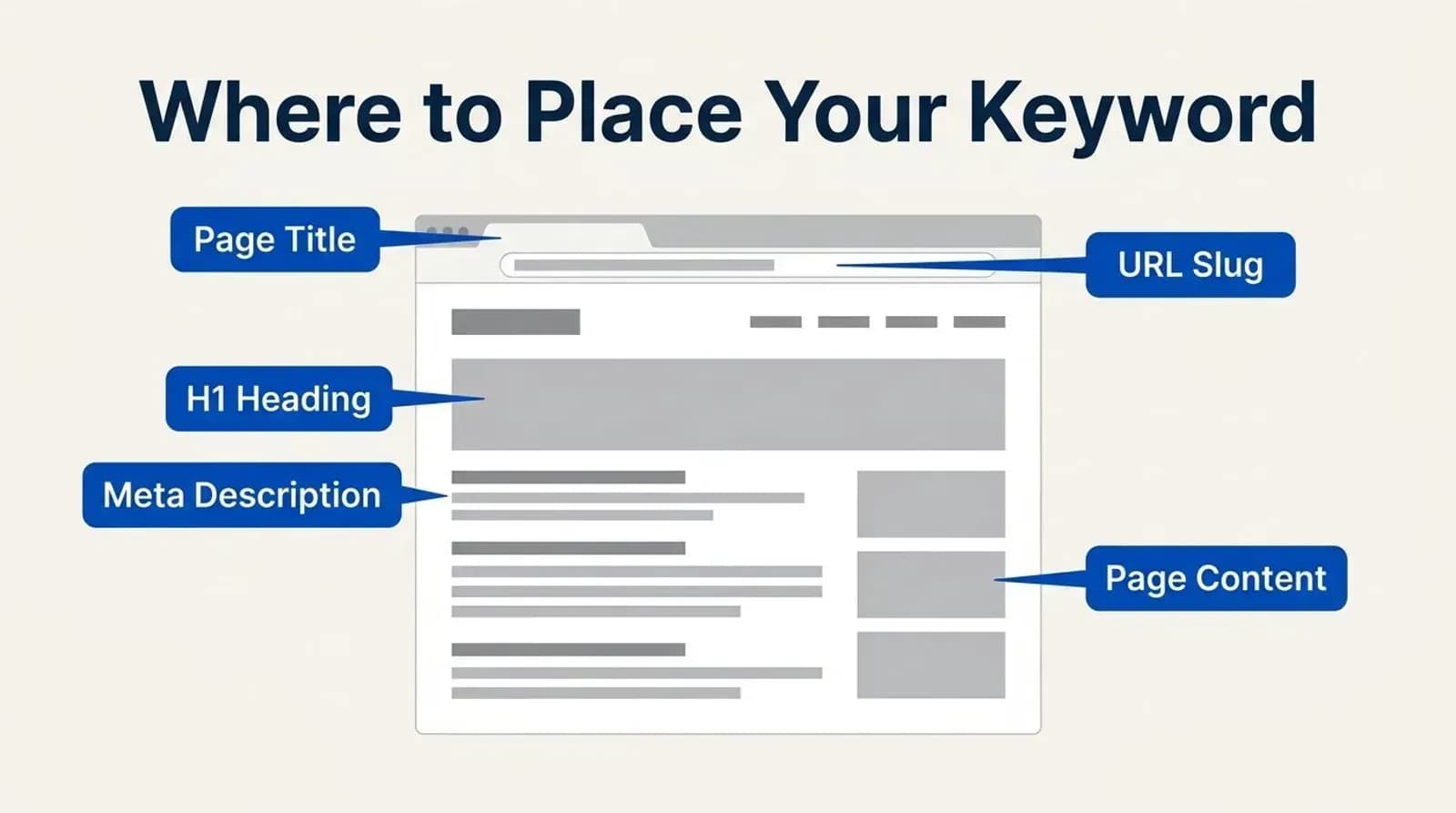
- Place your chosen keyword in the:
- Page title
- Meta description
- H1 heading
- URL slug (e.g., /food-delivery-app)
- Naturally, throughout your content
- Avoid keyword stuffing and write in a natural, helpful way.
Pro tip: Combine product keywords (e.g., dating app) with problem-solving ones (e.g., how to launch a dating app) for better reach.
Once your page is published, it’s also helpful to monitor how it performs in search results. Google Search Console shows the searches your pages appear for, and Bing Webmaster Tools does the same for Bing, so you can see whether your keyword optimizations are improving visibility.
2. Write for Users, Not Just Algorithms
What this means: SEO is about creating content that’s valuable for people first. Search engines reward websites that clearly answer questions, provide useful insights, and keep visitors engaged.
That matters more now that Google often answers with an AI summary: people click a result link on 8% of searches that show one, against 15% without. Pages that answer a question clearly are the ones most likely to be cited and clicked.
Example: If you’re promoting a taxi booking app, don’t just repeat “best taxi booking app”. Instead, highlight features like real-time tracking, secure payment, and customer support, the details users actually care about.
Practical steps
- Use short paragraphs and subheadings for easy scanning.
- Add visuals, such as screenshots or short demo videos, to showcase app features.
- Include an FAQ section to address common questions.
Pro tip: Browse Quora or Reddit to see what people are asking about apps in your niche. Answer those questions directly on your site to increase relevance and authority.
3. Optimize Your Load Speed
What this means: A slow site not only frustrates users but also lowers your search rankings. Google’s Core Web Vitals measure loading (LCP), responsiveness (INP), and layout stability (CLS), and they are part of the page experience its ranking systems reward, especially on mobile.
Example: If your landing page takes six seconds to load, visitors may leave before they even learn what your app does.
Practical steps
- Choose a lightweight WordPress theme, such as Astra or GeneratePress.
- Compress images using plugins such as Smush or ShortPixel.
- Install a caching plugin, such as WP Super Cache or W3 Total Cache.
- Utilize a CDN (Content Delivery Network), such as Cloudflare, for faster global delivery.
Pro tip: Follow best practices from Google’s SEO Starter Guide. Pay special attention to mobile performance, since that’s where most visitors will find you.
4. Make Your Site Mobile-Friendly
What this means: Most visitors will land on your site using their phones. A responsive, mobile-optimized WordPress site ensures they get a smooth experience that reflects the usability of your app.
Example: Imagine a student searching for an “AI language learning app” on their phone. If your site doesn’t display properly on mobile, you’ll lose them instantly.
Practical steps
- Use a responsive theme that adapts across screen sizes.
- Test your pages with PageSpeed Insights or Lighthouse in Chrome DevTools (Google retired its Mobile-Friendly Test in 2023).
- Keep navigation simple and buttons large enough to tap easily.
- Avoid intrusive pop-ups that block content.
Pro tip: Design with a “mobile-first” mindset. Build and test on mobile before adjusting for desktop. A mobile-first approach ensures your most important audience gets the best experience.
5. Use Internal Links to Guide Visitors
What this means: Internal links connect one page of your site to another. They keep visitors engaged and help search engines understand your site structure.
Example: A blog post about “how to launch a delivery startup” can link to your food delivery app’s product page.
Practical steps
- Link from blog posts to key landing pages (e.g., feature pages, FAQs, or pricing).
- Use descriptive anchor text like “see how our budgeting app dashboard works” instead of “click here”.
- Create a logical content hierarchy: blog posts → cornerstone guides → product pages.
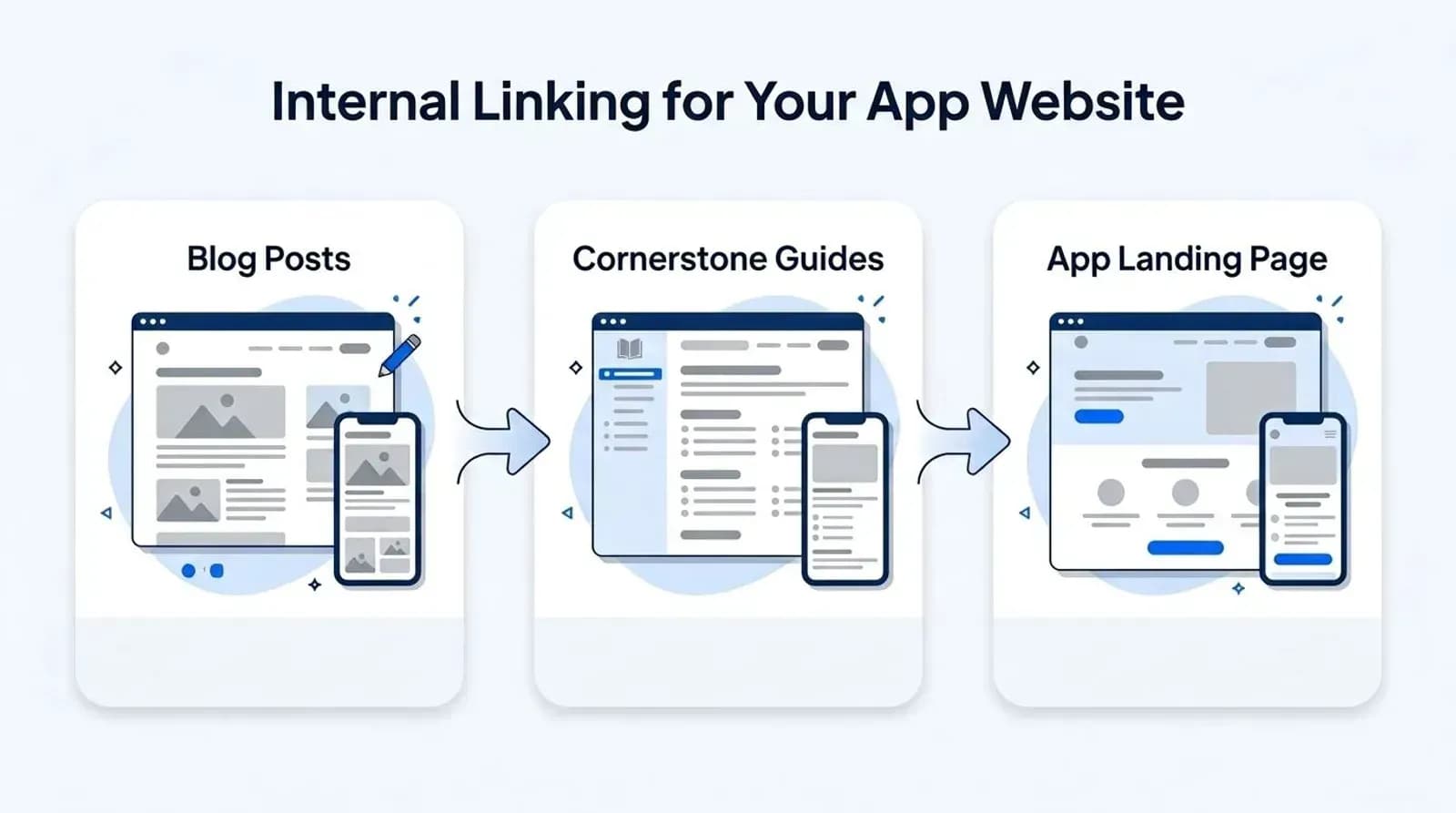
Pro tip: If you’re unsure where to start, focus on linking to your most important pages first, such as your app landing page or pricing page. Tools like Link Whisper can help automate and optimize internal linking across WordPress.
When to Bring in the Experts
DIY SEO can take you far, especially when you’re just starting with a simple landing page or blog. But as your traffic grows, or if your site isn’t performing the way you hoped, it might be time to get help.
Technical issues, slow growth, or struggling rankings can be hard to troubleshoot without experience. That’s where a focused approach to WordPress SEO becomes essential. Whether you’re planning to scale content, build backlinks, or improve your site structure, an experienced SEO specialist can save time and lead to better results. And if you are still building the app itself, Appkodes builds custom apps with a fast, search-ready landing site from day one.
If you’re looking for more ways to boost downloads, these strategies to increase app installs can work alongside a strong SEO foundation.
Good SEO takes time, but the right strategy turns your website into a lasting growth engine for your app.
Conclusion
A well-built app deserves to be seen. Adding a WordPress website to your launch plan gives you a powerful tool for growing your reach, building credibility, and driving more installs over time. With SEO in place, that site becomes more than just a landing page; it becomes a steady source of traffic from people actively searching for what you’ve created.
Whether you handle the basics yourself or work with professionals who understand the platform inside and out, investing in your site’s visibility is a smart move for long-term success.
Common questions
Why does a mobile app need a website?
App stores are crowded, and a website lets people find your app through search, learn what it does, see screenshots, and trust it before they install. It is also the home for content, updates, and support.
Is WordPress good for an app’s website?
Yes. It runs about 40% of all websites, is free, and has themes and plugins for landing pages, blogs, analytics, and SEO, so you can launch quickly without custom development.
Which WordPress SEO plugin should app creators use?
Yoast SEO and Rank Math are the most common. Both help you set titles, meta descriptions, and structured data and give on-page tips as you write.
How do I check my app website’s speed and mobile experience?
Use PageSpeed Insights or Lighthouse in Chrome DevTools. They report Core Web Vitals (LCP, INP, CLS) and show what to fix on mobile and desktop.
How long does SEO take to bring app installs?
Usually a few months. Pages need time to be indexed and earn links, so start publishing helpful content early and track progress in Google Search Console.

Arun Andiselvam
LinkedInI am a startup veteran who has built five brands. I sold the first, an SEO tool, for a six figure exit, and now lead Appkodes, building custom mobile and web apps for founders and businesses. I bootstrapped every one of them from day one.