Most salon owners we talk to are still running their calendar out of WhatsApp threads, a shared Google Calendar, and a spreadsheet that only one person understands. It works, right up until two clients show up for the same chair. Or a color correction runs long and the next three appointments collapse like dominoes.
A beauty salon online booking system fixes that by giving clients a live view of your real availability. It writes every confirmed booking into one calendar that your front desk, your stylists, and your payment system all read from. That sounds simple, but the reason so many owners put off the switch is that choosing one feels complicated. The horror stories about migrations and support tickets are real, too. This guide walks through how these systems actually work, what separates a good one from a frustrating one, and how to decide between subscribing to a platform or building your own.
How a Beauty Salon Online Booking System Actually Works
Strip away the marketing and every system does four things in sequence.
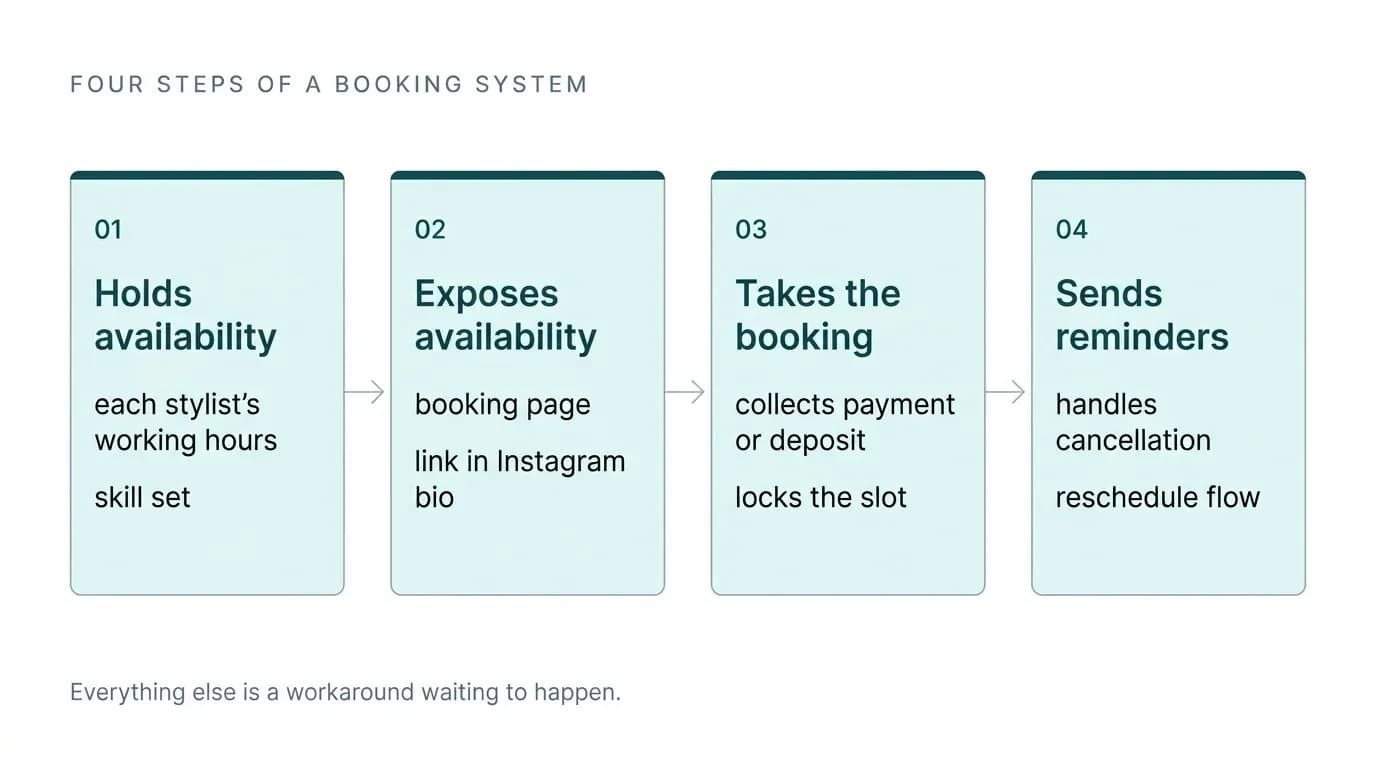
First, it holds your availability. Not a generic "open 9 to 6," but each stylist's working hours, their skill set, their breaks, and which chair or room they need. Second, it exposes that availability to clients through a booking page, a link in your Instagram bio, or your own app. Third, it takes the booking, collects whatever payment or deposit you require, and locks the slot so nobody else can take it. Fourth, it sends reminders and handles the cancellation and reschedule flow without anyone on your team picking up a phone.
The part that separates a system that works from one that quietly creates more work is the data layer underneath. One client record should carry visit history, formulas, allergy notes, product preferences, and payment method. When that record lives in one place, a stylist pulls up a client mid-appointment and sees what was used last time. When it's scattered across a booking tool, a separate point of sale, and a notes app on someone's phone, your team spends the first ten minutes of every appointment reconstructing history.
An online booking system beauty salon teams actually adopt is one where the calendar, the client record, and the payment all sit in the same database. Everything else is a workaround waiting to happen.
The Features That Matter More Than the Feature List
Every vendor publishes a long feature grid. Here is what we'd actually test before committing.
Client-specific service timing. A cut and color is not a fixed block of time. One client's root touch-up takes forty minutes. Another's takes twice as long because of density and length. Most systems let you set a duration per service. Fewer let you set a duration per client per service, so that when a regular books, the calendar blocks the right amount of time automatically. Without this, your stylists either pad every slot and lose revenue, or run late every afternoon. Ask the question directly during any demo, because it rarely appears on a feature page.
Resource allocation. Services need more than a person. They need a wash station or a processing chair. A booking engine that only tracks staff availability will cheerfully double-book your single shampoo bowl.
Deposit and card-on-file requirements. Requiring a card at booking is the single most effective no-show reducer we've seen salons deploy. The tools that handle this well take the card, hold it against the appointment, and apply or charge it automatically. The tools that handle it poorly collect the deposit in one system while the register sits in another, so your front desk manually checks whether a deposit was paid before taking the balance. That manual verification step is where mistakes and awkward conversations live.
Automated messaging that isn't rationed. Multiple well-known platforms put reminders and confirmations behind pricing tiers, giving you a small allowance of automated messages at the entry level and charging premium rates once you exceed it. Reminders are not a premium feature. They're the mechanism that protects your calendar. Price the plan you'd actually need at your real appointment volume, not the headline plan.
One system for booking, payments, and client records. The salons running the smoothest operations we've seen use a setup where the website, the booking page, the register, and the reporting are the same product. Some owners specifically value platforms that fold in card processing and automatically set aside a slice of each transaction toward tax, because it removes a monthly chore nobody enjoys.
Migration: How to Switch Without Losing Your Client History
This is the section the vendor sites skip, and it's the one that costs owners the most.
Migrations between salon platforms go wrong more often than anyone admits. We've seen moves where scheduling history vanished, and client profiles merged into each other so that one person's notes ended up attached to another's record. Long-standing clients couldn't log in to rebook. A salon's client history is the business asset. Losing it is not an inconvenience. It's losing years of formulas, preferences, and spend data.
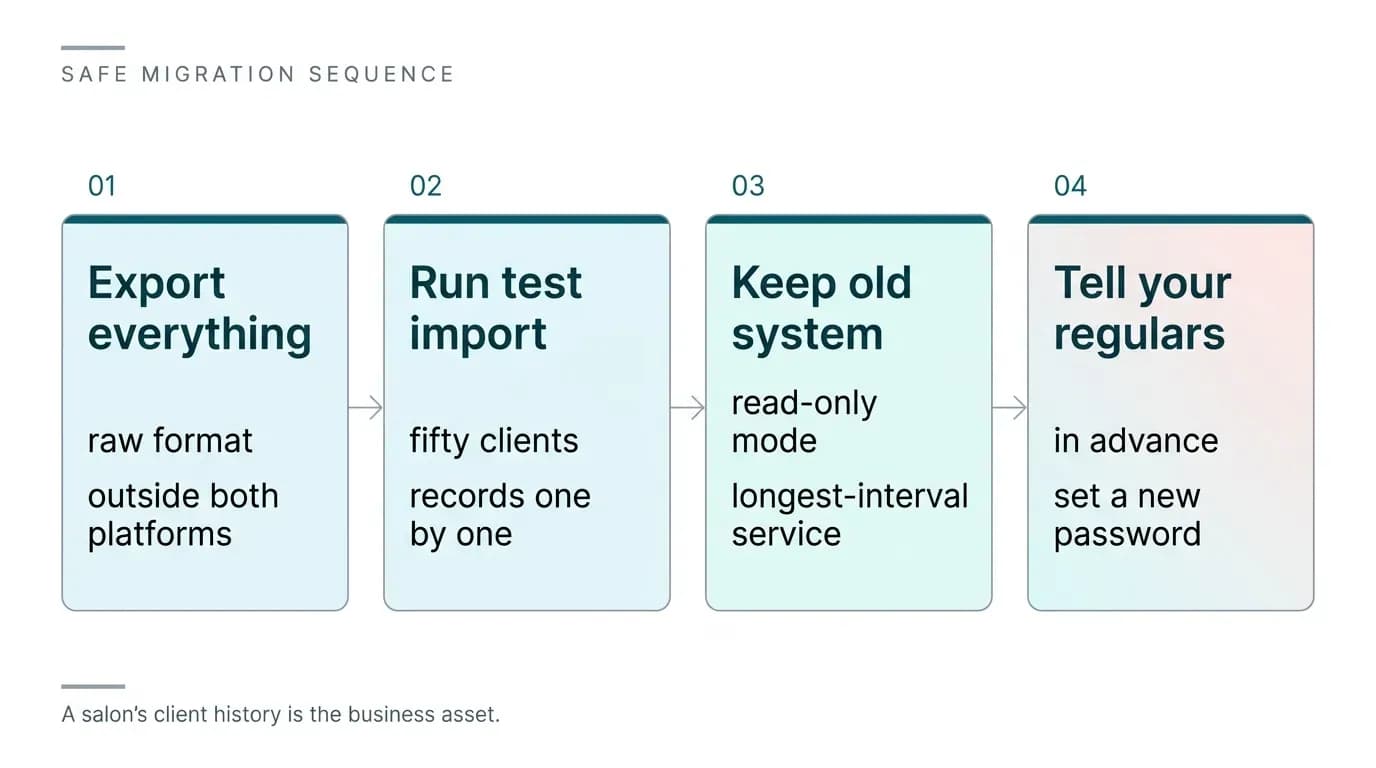
Protect yourself with a sequence. Export everything from the old system yourself before anyone touches the new one, in whatever raw format you can get, and store it somewhere outside both platforms. Run a small test import next, maybe fifty clients, and open those records one by one to check that notes, history, and contact details landed on the right person. Keep the old system in read-only mode for a full cycle of your longest-interval service, so a client who comes in every few months still has their history retrievable. Tell your regulars in advance that they might need to set a new password.
An online booking system for beauty salon use should make its export function obvious and unrestricted. If a vendor makes it hard to get your own data out, that tells you what the exit will feel like.
Setup Time, Support, and the Things That Frustrate Owners Later
Expect the initial setup to take real time. You're building a service menu with accurate durations and prices, staff profiles with distinct hours and skills, resources, deposit rules, and message templates. Owners who block out a few focused sessions and get it right come out the other side with a calendar that genuinely runs itself, with no double-bookings and no chasing anyone for a deposit. Owners who rush the setup spend the next six months fighting the system.
Support is the other thing to test before you commit, not after. Some owners of large, established salon platforms report in online reviews that serious issues can sit unresolved for weeks or months. When your booking engine is down on a Saturday, a ticket queue is not a plan. Before signing, submit a real question through the vendor's actual support channel and time the response. Ask whether you get a named contact or a shared inbox, and ask what the escalation path looks like when something breaks during trading hours.
Interface clarity matters just as much. We've watched teams abandon online booking entirely because the calendar view was so confusing that stylists found it faster to book clients manually, which defeats the entire purpose. Put the system in front of the person who will use it most, and let them try to book, reschedule, and check out a client without help. If they stumble, your team will stumble every day.
Free Platforms, Paid Platforms, or Your Own Build
For an independent stylist renting a chair, a free or low-cost tier is often enough. You need a bookable link, reminders, and a card on file. Keep your own client notes in a document you control, export regularly, and accept that you'll outgrow it.
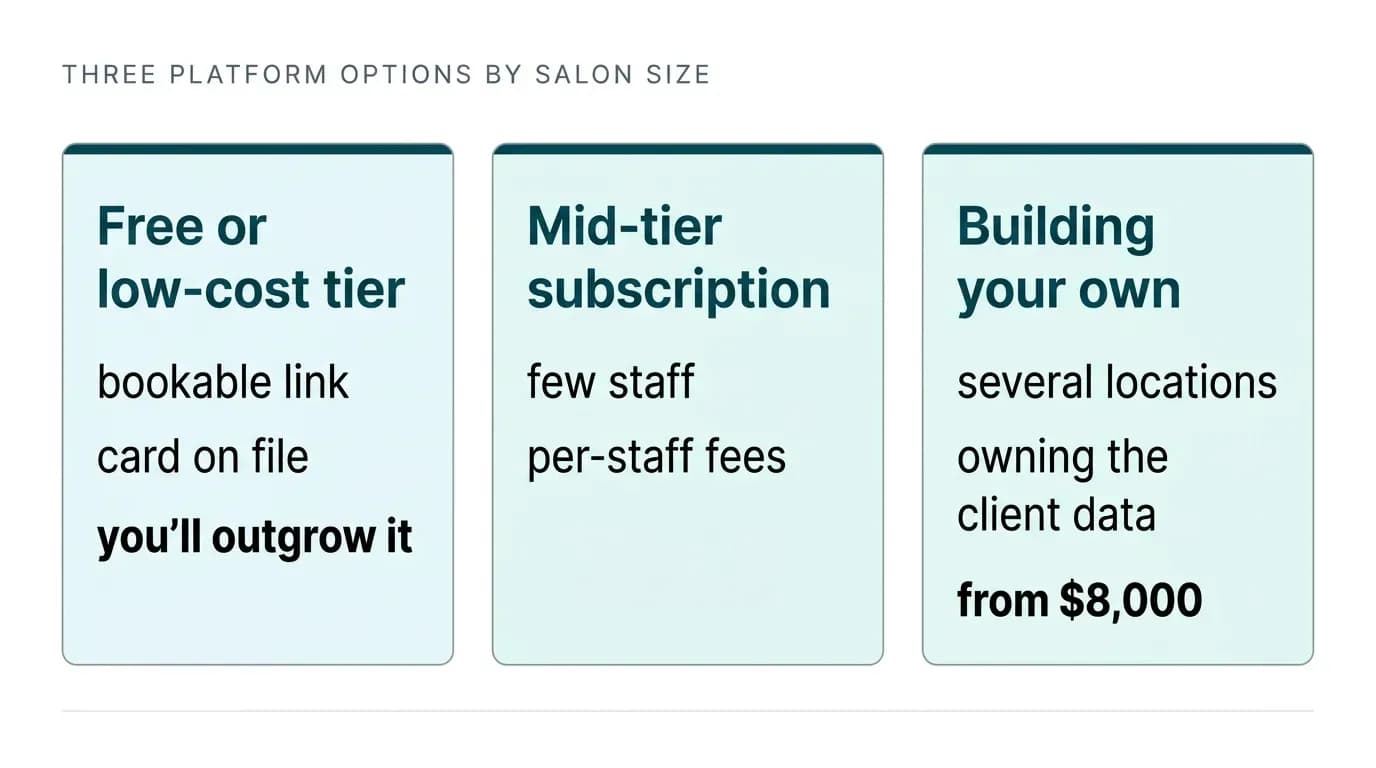
For a single salon with a few staff, a mid-tier subscription usually makes sense.
Do the math on your real volume. Message allowances, per-staff fees, and payment processing rates move the true monthly cost well above the advertised number.
Building your own becomes the better call at a specific point. That's when you run several locations, when your service model doesn't fit the standard template, or when subscription and per-seat fees across a growing team start to rival what a build would cost. Owning the system also means owning the client data and the roadmap, instead of waiting for a vendor to prioritize a feature you need.
We've been building scheduling and reservation products for eighteen years, for more than a thousand businesses, and we work on a fixed price, fixed launch date basis agreed before anything starts. A first release can start from $8,000 depending on scope. If you want the broader picture of what goes into one of these builds, our guide to salon booking software development covers the architecture and the decisions in detail, and our reservation system solution shows the booking engine we build on.
What to Do Next
Write down your five biggest scheduling frustrations this week. Double-bookings, no-shows, clients texting at midnight, stylists running long because durations are wrong: these are the patterns worth naming. That list is your actual requirements document, and it will tell you faster than any comparison chart whether a subscription platform covers you or whether you need something built around how your salon really runs.
Then test two shortlisted platforms properly. Submit a real support ticket, run a test migration of fifty clients, and have your least technical team member attempt a booking. Talk to us if neither passes. We'll scope what you need and give you a fixed price and a launch date before any work begins, so you know exactly what you're committing to.

Arun Andiselvam
LinkedInI am a startup veteran who has built five brands. I sold the first, an SEO tool, for a six figure exit, and now lead Appkodes, building custom mobile and web apps for founders and businesses. I bootstrapped every one of them from day one.