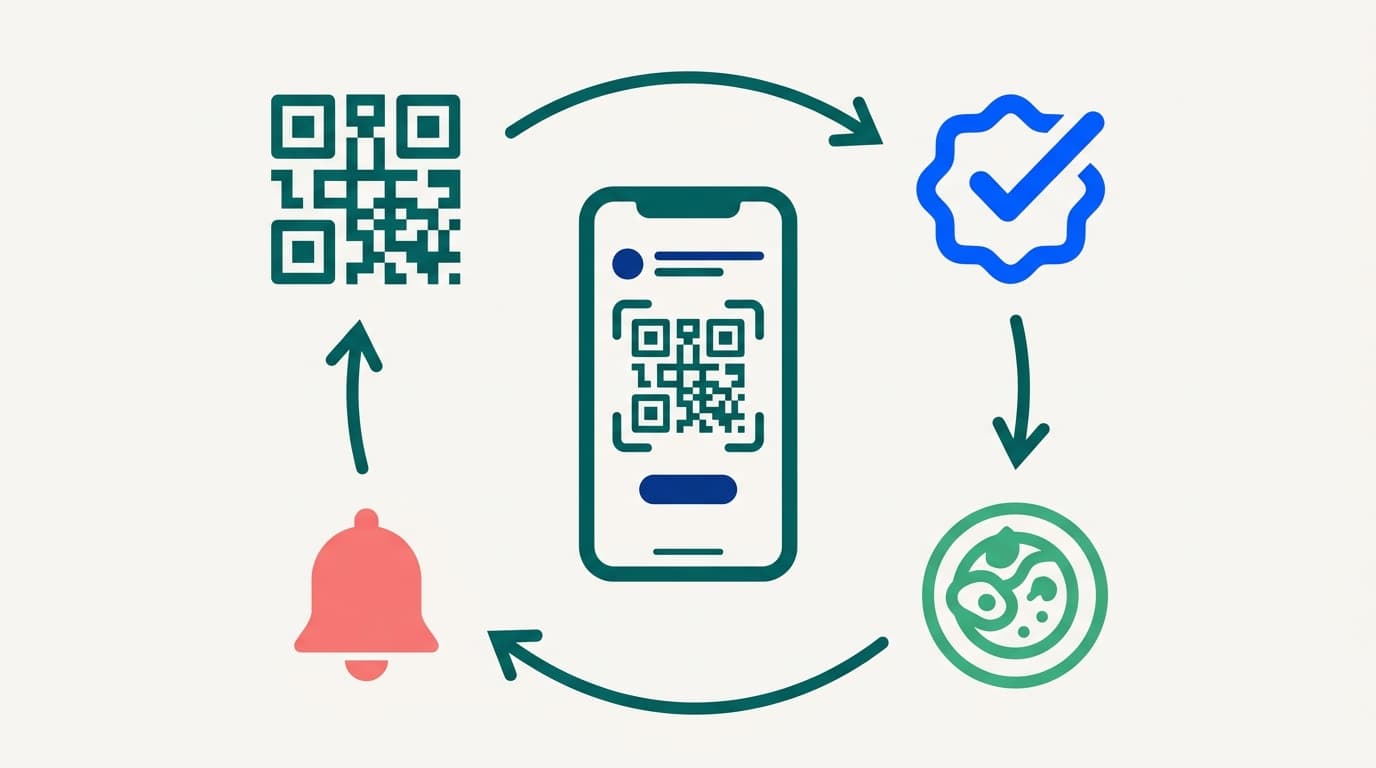
A customer sits down, points their phone camera at a sticker on the table, and a menu opens in their browser. They tap through dishes, add notes, and send the order. It prints in your kitchen with the table number already on the ticket. That is the short answer, but the short answer hides the parts that decide whether it helps your restaurant or quietly annoys every table you seat.
We build these systems for restaurant owners. The questions we get are never about the scan. They are about what happens when four people at one table order at the same time, what happens when the WiFi drops, what happens when someone wants the burger without onions, and what happens to tips when the guest did the ordering themselves. This guide walks through the full flow, then takes each of those questions in turn.
The Full Flow, From Scan to Kitchen Ticket
Every restaurant qr code ordering system follows roughly the same path, no matter who built it. That path tells you which parts are easy to get right and which parts are where most systems fall down.
Step one: the code carries a table ID. The QR code on table 12 is not a generic link to your menu. It encodes a URL with a table identifier attached, something like yourrestaurant.com/menu?t=12. That identifier is the whole reason the system works. Without it you have a digital menu. With it you have ordering.
Step two: the menu loads in a browser. No app, no download. The phone's camera reads the code, the browser opens, and your menu renders. This should happen in a second or two on a decent connection. If it asks for an email, a login, or an app install first, you have already lost part of the table.
Step three: the guest builds a cart. Items, quantities, modifiers, special instructions. The better systems let a guest add a name or seat number so the kitchen and the server know who gets what.
Step four: the order hits your system. This is where the real work sits. The order either prints directly to a kitchen printer, lands on a kitchen display screen, or pushes into your POS as an open check against table 12. Drinks route to the bar, food routes to the line, and desserts hold until fired.
Step five: payment. Either the guest pays immediately in the browser, or the order joins an open tab they settle at the end, by scanning the same code again or with a server and a card machine.
Step six: the table clears and the cycle repeats. The table ID stays the same, and the session resets. A good qr code restaurant ordering system closes the old check automatically when payment lands, so the next party doesn't inherit someone else's cart.
That is the mechanical answer. Now the parts that actually determine whether guests enjoy it.
How QR Ordering Handles Four People Ordering at Once
This is the single biggest failure point we see. It is the one almost nobody asks about before buying.
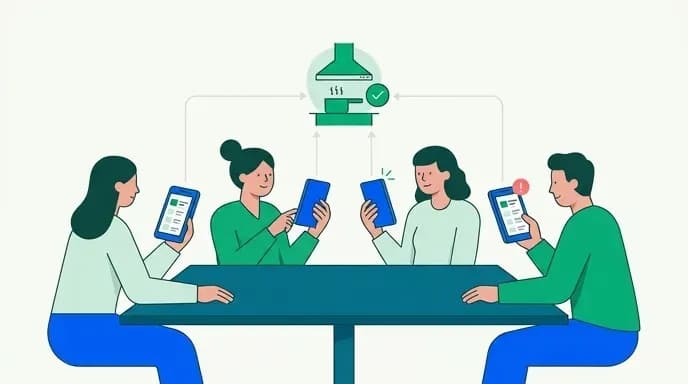
Picture a table of four. Everyone scans, everyone browses, and all four send an order within a short window of each other. One guest's starter lands while another guest's main is still being fired, and a third guest's order sits in a processing queue behind the other two.
The fix is table-level order coordination, and you should ask every vendor about it directly. A system that handles this properly does three things:
- Groups by table, not by phone. All four carts belong to one open check on table 12. The kitchen sees one ticket with four guests' items, seat-numbered.
- Holds a short grouping window. Instead of firing each cart the instant it is sent, the system waits briefly for other carts from the same table, then releases them together. Guests barely notice the wait, and the kitchen gets a coherent ticket.
- Supports coursing. Starters fire now, mains hold until the pass clears the starters, desserts hold until someone fires them. Without this, multi-course service is impossible. Food simply arrives in the order it was typed, which is not the order anyone wants to eat it.
If you run a quick-service counter or a coffee shop, grouping matters less, since items go out as they are made anyway. If you run a dining room where a table orders a starter, a main and a side, grouping is not a nice-to-have. It is the difference between a system that works and a system your servers will fight every shift.
Ask to see a demo with four phones ordering from the same table at once. Any vendor confident in their build will show you. The ones who deflect are telling you something.
WiFi and Connectivity: The Requirement Nobody Budgets For
A restaurant qr code ordering system is a web application running on your guests' phones. If the phones cannot reach the internet from the table, nothing else in this article matters.
This sounds obvious until you walk your own dining room with a phone and actually check. Thick walls, basements, courtyards, and corner booths behind a service station are the spots where signal dies.
Before you commit to QR ordering, do this:
Test every seat, not every room. Sit in each section with a phone on cellular data with WiFi turned off, then again on your guest WiFi. Load the menu and time it. Any seat where the menu does not load quickly is a seat that needs a paper menu or a fix.
Separate guest WiFi from your operational network. Your POS, your card terminals and your kitchen displays should not compete with sixty guests streaming video. Put guests on their own network with its own bandwidth allocation.
Make the WiFi password effortless. Print it on the same table tent as the QR code. Better, use a WiFi QR code beside the ordering code so joining takes one scan. Guests should never have to ask a server for a password before they can look at a menu.
Check your access point coverage, not just your bandwidth. Plenty of restaurants have fast internet and poor coverage because one router tries to serve a space it was never meant to cover. Access points in the dining room matter more than a bigger plan from your provider.
Insist the menu works on a weak connection. A well-built menu loads lightweight images and caches itself, so a guest on one bar of signal still gets through. A menu built as a heavy app shell will hang. This is a build-quality question, and it is fair to ask about it before you sign anything.
Customization: Can Guests Actually Order the Food They Want?
Here is where a lot of off-the-shelf systems reveal themselves. Guests want the salad with dressing on the side, the burger medium-rare with no pickle, or the latte with oat milk and an extra shot. In a conversation with a server, all of that takes four seconds. In a badly built menu, none of it is possible.
What happens then is predictable. The guest orders anyway and hopes, or the guest flags down a server to explain, or the guest orders something else. The first creates a remake. The second erases your labor saving, and the third costs you the higher-margin dish.
A properly built menu handles modifications at three levels:
Structured modifiers. Required choices (protein, size, spice level), optional additions with prices attached, and removals. These are the ones your kitchen can read at a glance because they print as clean lines on the ticket.
Free-text notes per item. Not per order, per item. A note attached to the whole order gets missed when the ticket splits between the grill and the cold station. A note attached to the item travels with the item.
Allergen flags that change the ticket. If a guest marks a nut allergy, that should not be a line of free text buried at the bottom. It should flag the item visibly on the kitchen ticket so whoever makes it knows before they start.
There is a real benefit here that paper menus cannot match.
Multilingual Menus and International Guests
If you serve tourists, business travelers or a mixed neighborhood, this is one of the strongest arguments for QR ordering, and it gets almost no attention.
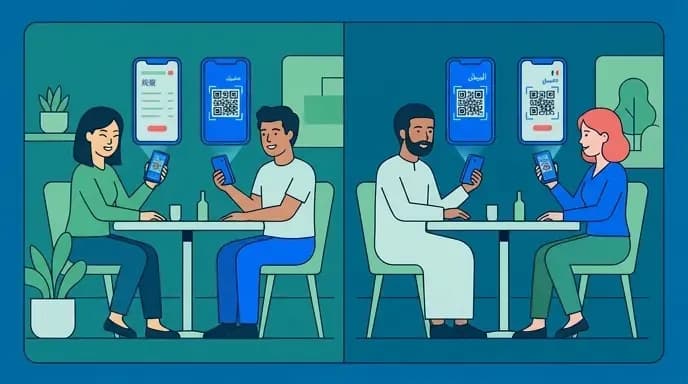
A paper menu in a second language is a translation someone did once, probably years ago, covering a menu that has since changed. A digital menu can carry real translations for every item, including ingredient lists and allergen information, and update them the same day you change a dish. For allergens specifically, this is a safety improvement, not just a convenience one.
Practical notes on getting it right:
- Translate item descriptions and allergen fields, not just item names. The name tells a guest nothing if the dish is unfamiliar.
- Let the menu detect the phone's language and open in it, with an obvious switcher for anyone who wants something else.
- Keep dish names in the original language alongside the translation so guests can say the name out loud to a server.
This capability is worth building into the first version if international guests are a meaningful share of your covers. Retrofitting it later means redoing your entire menu data structure.
Payments: Pay-Now, Open Tabs, and Which One Fits Your Restaurant
How does a restaurant qr code ordering system work on the payment side? Two models, and the choice shapes your whole service style.
Pay-upfront. The guest pays when they send the order. The money is collected before anything is cooked, walkouts drop to near zero, and your servers never carry a card machine. This suits counter service, cafes, bars with high turnover and anywhere guests order once and leave.
It makes the guest feel like they are arguing with software rather than talking to a person.
Open tab. Orders accumulate on the table's check. The guest adds rounds through the evening and settles once at the end, either by scanning the code again and paying in the browser or with a server. This is how dining rooms actually work, and it keeps the door open for the extra drink or the shared dessert that pay-upfront quietly suppresses.
The cost is walkout risk, and it is real.
- Take a card on file at the start of the tab, authorized but not charged, like any bar.
- Send a push or SMS prompt when the table has been idle for a while, offering one-tap payment.
- Keep a floor rule that staff close tables, not guests. The system can still do the heavy lifting.
- Use pay-upfront for the first order and open tab after. The first order verifies the payment method, and the rest flows naturally.
Whichever model you pick, make sure refunds are a two-tap operation for a manager from a phone or tablet on the floor. If fixing an order means logging into a web dashboard in the back office, you have bought a system that will cost you more in goodwill than it saves in labor.
Tipping in a Self-Service Model
This is worth facing honestly, because guests notice it and they talk about it.
When a guest scans, reads, chooses, types, modifies and pays, and the screen then suggests tipping at the same rate as full table service, it reads badly.
Here is how we would handle it:
Match the suggestion to the service level. If a server still brings the food, clears plates and checks back, you are running table service with a digital order pad, and conventional tipping is fair. If guests collect from a counter, the suggestion should be lower or absent.
Never pre-select. A pre-ticked tip that the guest has to find and remove is the thing that generates resentment. Present options neutrally with an simple custom field and an uncomplicated zero.
Be clear about who gets it. Tell guests on the screen whether the tip goes to the server, is pooled among staff, or is split with the kitchen, so nobody is guessing where their money ends up.
Watch the numbers after you switch. Tip revenue is part of your staff's pay. If average tips move after you adopt QR ordering, your team will feel it before you see it in a report. Ask them.
Restaurants that get tipping right with a qr code restaurant ordering system treat it as a service-level question, not a revenue-maximization setting buried in a config screen.
Keep Paper Menus During the Transition. And Probably After
Going QR-only on day one is the fastest way to make the technology your guests' problem.
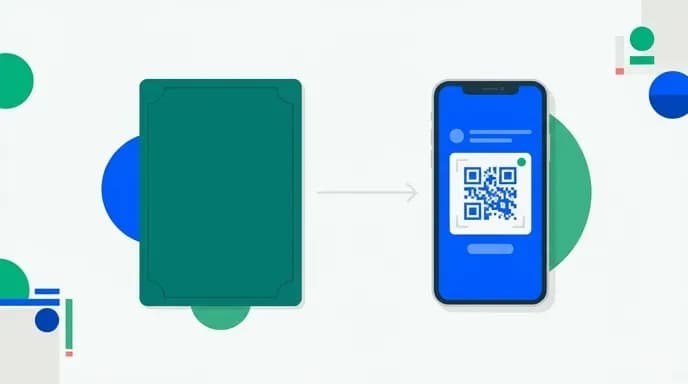
Some guests do not carry a smartphone, some have one with a dead battery, and some have vision or dexterity difficulties that make a small screen genuinely hard.
What works:
- Keep a stack of printed menus at the host stand and hand one to anyone who asks, without a sigh.
- Train staff to read the room. If a table hasn't scanned after a minute or two, bring menus over rather than waiting.
- Keep the ability to take an order verbally and enter it in the POS. Your system should not force QR ordering as the only input path.
- Use a table tent that shows what the code does in plain words, so nobody has to guess.
Over time, the share of tables choosing to order from their phones will tell you what your guests actually want. In most dining rooms it settles somewhere short of universal, and that is fine. A restaurant qr code ordering system that handles most tables and leaves room for the rest beats one that insists on everything.
Design Principles That Keep Friction Near Zero
The technical build is less important than four design rules. Get these right and guests barely think about the system. Get them wrong and every table becomes a support call.
No app installation. Ever. A guest will not download an app to order a sandwich. The menu runs in the browser, full stop.
No login, no email, no verification before the menu. The menu must be visible to anyone who scans, immediately, with nothing in between. Collect a phone number at checkout if you need it for order updates. Asking for an email before showing prices is the fastest way to send a guest looking for a paper menu.
Fast first load. Compressed images, lightweight code, no video on the menu page. The gap between a menu that loads in a second and one that takes six is the gap between a system guests use and one they abandon.
Obvious ordering state. The guest should always know what is in their cart, what has been sent, what the kitchen has confirmed and what has been paid.
One more design decision worth making early: let guests order again without rescanning. The session should persist on their phone for the length of the meal so round two is two taps, not another scan.
Connecting to Your POS and Kitchen
The part restaurant owners ask about most is integration, and the honest answer is that it depends on what you already run.
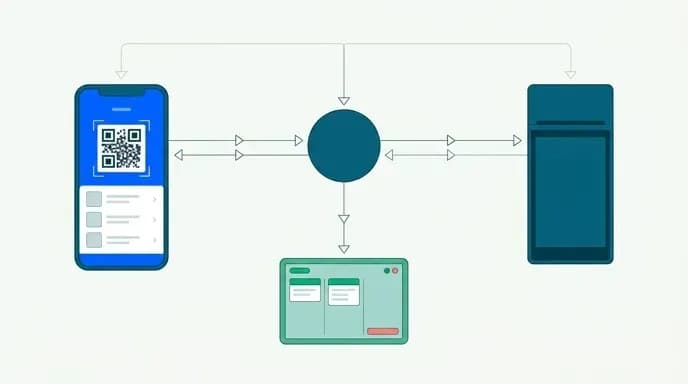
If you have a modern cloud POS with an open API, orders from QR codes can land as open checks against the right table, route items to the right prep stations, and reconcile payments into the same end-of-day report as everything else. Your servers see the table on their terminal exactly as if they had taken the order themselves. This is the configuration you want.
If your POS is older or closed, you have two options. One is a printer-first setup. Orders print directly to kitchen and bar printers with table and seat numbers, and someone keys them into the POS for the check. This works and plenty of restaurants run it, but it adds a manual step and a chance to mistype.
Before you choose anything, write down:
- What POS you run and whether it has an API you can access
- How many prep stations need their own ticket routing
- Whether you need table-specific codes with seat-level detail or table-level is enough
- Who closes checks: guests, servers, or both
- What your reporting needs to show you at the end of a shift
That list is the brief any developer needs.
Off-the-Shelf Platform or a Custom Build?
Both are valid. The deciding factor is usually whether your service model fits someone else's assumptions.
A subscription platform gets you running in days. You pay monthly, per location or per order, and you accept the product as built. For a single cafe with a simple menu and counter service, that is often the right call and we will say so.
It also makes sense when QR ordering is one piece of something bigger: ordering plus reservations plus delivery plus loyalty under your own brand, not a logo in someone else's app.
Weighing a cheap template script against a custom build is a question we get constantly.
At Appkodes we work on fixed price, fixed launch date, both agreed before any work starts, so you know the number and the date going in. A first release can start from $8,000 depending on scope. Scope moves the number, and that caveat is real. We would rather say it upfront than surprise you later.
What a QR Ordering Build Actually Costs
The range is wide, and anyone quoting you a single figure without asking questions is guessing.
What moves the price:
Scope of the ordering flow. Menu display only is cheap. Menu plus cart plus payment plus table grouping plus coursing plus modifiers is a real application.
POS integration. An open API is straightforward. A closed or legacy system means building workarounds, and that is where unplanned hours accumulate.
Number of user types. Guests, servers, kitchen staff and managers each need a different view into the same order, and building and testing each one adds time.
Payments. One provider in one country is simple. Multiple providers, several currencies, split bills and tab authorizations are not.
Languages and locations. Multilingual menus and multi-location management both add structure you cannot bolt on cheaply afterward.
Our breakdown of food delivery app development cost walks through how these variables stack up in practice, and the same logic applies to dine-in ordering. Start with an MVP.
Choosing Who Builds It
If you decide on a custom build, the choice of partner matters more than the technology.
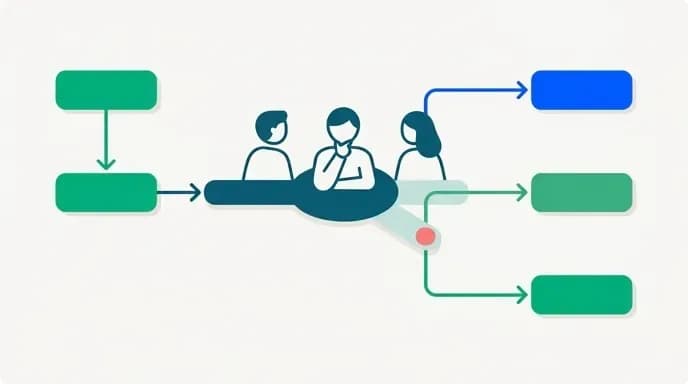
Ask what happens on a weak connection, how a manager issues a refund from the floor, and who owns the code when the project ends. If the answer is anything other than you, walk.
Ask for the price and the launch date in writing before work starts. Vague quotes that firm up after discovery are how projects drift. We agree both before we begin, which is uncomfortable for us and useful for you, and that is the point.
Our guide on how to choose a food delivery app development company covers the questions worth asking and the answers worth worrying about.
For restaurants where ordering sits alongside bookings, our restaurant reservation system handles both sides in one platform.
Putting It Together
How does a restaurant qr code ordering system work, in the only terms that matter to you? A table-specific code opens a fast, app-free menu, and a guest orders with the modifications they need. The system groups the table's orders into one coherent kitchen ticket. The food goes out in sensible courses, and the check settles the way your service model expects. Everything else is detail.
The systems that fail do so in the same places every time: no table grouping, dead spots in the dining room, modifiers that do not exist, tip defaults that insult the guest, and no paper menu for the people who need one. Fix those five and the technology disappears into the background, which is exactly where it belongs.
If you want QR ordering built around how your restaurant actually runs, talk to us about scope and we will give you a fixed price and a fixed launch date before any work begins. No discovery-phase surprises, no hourly drift, just a number and a date you can plan around.

Arun Andiselvam
LinkedInI am a startup veteran who has built five brands. I sold the first, an SEO tool, for a six figure exit, and now lead Appkodes, building custom mobile and web apps for founders and businesses. I bootstrapped every one of them from day one.