Yes. You can create an app without coding, and in 2026 you can do it faster than at any point before. A founder with no technical background can sketch screens, connect a database, wire up payments and have something installable on a phone inside a week.
Most of those builds stop working the moment the idea starts working, though. The question isn't whether you can build an app without coding. It's how far that app will carry you before you hit a wall you can't code your way out of.
Can You Create an App Without Coding in 2026? The Short Answer
You can, with three caveats worth knowing before you start.
First, "an app" covers a wide range. A booking form with a payment button is an app. So is a live streaming platform with PK Battles, virtual gifting and a ranking engine running across thousands of concurrent viewers. The first one is a weekend of work in a no-code app builder. The second one isn't buildable in one, and no amount of prompting changes that.
Second, no-code is strong at the front half of a product. Think screens, forms, flows, basic lists and records. It's weak at the back half, where data relationships, permissions, background processing and third-party integrations live. If your idea is mostly interface, you'll get far. If your idea is mostly logic, you'll stall early.
Third, the tooling moved again this year. Visual and conversational coding, what people now call vibe coding, has blurred the line between no-code and real code. You describe what you want, the tool writes actual code, and you get a working app without reading a line of it. That's genuinely faster than hand-writing a first version, and we've watched it compress early prototyping work dramatically.
So the honest answer to "can you create an app without coding" is yes for validating, yes for a demo, yes for internal tools. It's conditional for a product you intend to charge money for and scale.
What You Can Actually Build With a No-Code App Builder
Based on what we see working in the wild, here's where no-code holds up well.
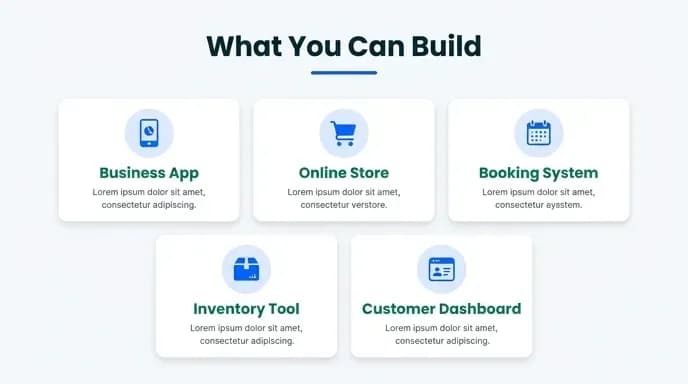
Single-sided marketplaces and directories. A listings app where users browse, filter and contact a seller is mostly database queries and screens. A no-code app builder handles this comfortably.
Booking and scheduling for one provider type. A clinic taking appointments on a fixed calendar, a studio renting out equipment, a consultant selling time slots. As long as availability logic stays simple, you're fine.
Internal tools and admin dashboards. Easily the best use of no-code, since operations teams get a usable interface over their data in days, and nobody outside the company depends on it.
Content apps and community feeds. Posts, profiles, comments, likes. Foundational social mechanics are well-trodden ground in every major platform.
Landing-stage products. Waitlists, concierge MVPs, anything where a human quietly does the work behind a polished front end. This is underrated and we recommend it often.
What falls outside that list: real-time anything and low-latency video. Also multi-role dispatch with live tracking, complex pricing engines, anything touching protected health data, anything where a failed transaction costs real money, and anything that needs to behave identically for a hundred thousand people at once.
Where No-Code Hits Its Limits (And How Fast)
The pattern is consistent enough that we can almost predict it. Platforms like Bubble and FlutterFlow handle entry-level create-read-update-delete work beautifully. The moment your app needs something more complex, conditional workflows that branch several levels deep, calculations that depend on other calculations, data that must stay consistent across multiple user roles, the friction climbs sharply.
In practice, that feels like a feature that should take an afternoon taking four days instead. You find yourself building workarounds for the workarounds, then discovering the platform simply can't express the logic you need. So you bolt on an external service, and now you're debugging the connection between two systems instead of building your product.
The second limit is one nobody warns you about: you can't see inside. When something behaves wrongly, a developer reads the code and finds the cause. In a no-code app builder, you're guessing at what the platform did on your behalf. Debugging becomes archaeology.
The third limit is export. Some platforms let you take your code and leave. Numerous don't, or give you an export so tangled that rebuilding from scratch is cheaper than untangling it. Check this before you commit, not after you have paying users.
These are the practical no-code MVP limitations that matter. Not the feature-checklist comparisons you'll find on platform marketing pages, but the structural ones.
Plan the Thing Before You Build It: Requirements Documentation for Non-Technical Founders
This is the single highest-return hour you will spend, and almost nobody does it. Planning exactly how each feature should work before you touch a builder cuts mistakes and build time substantially, more than any choice of tool.
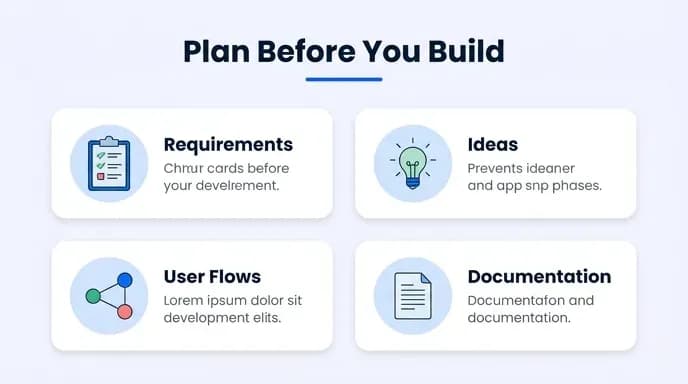
You don't need a formal spec document. You need answers to these, written down.
Who are the user types? Customer, rider, restaurant, admin, each one is a separate app experience. Counting them honestly is how you discover your "uncomplicated delivery app" is actually four apps.
What can each type do, and what can't they? Write permissions out explicitly. "Riders can see customer addresses only after accepting a job" is a sentence that prevents a security hole.
What happens when things go wrong? Payment fails. Rider cancels mid-delivery. Two users book the same slot. Every one of these needs a defined behavior, and if you don't define it, the builder picks one for you.
What data do you store, and how are the pieces related? A user has many orders. An order has one restaurant and many items. Sketch this on paper. It takes twenty minutes and it's the backbone of everything.
What must be true at launch versus what can wait? Ruthlessly. Most first versions carry three times the features they need.
Do this and two things happen. If you build it yourself in a no-code app builder, you build the right thing the first time. If you hire someone, you get a fixed quote, because you've removed the ambiguity that makes agencies pad estimates.
Using AI Tools Together: ChatGPT, Vibe Coding and the No-Code App Builder
The most effective non-technical founders we meet aren't using one tool. They're using three or four, each for what it's good at, and the sequencing matters.
Use a chat assistant for thinking, not building. ChatGPT is genuinely useful for turning a fuzzy idea into a feature list, pressure-testing your data model, drafting the requirements document above, and explaining what a platform's documentation actually means. Treat it as the technical co-founder you can interrogate at midnight, not as the builder.
Use vibe coding for the first working version. Describing what you want and getting running code back is real, and it's fast. The lesson people learn only after their first build is that it works best in small, well-defined pieces. Ask for an entire app and you get something impressive that collapses on contact. Ask for one screen, one function, one integration at a time, test each, then move on. That's how you get something that holds.
Use a no-code app builder for the parts that are genuinely standard. Auth, basic forms, admin views. Don't generate what a platform already does reliably.
Use version control from day one, even if you don't understand it yet. Push everything to a repository. The day an AI tool confidently rewrites a working file and breaks it, and that day arrives, you'll want yesterday's version back.
The confusion we hear most often is which tool does the coding and which tool does the running. They're different jobs. One produces the app. Another hosts it, serves it to users and keeps it alive.
Should You Learn Some Coding Basics? Yes, Less Than You Think
You don't need to become a developer. You do need enough vocabulary to tell when an AI tool is wrong, because it will be wrong confidently and often.
The valuable minimum, in rough order of return:
How data is structured. Tables, rows, relationships, keys.
What an API is. A request goes out, a response comes back.
What environment variables and secrets are. Specifically, that API keys never belong in the code a user can see.
Basic version control.
How to read an error message. Not fix it, read it.
That's maybe a week of casual learning, and it changes the dynamic completely. Instead of accepting whatever the tool produces, you're reviewing it. The honest answer to whether you can build an app yourself is yes, if you're willing to learn the shape of what you're building, even if you never write the code.
Security and Production-Readiness: The Part No Tutorial Covers
Build tutorials end at "and now your app works." Production starts there, and this is where self-built apps most often fail in ways that cost real money.
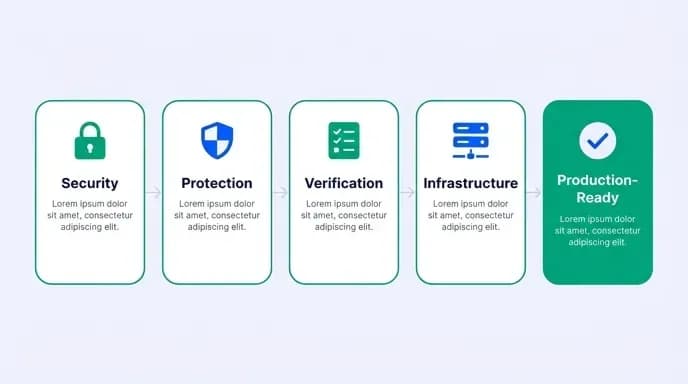
The failures we see repeatedly:
Exposed credentials.
Permissions enforced only in the interface. The app hides the admin button from regular users, but the underlying data endpoint doesn't check who's asking.
No rate limiting. Your signup endpoint accepts unlimited requests, so a bot creates fifty thousand accounts overnight and your database bill does something memorable.
Unvalidated input. Users submit whatever they like, and your app stores or acts on it.
No backups, or backups nobody has tested restoring. Both are the same thing in a crisis.
Unclear data handling. If your app touches personal data in the EU, or health information in the US, the obligations are real and the penalties are not theoretical. If you're handling patient data, get qualified advice on your specific obligations before launch.
None of this means a no-code app builder is unsafe by nature. It means the platform secures its own infrastructure, not your application logic. Your application logic is where founders leave doors open.
Will It Scale? Testing Before Your Launch Day Finds Out for You
Scalability on no-code platforms is less about raw capacity and more about cost curves and specific breaking points. The infrastructure under a major platform handles plenty of traffic just fine. Your app's inefficient queries, running on every page load, are what fall over.
Test before launch, not during. The practical version:
Load your database with realistic volumes. Not twenty records, thousands. Then open every screen. This is the most common and most fixable no-code performance problem.
Time your slowest screens. Pick the three most-used flows and measure them end to end on a mid-range phone on a normal mobile connection.
Simulate concurrent users. Basic load-testing tools let you fire many simultaneous requests at your app.
Model your bill at ten times current usage. Most no-code platforms price on workflow runs, database rows, API calls or active users. A pricing model that's generous at a hundred users can be punishing at ten thousand. Founders discover this at exactly the worst moment, when growth finally arrives and the unit economics invert.
Find the hard ceilings. Every platform has limits on execution time, file size, record counts and concurrent operations. They're in the documentation. Read them against your plans before you build, because a feature that needs more than the platform permits is a feature you cannot ship there.
Run these tests early and you'll know whether your no-code build is a launchpad or a prototype. Either answer is worthwhile. Not knowing is the expensive option.
The Cost Question: Cheap to Start, Expensive to Keep
The sticker price on no-code is low. The total cost is a different shape, and it shows up in four places.
Subscriptions that scale with success. Platform fees plus plugins plus integrations plus hosting, each billed monthly, each rising with usage. The more your app works, the more it costs to run, and you don't control the pricing.
Rebuild risk. If you outgrow the platform, you're not refactoring. You're rebuilding.
The speed tax on every change. Once you're past the platform's comfortable range, frequent changes take disproportionately long.
Opportunity cost. The months you spend fighting a tool's limits are months a competitor spends shipping.
Against that, custom development costs more upfront and less to own.
Our own first releases start from $8,000 for scoped MVPs, a delivery app in the Swiggy mold, or a Slack-style team tool. The real number depends on scope, which we agree with you before anything begins rather than discovering together halfway through.
The clean way to think about no-code vs custom development: no-code buys speed and pays in ceiling. Custom buys ceiling and pays in setup.
Validate First: Prove the Idea in a Week, Then Invest
This is the sequence we recommend to nearly every non-technical founder who comes to us with an unvalidated idea. It's worth saying plainly even though it delays our own involvement.
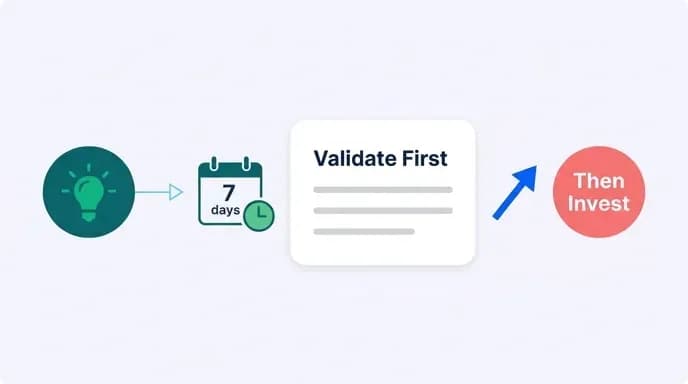
Spend about a week with a no-code app builder, FlutterFlow, Glide, whatever fits your idea's shape, and build the roughest possible version of the core loop. Not the whole product. The one thing that has to work for your idea to make sense.
A week of this tells you things no amount of planning will. Which feature you were certain about turns out to be irrelevant, and which thing you considered minor is the actual product.
Then you commit. With validation in hand and the requirements document from earlier in this guide, you're ready for a real build. You're a much better client for it too, because you know what you're asking for and why. Using an app builder for non-technical founder validation isn't about replacing development. It's that it de-risks the decision to spend real money. For a deeper walkthrough of what that build looks like from concept to store listing, our guide on how to build an app takes it step by step.
Common Pitfalls When You Build an App Without Coding
Patterns we see again and again, offered so you can skip them:
Building the whole thing before showing anyone. Three months of solo building produces a product nobody asked for.
Choosing the platform before defining the app. Pick the tool to fit the requirements, not the other way around.
Treating the demo as production. A build that works for you on your phone with your data is not a build that works for strangers at volume. The distance between those is most of the work.
Ignoring the admin side. You need to moderate content, resolve disputes, refund orders and fix broken records.
Forgetting the app stores. Apple and Google have review requirements, account deletion, privacy disclosures, payment rules, and some no-code output struggles with them.
Accepting generated code without review.
Over-indexing on what the platform makes easy.
Self-hosting before you need to.
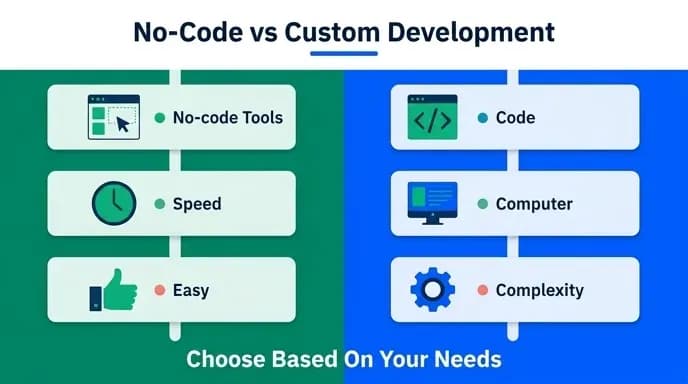
No-Code vs Custom Development: How to Choose
Run your idea against these. Each "yes" pushes you toward custom.
- Real-time features: live video, chat at scale, live location tracking, PK Battles, virtual gifting
- Three or more distinct user roles with meaningfully different permissions
- Regulated data: health records, financial information, anything with legal consequences
- Complex business logic: dynamic pricing, dispatch algorithms, ranking engines, commission splits
- Offline capability or deep device features
- A plan that assumes substantial scale within the first year
- Investors who'll look at your technical foundation during diligence
- A hard launch date tied to a market window
Mostly "no"? Build it yourself and get going. Several "yes"? No-code will cost you more in delay and rework than custom costs upfront.
There's a third option you'll run into: buying a ready-made script. It looks like custom code at no-code prices, and sometimes it works out.
Often it arrives with code you can't maintain and dependencies you can't update. We've written a full breakdown in custom app vs template script, and the short version is that a clone app built on a maintained codebase is a very different thing from an abandoned one bought cheap.
For founders who've validated and are ready to build properly, our MVP software development work is structured around exactly this handoff: fixed price, fixed launch date, both agreed before we start. We've launched a medicine delivery app in roughly 30 days, and we can do that because scope is settled first. Timelines and costs still move with scope, and anyone promising otherwise without seeing your requirements isn't being straight with you.
The Honest Summary
Can you create an app without coding? Yes, and you probably should, for the first version. Spend a week proving the idea, watch real users, learn what you got wrong, and keep your money in your pocket while you do it.
Then be honest about the ceiling. No-code MVP limitations are real, they arrive sooner than expected, and the cost of discovering them with paying users on board is far higher than the cost of planning for them now. The founders who do well treat no-code as a research instrument and custom development as the product, rather than hoping the prototype will quietly become the business.
If you've got validation and a requirements document and you want to know what building it properly looks like, tell us what you're building and we'll agree a fixed price and a fixed launch date before any work starts. No ranges, no discovery phase that quietly doubles the quote. You'll know what you're paying and when you're launching before you commit a rupee or a dollar.
Common questions
Can you build an app without coding in 2026?
Yes, you can create an app without coding faster than ever before, and a non-technical founder can build something installable on a phone within a week. However, most no-code builds stop working the moment the idea starts gaining traction, so the real question is how far the app will carry you before you hit limitations you can't overcome.
What types of apps work best with no-code builders?
No-code builders work well for single-sided marketplaces, booking and scheduling systems with simple availability logic, internal tools and admin dashboards, content apps with social features, and landing-stage products like waitlists. They struggle with real-time features, low-latency video, multi-role dispatch with live tracking, complex pricing engines, and anything handling protected health or payment data.
Where do no-code apps hit their limits?
No-code platforms handle basic create-read-update-delete work well but struggle with complex conditional workflows, calculations that depend on other calculations, and data consistency across multiple user roles. Additionally, you can't see inside the code to debug problems, and some platforms don't allow you to export your code or give exports so tangled that rebuilding from scratch is cheaper.
What should you do before building a no-code app?
Before touching a builder, write down your user types, what each can and can't do, what happens when things go wrong, how your data relates together, and what must launch versus what can wait. This planning phase is the highest-return hour you'll spend and prevents mistakes while substantially cutting build time.
What security problems do no-code apps commonly have?
Self-built apps most often fail by exposing credentials, enforcing permissions only in the interface instead of at the data endpoint level, lacking rate limiting, accepting unvalidated input, having no tested backups, and not properly handling personal or health data obligations. The no-code platform secures its infrastructure, but your application logic is where founders typically leave doors open.

Arun Andiselvam
LinkedInI am a startup veteran who has built five brands. I sold the first, an SEO tool, for a six figure exit, and now lead Appkodes, building custom mobile and web apps for founders and businesses. I bootstrapped every one of them from day one.