Most restaurant owners who ask us how to make a restaurant app are not really asking about code. They are asking a sharper question. What do I actually need to build, what can I skip, and what will it cost me before I see a single order come through it? This guide answers that in order, starting with the decisions that cost the most to reverse.
We build apps for a living. Restaurants are one of the sectors where founders waste the most money on features nobody uses. A well-scoped first release for a single location looks nothing like what an agency pitch deck shows you, and the real steps are more ordinary than the pitch suggests. So we will walk through the real steps, the features that earn their place, and how QR ordering plugs into the point-of-sale system you already own. We will also cover the operational problems that most articles on this topic quietly skip.
Start With the One Job Your App Has to Do
Before anyone writes a line of code, name the single job. Is the app there to take orders at the table? To take delivery and pickup orders without paying a marketplace commission? Or is it there to manage reservations, waitlists, or a loyalty program that brings regulars back?
Pick one. A restaurant app for small business owners works when it does one job better than the workaround you use today, and it fails when it tries to do four jobs adequately. We have seen founders spend their whole budget on a build that handles dine-in ordering, delivery, table booking and gift cards, then discover that most of the actual usage concentrates in just one of those four.
There is a hard truth sitting underneath this choice. Some operators have pushed app-only ordering and removed table service entirely to cut labor. If your positioning depends on service, your app should support the server, not replace them.
So write down one sentence. "This app exists so that ___." Everything in the rest of this guide gets measured against that sentence. Features that do not serve the one job get cut, and cutting them is where your budget and launch date come from.
How to Make a Restaurant App: The Steps in Order
Here is the sequence we use on real projects. It is not glamorous, but skipping steps is how six-week builds become six-month builds.
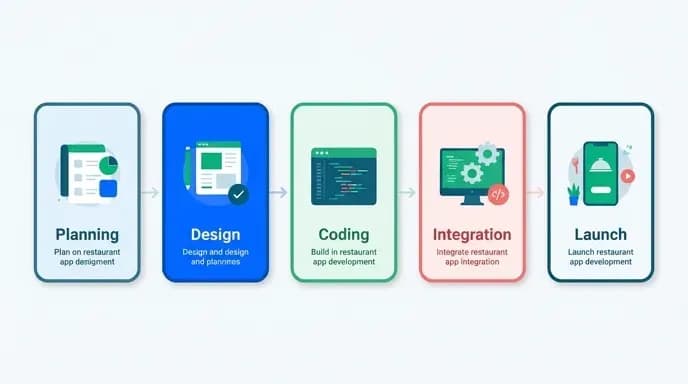
Step 1, map the current workflow by hand. Walk your floor and write down every step an order or a booking takes today, including the paper and the shouting and the WhatsApp messages. That map is your specification. Most restaurant app development goes wrong because the app was designed around an idealized process nobody on the floor follows.
Step 2, decide the platforms. Guest-facing ordering usually works best as a mobile web app that opens from a QR code, with native iOS and Android apps added for loyal customers. Staff-facing tools, the kitchen display and the floor manager's view, belong on a tablet app that works reliably on your own hardware.
Step 3, lock the feature list for release one. Write two columns: launch, and later. Be ruthless.
Step 4, agree price and date before building. We agree a fixed price and a fixed launch date before work starts, because a restaurant with a lease and a staff roster cannot absorb an open-ended project. Costs vary by scope, so the scope gets nailed down first and the number follows.
Step 5, design the screens, then test them on your slowest staff member. If the newest server cannot complete an order in your prototype without being taught, the design is wrong.
Step 6, build in slices, with the integration first. The POS connection, the payment gateway and the printer routing are the parts most likely to surprise you. Do them early, not in the last week.
Step 7, pilot on one table section or one shift. Run real orders through it with a manager watching. Fix what breaks.
Step 8, launch, then measure. Track order completion, average ticket, and how many guests abandon at the payment screen. Those three numbers tell you what to build next.
Restaurant App Features That Earn Their Place in Release One
When founders list restaurant app features, the list runs to forty items.
For the guest: a menu that loads fast and shows what is out of stock, item customization with modifiers and allergens, a cart that survives a dropped connection, one clear payment step, and order status.
For the kitchen: an order ticket that prints or displays in the right station, a way to mark items 86'd, and a way to bump an order when it leaves the pass. The bar and the kitchen often need separate routing, and getting that wrong is the single most common cause of a failed pilot.
For the floor manager: a table map with status, the ability to open and merge tabs, void and comp controls with a PIN, and a live view of what is waiting.
The restaurant app features that founders most often regret paying for in release one are loyalty tiers and reservation deposits. The features they most often wish they had added are the mundane ones: offline resilience, a clean way to edit the menu from a phone, and printer configuration they can change themselves without calling support.
One more feature deserves its own line, role-based access. The moment you have more than three staff using the app, you need to control who can discount, who can void, and who can see the day's totals. Retrofitting permissions into a built app is costly. Put it in from the start.
Building the QR Code Ordering System for Restaurants
A QR code ordering system for restaurants is the most common first project we see. It needs no app download, no printing costs beyond a table card, and it drops straight into existing service. Our guide on how a restaurant QR code ordering system works walks through the whole flow end to end, from the guest scanning to the kitchen receiving.
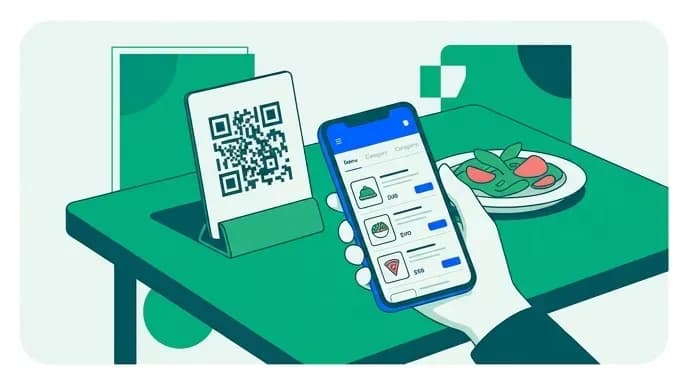
The part worth understanding before you commission a build is that the code itself is trivial. The table identity is everything. Each table gets its own code that carries a table identifier, so the order that arrives in the kitchen already knows where it goes. Generic codes that drop the guest on a generic menu page force the guest to type their table number, and guests type the wrong number more often than you would expect. Static codes printed on a laminated card are fine for table identity.
A good QR code ordering system for restaurants also has to handle the awkward cases. A guest who joins a table halfway through needs a path in. A party that wants to split the bill needs one too. So does the server who needs to add an item to a guest's order from their own handheld, and the table that scans, orders nothing, and leaves the session hanging. Ask any restaurant app development company you talk to how they handle those cases.
Making QR Ordering Talk to the POS You Already Own
This is the question nobody answers properly, so here it is in detail. Restaurants want table-specific QR codes that feed their existing POS, so orders print to the kitchen and bar automatically without anyone rekeying them. Whether that is possible depends entirely on what your POS exposes.
Three situations come up. First, your POS has a documented API or an open orders endpoint. This is the easy case. The app posts the order, the POS owns the ticket, and your printers, reports and end-of-day all keep working as they do today. Second, your POS has no API but sits on the same local network and accepts orders via a middleware or print-server integration. Workable, but it needs a local bridge and testing on your actual hardware. Third, your POS is closed and offline. Then integration means either replacing the POS, running the app as a parallel system with manual reconciliation, or building a local component that lives on the same machine.
Multiple restaurants are stuck in a worse version of the third case: a POS with no internet connectivity at all, and several machines that cannot see each other, so staff move data between them on a USB stick.
Our advice is blunt. Before you commission anything, find out exactly what your POS can do. Call the vendor, ask for integration documentation, and ask whether other apps are connected to it in your market. If the answer is no API and no local access, the honest cost of your project includes a POS decision, and no amount of app development will route around it.
Open Tabs or Prepayment: Pick the Model Before You Build
Operators consistently want to know whether QR ordering means guests must pay upfront, or whether a tab can stay open the way it does with table service. Both are buildable. They are different products.
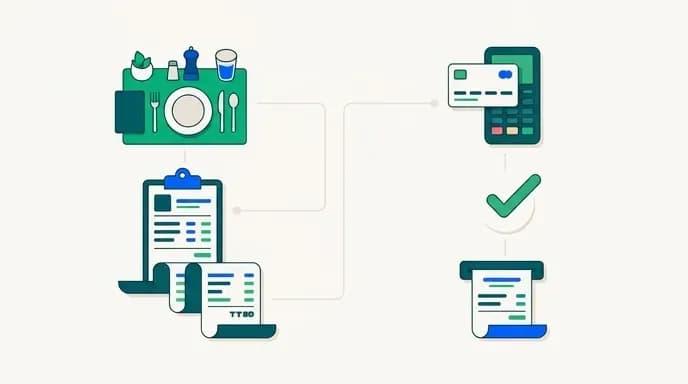
Prepayment means each round is paid when it is ordered.
Open tabs mean the guest scans, orders freely through the meal, and settles once at the end. It feels like normal service, protects your average ticket, and keeps the upsell alive. The cost is risk and complexity. You need either a card pre-authorization at the start of the session, a server who confirms the table, or acceptance that some tabs will walk. You also need tab ownership rules for who at the table can add items and who can close the bill.
A practical middle path works well here: pre-authorize a card when the session opens, allow open ordering through the meal, and capture the final amount at close. Guests get the normal experience, you get the protection, and the mechanics stay invisible.
What you should not do is decide this late.
Reservations, Offline Machines and Why Spreadsheets Survive
A reservation system does not need the internet. A full-stack reservation application can run entirely on one local machine with a local web server, and for a single-location restaurant with one host stand, that is a perfectly sound architecture.
There is a specific trap inside that approach. Storing reservation data in browser localStorage looks tempting for a small offline system, and it works right up until someone clears the browser cache, the host uses a different browser, or the laptop is replaced. They belong in a real database file on that machine, with an automatic backup to a second location, even if that location is a scheduled copy to an external drive.
The moment you need two machines, a host stand and a manager's office, or two floors, the local-only model starts to strain. The fix is either a small local server both machines connect to over your own network, or a hosted system with offline-tolerant clients that sync when the connection returns. Our restaurant reservation system is built for exactly this gap between a single-machine tool and an enterprise platform, if you want a built system rather than a homegrown one.
Restaurants keep running on spreadsheets despite owning enterprise software, and the reason is not stubbornness. A spreadsheet lets a manager put a note in a cell, invent a column on a Tuesday, and override anything without asking permission. Enterprise systems punish exceptions, and restaurants are made of exceptions. There is the regular who always wants table nine, the party that grew by two, and the shift that someone covered informally. Any reservation or scheduling tool that cannot absorb a messy override will be abandoned for a spreadsheet. The lesson for your build is to design the override in deliberately rather than pretend it will not be needed.
Staff Scheduling: Fairness Is the Hard Part
If your app touches scheduling, understand what the real problem is. When availability lines up with the shifts you need covered, scheduling is almost trivial and software adds little. The hard part is distributing the unhappiness fairly over weeks so the same people are not always the ones who lose.
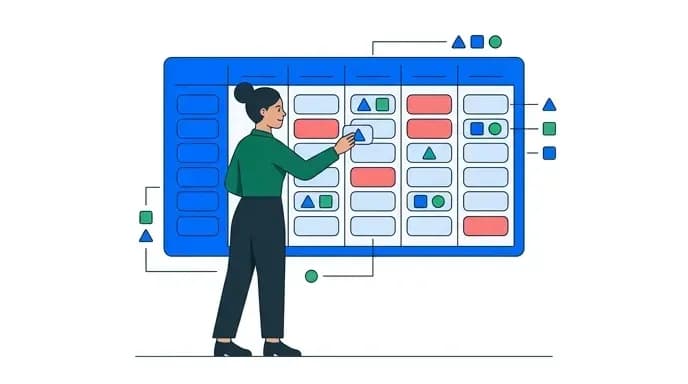
That means your scheduling model needs memory. Track who took the unpopular shift last time, show the manager that history when they assign, and the tool earns its place.
Front-of-house availability is also not binary. Staff have preferences about doubles, about clopens, and about which sections they want in a given week. A simple available-or-not grid cannot express any of that, which is why it gets ignored.
One behavior worth building around: numerous employees find their own coverage before they formally request time off. A tool that lets staff propose a swap with a named colleague, and gives the manager a one-tap confirm, fits how the floor already works.
Special Events and Dynamic Staffing Needs
A tool that handles a normal week and falls apart on a big one is not much use. The cases that break naive schedulers include the large party booked on a normally quiet Tuesday and the private hire that needs a bartender who can run a service bar alone. The holiday week, where your whole demand curve inverts, breaks them too.
Two things make this workable. First, demand should be derived from bookings and events, not from a repeating template. If a sixty-cover party lands on a Tuesday, the required staffing for that Tuesday should change automatically rather than waiting for a manager to notice.
Second, staff need skill tags, not just roles. "Server" is not enough when the event needs someone who has run banquet service, handles wine service confidently, or can manage a difficult room without a supervisor. Tag those capabilities and the system can suggest the right four people instead of the first four who are free. Pair that with the fairness history from the previous section and you have something a manager will trust, which, in practice, is the only test that matters.
Restaurant App Development Cost and Timeline
The honest answer on restaurant app development cost is that it tracks scope, integrations and the number of user types. Anyone who quotes you without asking about your POS is guessing. Here is how we think about it.
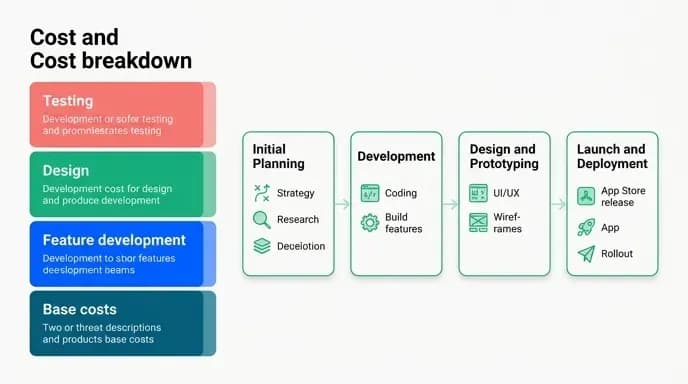
A QR ordering flow with menu management, table-specific codes, payments and a kitchen display is a contained build. A reservation and waitlist system on top of that is a second module. Delivery with driver apps and live tracking is effectively a third product. Each user type you add, guest, server, kitchen, driver, admin, adds screens, permissions and testing.
Our first releases start from $8,000, and a focused restaurant build on a comparable scope to similar projects we have shipped is a realistic ask.
What drives restaurant app development cost up most sharply: a closed POS that needs a custom bridge, multi-location rollout with per-site menus and pricing, and open-tab logic with pre-authorization. What keeps it down: one location, one job, and your existing POS as the system of record.
Decide before you sign whether that is your staff, a retainer with your restaurant app development company, or nobody. Nobody is a choice with consequences, and it is the most common reason a working app quietly stops being used.
Custom Restaurant App vs Template: The Honest Comparison
The comparison between a custom restaurant app and a template is worth answering plainly, because we sell custom builds and you should know the trade-off anyway.
A template or script is faster and cheaper on day one. If your requirements genuinely match what it does, standard menu, standard checkout, one location, it can be a reasonable way to test demand. The trouble starts at the first requirement the template did not anticipate, and for restaurants that requirement arrives early. Your POS, your printer routing, your tab rules, your tax setup all stretch past what a template bends to. Then you are either paying a developer to modify code you do not control, or working around the app in ways that annoy your staff. Scripts also carry a maintenance question: who updates it when the payment SDK changes, and are you comfortable with the code quality you cannot read?
In exchange you own the code, the integrations are built for your actual hardware, and you can change anything. For an operator whose app sits in the middle of daily service, that control usually pays for itself within the first year of change requests.
The decision test we give founders: if your app is a marketing channel, a template might be enough. If your app is part of how service runs, build it. Our comparison of the best food ordering app options is a useful reality check on what you would be building against, for a wider view of what is already available before you commit.
Appkodes has been building restaurant and ordering software for years across a wide range of businesses, and the pattern is consistent. The founders who did best were the ones who narrowed the scope, integrated with what they already owned, and launched something small that worked. If you know what your app has to do, tell us the scope and we will agree a fixed price and a fixed launch date before any work starts, so the number you hear at the beginning is the number you pay at the end.

Arun Andiselvam
LinkedInI am a startup veteran who has built five brands. I sold the first, an SEO tool, for a six figure exit, and now lead Appkodes, building custom mobile and web apps for founders and businesses. I bootstrapped every one of them from day one.