Most restaurant owners ask the qr code ordering vs restaurant app question backwards. They start with the technology and try to make the dining room fit it. A better approach looks at how people actually eat in your room, how long they stay, how often they come back, and who pays the bill. Then you pick the tool that matches. We have built ordering, delivery and booking products for 1000+ businesses over 18 years, and the pattern is consistent. Restaurants that regret their choice almost always picked the option that was easiest to buy, not the one that fit their service.
Here is the honest comparison, including the parts the sales decks skip.
The short answer: which one wins
If you run a single location with a mostly walk-in crowd, and your main problem is slow order-taking at peak, a QR code ordering system wins. It is cheaper, it launches in days, and guests do not have to install anything. If your business depends on repeat visits, loyalty, pre-orders, reservations, pickup, delivery and a customer list you own, a restaurant ordering app wins. A QR menu gives you a transaction. An app gives you a relationship.
The trap in the qr code ordering vs restaurant app debate is treating them as either/or. The strongest setups we build run both. A digital menu QR code sits on every table for the guest who is here once, and a branded restaurant ordering app serves the regular who orders three times a week. The QR layer handles contactless dining ordering in the room, while the app handles everything that happens before and after the meal.
If you are still unsure how the in-room flow works end to end, our guide on how a restaurant QR code ordering system works walks through scanning, routing and kitchen printing step by step.
QR code ordering vs restaurant app: what you are actually comparing
A QR code ordering system is a web page. The guest scans a code, a menu loads in the phone browser, they tap items, and the order goes to your kitchen display or POS. Nothing is installed, and nothing is remembered once they leave, unless you build that in.
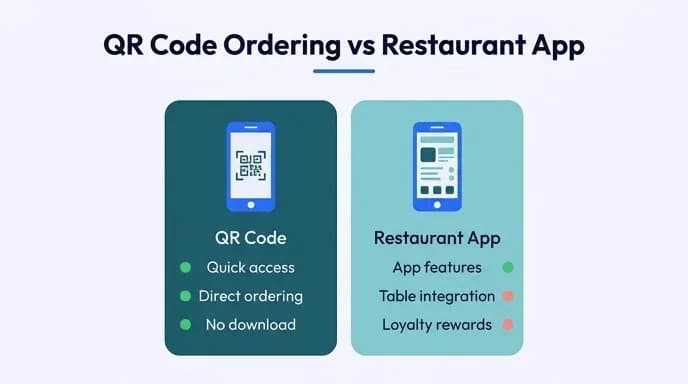
A restaurant ordering app is software the guest keeps, storing their profile, their card and their loyalty balance. It takes an order from the table, from the sofa at home, or from the office at 11:40 a.m. for a 12:15 p.m. pickup.
The feature gap people underestimate is identity. A digital menu QR code usually treats every scan as an anonymous session. That is great for friction and terrible for marketing. An app knows who is ordering, so it applies a discount, remembers a dietary restriction, or pushes a Tuesday offer to people who have not visited in a month.
The cost gap goes the other way. QR ordering is a subscription you rent. An app is an asset you own, with a real restaurant app development cost attached. Neither is automatically better value, since the deciding factor is whether your margin comes from volume on the day or from frequency over the year.
Security risks: URL shorteners and blind code scanning
This part almost nobody covers, and it is the fastest way to lose guest trust. Plenty of restaurants print QR codes that redirect through a URL shortener, usually because the code was generated by a free tool or because the menu link changed and nobody wanted to reprint. The guest scans, sees a shortened address they cannot verify, and is then asked for card details. That is the exact behavior every bank and security team tells people never to do.
It gets worse with stickers. A code on a laminated card or a table decal can be covered with another code by anyone who walks in. If your legitimate code points to an opaque redirect, a guest has no way to tell your link from a malicious one.
Three rules we apply on every build. First, the code resolves to your own domain, visible in the browser bar, so the guest can read it before tapping anything. Second, no shorteners, ever. If the destination changes, use a redirect on your own domain. Third, make the code part of a printed or engraved table fixture rather than a peel-off sticker, and have staff check them during opening checks.
A guest only hands over a card once they trust the page in front of them. A verifiable address is the cheapest trust signal you will ever buy.
Connectivity: the quiet reason contactless dining ordering fails
A QR system is only as good as the signal in the room. Thick walls, basements, courtyards, rooftop terraces and stone-built dining rooms routinely kill cellular data. A lot of restaurant WiFi was installed for the card terminal, not for forty phones loading images at once. When the menu stalls, the guest does not blame the network. They blame you, and then wave at a server who no longer has a notepad.
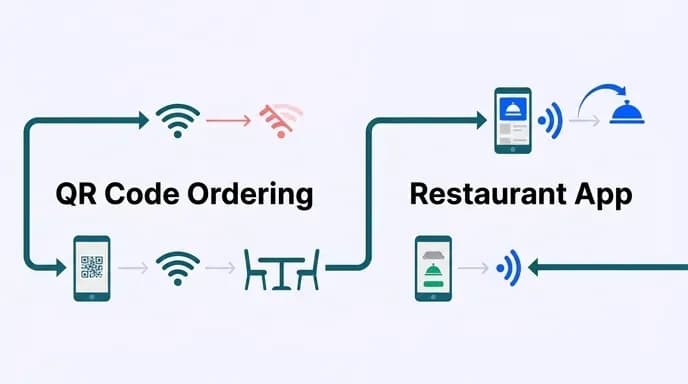
Before you commit to QR as your main order channel, walk every table at a busy hour with a phone and load the menu. Check the far corners, the patio, the private room. If any zone fails, you have two fixes: real access point coverage sized for guest density, or a menu built to survive weak signal.
That second part is design work, and most off-the-shelf QR products do not do it. A menu that loads light, caches, compresses images and queues an order locally if the connection drops behaves completely differently from one that assumes a strong connection. This is also where a restaurant ordering app has a structural advantage, since the app ships with its menu and assets already on the device and only needs a thin connection to send the order.
A digital menu QR code that works at table two and fails at table twenty is not a system. It is a liability your floor staff absorb every shift.
Split payments: the group dining feature that decides adoption
Watch a table of six settle up with a typical QR system and you will see the gap immediately. One person scans, orders for everyone, and pays the whole bill, then spends the next ten minutes collecting transfers from friends. That is not a convenience. That is homework.
Split payment handling is now the single most requested capability we hear about for in-room ordering. It has to work in more than one way. Split by person, where each guest orders and pays for their own items from their own phone against a shared table check. Split evenly, where the total divides by headcount. Split by item, where one person covers the wine and another covers the food. Add a tip step that applies per payer, not once at the end.
Doing this properly means the table, not the phone, is the unit of account. Every scan has to attach to a table session that multiple devices can join, with a running check all of them can see. Most cheap QR tools treat each scan as a separate cart, which is why group bills break.
If you are building a restaurant ordering app instead, you get the same requirement with one bonus: stored profiles make splitting a two-tap action for regulars rather than a re-entry of card details every visit.
Table coordination: why the food arrives at different times
The failure we see most in live rooms is uncoordinated ordering. Four guests scan, four guests order whenever they are ready, and four distinct tickets hit the kitchen minutes apart. Starters land while someone else's main is already plated. Multi-course service becomes impossible, and your expeditor spends the night manually holding tickets.
There is a second, nastier version. When several guests at one table order at the same moment, some systems queue the submissions and release them in small batches, so the later orders sit waiting while the first ones cook. The guest sees a confirmation and assumes food is coming, but the kitchen has not seen the ticket yet.
The fix is a table session with a coordination window. Orders from the same table group into a single ticket, with a short hold so late additions join the same course, and an explicit course structure the kitchen can fire against. Bar items route to the bar printer and food to the kitchen, from the same submission.
Ask any QR vendor to show you this with four phones on one table, not one phone on a demo screen. In the custom restaurant app vs QR menu decision, this is often the deciding test, because coordination logic is exactly the sort of thing a custom build gets right and a generic template does not.
Eliminating app downloads and login walls
The loudest complaint in this whole category is being forced to install something to read a menu. A guest visiting once does not want a download, an account, an email verification or a password reset in order to find out what the soup is. Every one of those steps bleeds orders, and the drop-off is brutal on a crowded Friday.
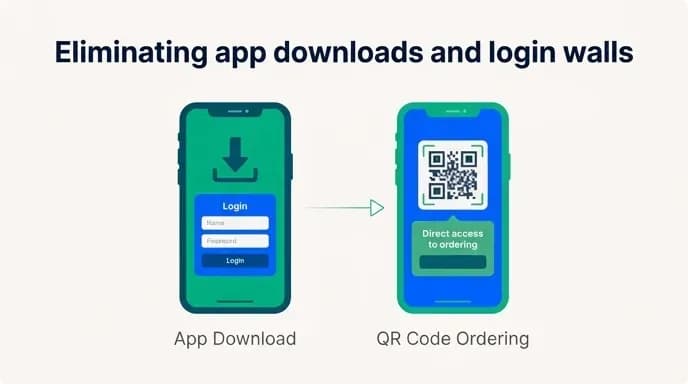
So the rule for any QR code ordering system is blunt. The menu loads first, on the open web, with nothing required. No install prompt. No "sign in to continue." Card details come only at payment, and a guest pays without creating an account. Asking for a phone number or email at the start, before you have given any value, is the barrier people actually resent.
This is also the honest argument against making an app your only channel. If a first-time guest can only order through an install, you will lose a share of your room, and no push notification strategy makes that back.
Build it in the right order. An open contactless dining ordering flow serves everyone, with an optional "save this for next time" nudge at the end, after the food was good. Guests who want the app will take it then, with far better intent than a guest coerced at the door.
Staff elimination backlash and what guests expect from service
There is a real backlash to the idea that QR ordering replaces people, and it lands hardest in rooms where it was never a self-service concept to begin with. Guests paying full-service prices notice when nobody checks on the table. The saved labor hour costs you a dessert, a second round and a tip.
The framing that works is reassignment, not reduction. Order-taking is the least valuable thing a server does. Reading a table, recommending a dish, fixing a mistake before it becomes a review: that is the work. Let the phone take the keystrokes and let your people cover more tables with more attention.
Two practical guardrails apply here. Keep a human path open: a printed menu on request and a server who will take an order from anyone who prefers to speak to a person, with no sighing. And make sure tips still route to the staff who served the table, clearly, inside the payment flow, since guests tip less when they cannot tell where the money goes.
Where contactless dining ordering genuinely shines without any backlash is high-volume venues: fairgrounds, stadiums, festivals, food halls. Skipping the line is the entire product there, and nobody misses table service they were never going to get.
Walkouts and payment abandonment: are the complaints real?
Short answer: dine-and-dash fears are mostly overstated, and pay-upfront friction is mostly understated.
Operators worry that letting guests pay on their own phone means more walkouts. In practice, when payment is captured at order time or a card is held against the table session, walkouts are no worse than with a server running checks. The bigger leak is abandonment. A guest builds a cart, hits a slow payment page or a card declines, and quietly gives up. The kitchen never sees a ticket, and the table assumes food is on the way.
Pay-upfront creates the other problem. When an order is wrong or a guest changes their mind, the money is already taken, and a manager hunts for the right check while processing a manual refund as the guest waits. That is far more friction than voiding a line on an open tab.
So decide by service model. Counter service, fairs and bars at peak: pay upfront, it is cleaner. Table service with courses, modifications and upsells: run an open tab against the table session and settle at the end, with split payments ready. Either way, instrument the flow so you can see where carts die. An abandoned cart is silent, and silent problems do not get fixed.
The money: restaurant app development cost vs QR subscriptions
Pricing is where the two options look most different and get compared least honestly. A QR code ordering system is usually a monthly fee per location plus a percentage of each order, sometimes with a card fee stacked on top. It is cheap to start, and the percentage grows with your success. Read the contract for who pays that percentage. A lot of operators quietly add a service fee to the guest's bill to cover it, and guests notice itemized fees faster than a price rise on the menu. If you are passing a cost through, say so in plain language on the check.
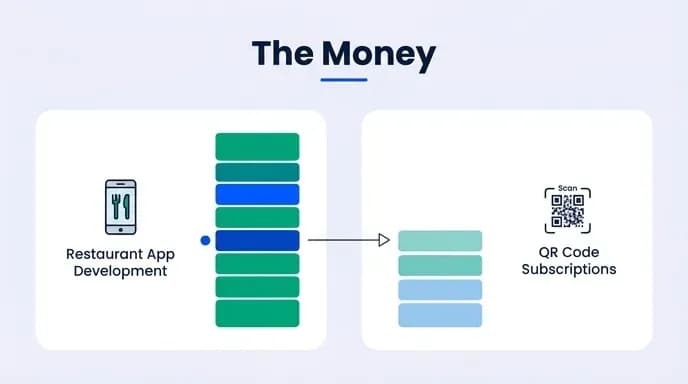
A restaurant ordering app is capital spend. The restaurant app development cost depends on scope: customer app, kitchen view, admin portal, POS integration, payments, loyalty, multi-location. We work on fixed price, fixed launch date, agreed before any code is written. A first release can start from $8,000 depending on what you need in it. Scope moves that number, which is why we scope first and quote after.
The comparison that matters is total cost over three years at your real order volume. Model the percentage. At modest volume, renting wins. Past a certain monthly order count, that per-order cut exceeds what a custom build would have cost, and you are still renting. Our breakdown of the best food ordering app options goes deeper on that math.
Custom restaurant app vs QR menu: how to choose for your room
Choose the QR route when your guests are mostly one-time visitors, your average dwell time is short, your menu changes often, and your main pain is order-taking speed. A digital menu QR code with table sessions, split payments and clean POS routing will solve that for a fraction of a build.
Choose the custom restaurant app when repeat frequency is the business: coffee, lunch, neighborhood regulars, multi-location groups, delivery and pickup in your own name instead of a third-party marketplace taking a cut of every order. The custom restaurant app vs QR menu call is really a question about whether you need to own the customer relationship, the data and the notification channel.
And choose both when you can, with one back end. One menu, one price list, one kitchen ticket format, one reporting view, two front doors. That is how we structure these projects.
What we would not do is buy a template script and hope. Those save money on day one and cost it back on POS integration, payment security and the table-coordination logic nobody tested. Maintaining two individual menus in two systems is how wrong prices reach guests, so if you want the honest version of custom restaurant app vs QR menu for your specific room, start with your order volume and your repeat rate, not with a feature list.
Where restaurant reservation software fits
Ordering is half the floor. Seating is the other half, and the two systems should talk. When your restaurant reservation software knows that table twelve is a 7:30 p.m. booking for four, the QR session at that table already knows the party size, the course structure and whether a deposit was taken. Covers forecast into prep, and no-shows get a deposit policy instead of an empty table.
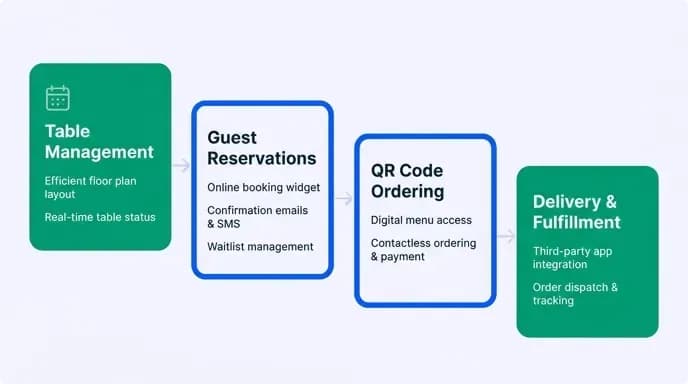
This is where a lot of operators find their real return. Reservations reduce the empty seats that cost you money, waitlists convert walk-ins instead of losing them to the place next door, and pre-orders for larger parties let the kitchen buy and prep accurately. Pair that with contactless dining ordering in the room and you get the full picture: who is coming, what they will probably eat, what they ordered, and what they paid.
Our restaurant reservation system is built for exactly that pairing, with table management, booking rules and the ordering layer on one back end.
If you already run discrete reservation and ordering tools, the integration between them is usually a smaller project than replacing either one, and it is where we would spend first. Good restaurant reservation software does more than fill seats. It tells your ordering system what kind of night to expect.
Get a fixed price before anyone writes code
Our position after 18 years and 1000+ businesses is simple. Start with the cheapest thing that fixes your actual bottleneck, instrument it, and build the app when the numbers say the rented percentage has become the expensive option. We have taken products from MVP to launch on tight timelines, including an app like 1mg in roughly 30 days, and those timelines hold because scope is agreed up front rather than negotiated mid-build.
Tell us your covers, your repeat rate, your POS and your room layout, and we will scope the smallest version that moves your numbers, then agree a fixed price and a fixed launch date before work starts. Get a quote and we will give you the honest answer, including when the honest answer is to not build an app yet.
Common questions
Should I use a QR code ordering system or a restaurant app?
If you run a single location with mostly walk-in customers and your main problem is slow order-taking at peak times, a QR code ordering system wins because it's cheaper and launches quickly. If your business depends on repeat visits, loyalty, pre-orders, reservations, and owning a customer list, a restaurant ordering app wins. The strongest setups actually run both together.
What are the security risks of QR code ordering?
Many restaurants print QR codes that redirect through URL shorteners, which guests cannot verify before entering card details—the exact behavior security teams tell people never to do. Stickers on tables can also be covered with malicious codes. The fix is to ensure codes resolve to your own domain, avoid shorteners, and make codes part of permanent table fixtures rather than removable stickers.
Why does QR code ordering fail in restaurants?
QR ordering systems fail when restaurant connectivity is poor, which is common in basements, courtyards, rooftops, and stone-built rooms with thick walls. Most restaurant WiFi was installed for card terminals, not for handling forty phones loading images at once. When the menu stalls, guests blame the restaurant rather than the network.
How should groups split bills with QR code ordering?
Split payment handling must work in multiple ways: split by person where each guest orders and pays for their own items, split evenly by headcount, or split by item. The table must be the unit of account, not individual phones, so multiple devices can join a shared table session and see a running check together. Most cheap QR tools treat each scan as a separate cart, which breaks group bills.
Should restaurants eliminate servers and use only QR ordering?
There is real backlash to replacing servers with QR ordering, especially in full-service restaurants where guests expect personal attention. The better framing is reassignment: let the phone handle order-taking so servers can focus on reading tables, making recommendations, and providing attention. Keep a human path open by offering printed menus and allowing servers to take orders for guests who prefer to speak to a person.

Arun Andiselvam
LinkedInI am a startup veteran who has built five brands. I sold the first, an SEO tool, for a six figure exit, and now lead Appkodes, building custom mobile and web apps for founders and businesses. I bootstrapped every one of them from day one.