

A driver standing in a loading bay with a paper delivery note has no patience for a spinner, which is exactly why Mobile App for Field Workers: offline sync matters so much here. A field technician in a basement plant room has no signal at all. If your app needs the cloud to accept a photo, it fails them both. The paperwork goes back into the glovebox, where it stays until someone types it into the ERP three days later.
The fix is an offline-first app. The phone is the source of truth for work in progress. Every capture gets written to local storage immediately, and a background process pushes confirmed documents to Odoo, NetSuite, SAP Business One or QuickBooks when a connection returns. Done properly, offline mobile app ERP sync is not a feature you bolt on near launch. It is the architecture you choose on day one, because it decides how you store data, how you resolve conflicts, and what you promise your users when a phone goes in a puddle.
The decisions below come in the order you'll actually face them, from architecture choice to the details that make or break a field pilot.
The short answer: what offline-first document capture really involves
Strip away the buzzwords and the app does five things.
It captures. A camera flow tuned for crumpled invoices and delivery notes, with edge detection, perspective correction and multi-page batching, saves the image to the device filesystem.
It extracts. OCR plus an LLM call (OpenAI or Claude) returns a structured object covering supplier, document date, document number, line items and totals. Structured outputs matter here, since you want a schema the app can validate, not prose it has to parse.
It validates. Line items get summed against the stated total, dates are checked for sanity, and the supplier gets matched against the ERP's vendor list.
It reviews. A screen lets the worker confirm or correct every field the extraction flagged as low confidence, with the original image on the same screen.
It syncs. The confirmed document goes into a local queue and gets pushed to the ERP over REST, with an idempotency key, retry with backoff, and a visible status the worker can see.
Everything between capture and sync happens with the radio off. That is the whole point.
Offline-first vs cloud-first: the one decision you cannot defer
Cloud-first apps treat the network as normal and offline as an error state. Offline-first apps invert it: local writes are normal, and the network is an opportunistic upgrade. You cannot retrofit the second from the first without rewriting your data layer, your error handling and most of your UI states.
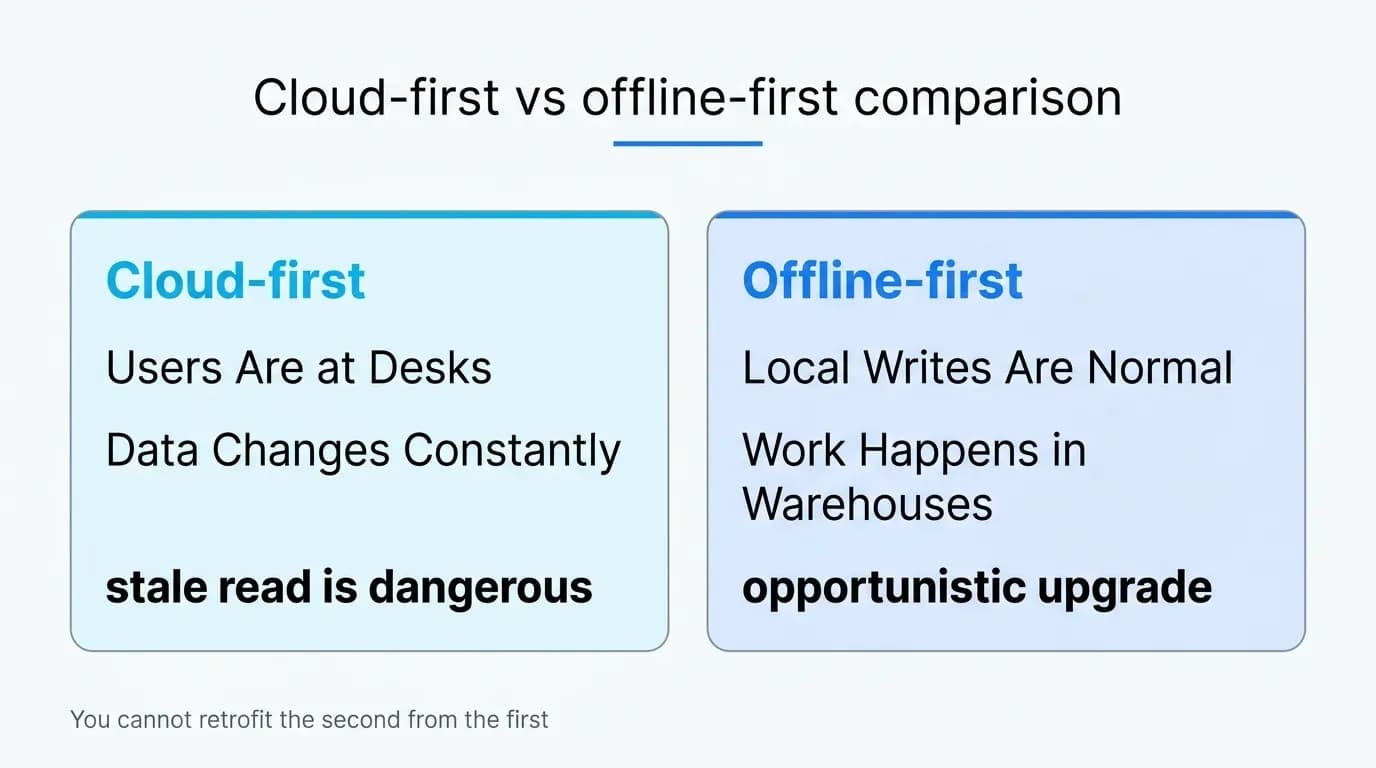
Choose cloud-first when your users are at desks and your data changes under them constantly. A stale read is dangerous on financial dashboards, live dispatch boards, or anywhere two people act on the same record within seconds.
Choose offline-first when the work happens in warehouses, basements, rural routes or moving vehicles, and each worker mostly creates their own records rather than editing shared ones. Document capture is close to the ideal case, since a scanned delivery note belongs to one person, at one moment, and nobody else is editing it.
The tradeoff is real. Offline-first means more code, more state to reason about, a conflict policy you have to actually define, and a testing matrix that includes airplane mode and captive portals. Worst of all is one bar of signal that accepts a request and never replies. Factor that cost into the plan from day one instead of running into it unexpectedly by the ninth week. Our app development guides go deeper on scoping these architectural calls before a line of code is written.
The SQLite offline queue pattern for disconnected writes
This is the core of the build, and it's simpler than most teams expect.
Keep two tables in SQLite. One holds the documents themselves, the extracted fields, the image paths, the review status. The other is an outbox, an append-only queue of operations waiting to go to the ERP. Each row carries an operation type, a JSON payload, a client-generated UUID that doubles as the idempotency key, an attempt counter, a last-error field and a next-retry timestamp.
When the worker taps "Confirm," you write to both tables in one transaction and return to the capture screen instantly. No network call blocks the user. A background worker, a headless task on Android, background fetch and processing on iOS, wakes on connectivity change, drains the queue oldest-first, and marks rows done or failed.
Three details separate a queue that works from one that quietly loses work:
- Retry with backoff and a cap. Exponential delays, with a jitter so a hundred trucks reconnecting at the same depot don't hammer the ERP at the same instant.
- A dead-letter state. After the cap, move the row to a "needs attention" list the worker and the back office can both see. Silent failure is worse than visible failure.
- Images distinct from payloads. Keep binaries on the filesystem with a path reference, upload them first, then send the document with the returned attachment ID. Large base64 blobs in a queue table will wreck your database performance.
Storing local changes in an offline queue table and retrying when connectivity improves is not clever. It is the pattern that has held up across every field app we've shipped.
Optimistic concurrency control with timestamps for conflict resolution
Sooner or later two sources touch the same record. A supervisor edits a document in the ERP while the field worker's phone still holds an uploaded version of it. You need a rule, and you need it before launch.
The battle-tested pattern is optimistic concurrency control with timestamps. Every record the client holds carries the last version timestamp it received from the server. When the client writes, it sends that timestamp. If the server's current version is newer, it rejects the write and returns the newer record. The client then decides: auto-merge, keep local, or ask the human.
For document capture, the right default is usually last-write-wins at field level for anything the field worker owns, and server-wins for anything the ERP owns, things like vendor IDs, GL codes and approved status. Never silently discard a worker's correction. If a rejection means losing typed input, surface a compare screen showing both versions side by side.
Two implementation notes. First, use server time, not device time, because phone clocks drift and travelers cross time zones. Second, log every rejection with both versions. When finance asks why a total changed, that log is the answer, and it saves you days of forensic guessing in the first month after go-live.
Idempotency and error handling against Odoo, NetSuite and QuickBooks
Offline queues retry. Retries create duplicates, and duplicates in an ERP create duplicate payables, which in turn create very unhappy finance teams.
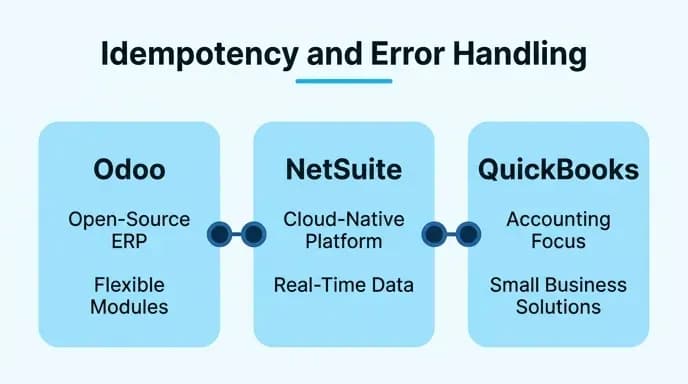
The defense is the UUID generated on the device at confirm time. Send it as an idempotency key on every request. On the middleware side, Node.js or Python sitting between the app and the ERP, store that key with the resulting ERP record ID. If the same key arrives twice, return the original result instead of creating a second record. This matters most for the request that times out after the server has already committed, which is the single most common way duplicates appear.
Then handle each ERP's quirks in that middleware rather than in the app:
- Odoo exposes a workable REST surface and XML-RPC underneath. Map documents to account.move or stock.picking depending on whether you're creating a vendor bill or a receipt, and respect its journal and company constraints.
- NetSuite needs token-based auth and has governance limits on how many requests a role can make. Queue and throttle accordingly.
- QuickBooks enforces OAuth token refresh and has strict rules on which fields can be updated after posting.
- SAP Business One typically runs through Service Layer sessions that expire. Refresh them in middleware, never from the phone.
Keep ERP credentials on the server. A field phone should hold a short-lived app token and nothing else.
Document capture: OCR, LLM extraction and the review screen
The capture flow deserves as much attention as the sync layer, because a bad photo produces bad data no matter how good the model is.
On-device, use the platform document scanners through React Native modules: automatic edge detection, perspective correction, a shutter that waits until the frame is steady, and a quality check that tells the worker "too dark, try again" before they walk away. Store the processed image locally and queue the extraction.
Extraction can run two ways. Queue it for the server when a connection returns, which is cheaper and uses better models with a simpler app. Or run a lightweight on-device OCR pass immediately so the worker sees provisional fields in the bay, with the LLM refining them later. We usually recommend the first for invoice-heavy workflows and the second where the worker must act on the numbers right there.
Whichever you pick, ask the model for a strict schema with a confidence value per field. Then validate in code: check that line items sum to the total, confirm the date is plausible, and make sure the supplier resolves to a known vendor. Low-confidence or failing fields get highlighted on the review screen next to the original image, pre-focused so the worker fixes them in seconds.
Never auto-post to the ERP without a human confirm. The review tap is what makes the finance team trust the pipeline.
Multi-device sync, device loss and recovery
Ask any team building an offline-only app what happens when a phone is dropped off a forklift, and you'll usually get a pause. It's the question that gets deferred and then arrives as a crisis.
Decide your policy explicitly:
Work in progress, not yet confirmed. This lives only on the device. If the device dies, that work is gone. Say so plainly in the app and keep the window short, prompting workers to confirm and queue at the end of each stop rather than at the end of the shift.
Confirmed but unsynced. Still device-only, and this is the painful category. Reduce exposure by syncing aggressively on any connection, including the depot's Wi-Fi, and by showing a persistent badge with the unsent count so nobody ends a shift with twenty queued documents.
Synced. Safe in PostgreSQL or Supabase, and recoverable on any device the user signs into.
For multi-device, treat the server as the only authority on shared state. A worker who switches phones signs in, pulls their assigned work and synced history, and starts with an empty outbox. Never attempt to merge two outboxes from two devices. Scope each queue to a device ID and let the idempotency keys deduplicate anything that overlaps.
Role-based access in Supabase keeps a driver's view limited to their own routes while supervisors see the depot.
Telling users where their data lives. And giving them a way out
If some of a user's work only exists on their phone, they have a right to know, in words, not in a privacy policy nobody opens.
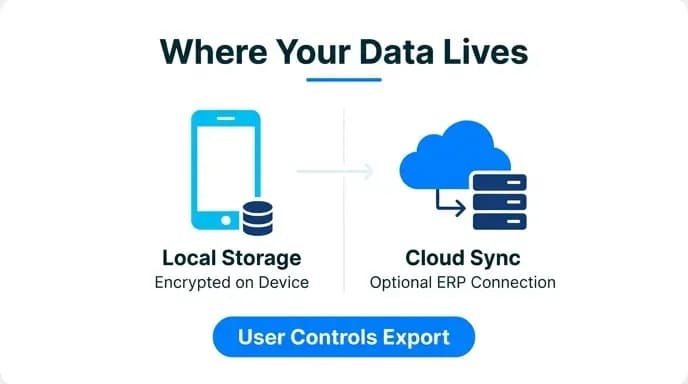
Build this into the product:
- A short, plain explanation on first run: what is stored on the device, what goes to the server, and when.
- A visible sync state on every document. Queued, sending, synced, needs attention. Rather than a single global icon.
- An export function that produces something useful outside your app: the images plus a CSV or JSON of the extracted fields.
- An import path that restores an export onto a fresh device.
- Guidance on backups, phrased for the person holding the phone, not the IT team.
Export and import are also your insurance policy. When a customer's ERP migration stalls, or a supervisor needs documents for an audit this afternoon, a working export turns a crisis into an inconvenience. It's the same principle behind giving operators their own data in a repair shop system or a property management app. People trust tools that let them leave.
Cache invalidation without re-fetching everything
Highly interactive apps run into this fast. A worker corrects one quantity on one line item, and the data layer throws away the whole query and refetches it, over a cellular connection that might not even exist. The screen flickers, the scroll position resets, and the worker loses their place mid-review.
Avoid it by designing the cache around the shape of the work.
Write to local SQLite first and let the UI read from local state, so the screen updates from the database, not from a network response. Scope invalidation narrowly, one document or one line item, instead of invalidating a list query that pulls a hundred records. Use partial updates where your query library supports them, patching the cached entry rather than discarding it. For lists, paginate by cursor and merge new pages rather than replacing the array.
The practical test is simple. With the device in airplane mode, edit a field on page three of a fifty-document list. If anything flickers, resets or empties, your invalidation is too coarse. Fix it there, not after a field pilot, because that's the behavior that makes workers quietly go back to paper.
Real-time inventory sync between mobile and desktop
The same architecture gets asked a second question almost immediately. Can the phone and the back-office system show the same stock numbers, and can that hold up against a storefront platform like Shopify?
Honest answer: near-real-time, yes. Truly real-time, no, and you shouldn't design as if it were. Treat stock levels as a server-owned value that the phone displays with a timestamp, and treat movements such as received, picked or damaged stock as events the phone queues. The server applies events in order and recomputes the level. That way two devices receiving the same pallet don't overwrite a number. They add two events, and the ledger stays correct.
Push the resulting levels back to connected devices with a lightweight channel, Supabase realtime or a websocket, and fall back to polling when the socket drops, which on field hardware is often. Where a storefront is involved, accept that its API has its own rate limits and eventual consistency, and reconcile on a schedule rather than promising instant parity.
Then set the expectation in the UI. Show when stock was last refreshed. A number with a timestamp is trusted. A number that is silently stale is not.
React Native or Flutter. And the "no infrastructure cost" myth
Either framework handles this well. React Native is the usual pick when the team is already JavaScript-heavy, when you want the broadest set of document-scanner and SQLite libraries, and when the same Node.js developers maintain the middleware. Flutter wins on rendering consistency and on teams that value a single, tightly controlled UI layer.
If you're validating the concept before committing, a mobile-first MVP built with FlutterFlow can prove the capture-and-review flow quickly, with the sync engine built properly afterward. Desktop versions of the same app are a common follow-on request. The honest observation is that performance tuning differs between a packaged desktop build and the browser version of the same code, and assumptions about memory, file access and background work don't transfer cleanly. Newer desktop wrappers paired with sync engines also tend to surface connection problems that take real troubleshooting time. Scope desktop as its own phase.
And drop the idea that offline-first means no infrastructure cost. You still run middleware, a PostgreSQL or Supabase instance, object storage for images, LLM API usage, monitoring, and app distribution. What offline-first buys you is resilience and lower per-request chattiness, not a free backend.
Scope, cost and how we fix both before starting
Projects like this fail on scope, not on code. The capture flow is a week's work. The ERP mapping, the conflict rules and the field testing on real hardware are where months go.
So we scope it as phases. Phase one: capture, extract, validate, review, queue, and sync one document type to one ERP endpoint, tested on the actual devices your crews carry, in the actual places they lose signal. Phase two: additional document types, multi-device, inventory events, desktop. That sequencing is what makes a fixed price, fixed launch date possible. We agree the scope and both numbers before any work starts, and if you want to move scope later, we re-price it openly rather than letting the timeline drift.
On the doubts worth answering plainly: a custom build beats a template here because no off-the-shelf script carries your ERP's field mapping, your approval rules or your conflict policy. A non-technical founder or ops lead can absolutely run this, since your job is the workflow and the finance sign-off, and ours is the architecture. Pricing and timeline depend on scope, and we'll give you both numbers, and an honest estimate of how tight the launch date can be, once we know which ERP you're on and which document types come first.
Tell us which ERP you're on and what your crews are carrying, and we'll come back with a scoped quote and a launch date. Our MVP and startup resources are a good place to start if you want to shape the phase-one scope before that conversation.
Common questions
How do you build an offline-first mobile app for field workers?
An offline-first app treats the phone as the source of truth for work in progress, writing every capture to local storage immediately and using a background process to push confirmed documents to the ERP when a connection returns. The architecture involves five core functions: capturing documents with camera flows tuned for real-world conditions, extracting structured data with OCR and LLM calls, validating extracted fields, allowing workers to review and correct low-confidence fields, and syncing confirmed documents to the ERP with retry logic and idempotency keys.
What is the SQLite offline queue pattern for disconnected writes?
The pattern uses two SQLite tables: one holding documents with extracted fields and image paths, and another serving as an append-only outbox queue of operations waiting to reach the ERP. When a worker confirms a document, it writes to both tables in one transaction instantly, while a background worker drains the queue with retry logic, exponential backoff, and a dead-letter state for failed operations after the retry cap is reached.
How do you handle conflicts when two sources edit the same record?
Use optimistic concurrency control with timestamps, where every record carries the last version timestamp from the server. When the client writes, it sends that timestamp, and if the server's version is newer, it rejects the write and returns the newer record. For document capture, the typical rule is last-write-wins for field worker-owned data and server-wins for ERP-owned data like vendor IDs or approved status.

Arun Andiselvam
LinkedInI am a startup veteran who has built five brands. I sold the first, an SEO tool, for a six figure exit, and now lead Appkodes, building custom mobile and web apps for founders and businesses. I bootstrapped every one of them from day one.