Build Your Own Calendly Clone: Smarter Scheduling Software for a One-Time Cost

When I first started using Calendly for my small team, it felt like a lifesaver. Scheduling meetings, coordinating calendars, and keeping workflows on track suddenly became effortless. With just one or two users, the monthly fee barely made a dent, and it seemed like a smart, practical choice.
But as our team grew, the reality hit. Five users? Nearly $1,000 a year. Ten users? Around $2,000. By the time we had twenty-five people on the platform, the cost jumped to $5,000 annually.
Over three years, the numbers quickly added up: $2,880 for five users, $5,760 for ten, and $14,400 for twenty-five. And yet, despite all that spending, the software was still someone else’s. We didn’t own it.
It got more frustrating as our workflows became more complex. Our data was locked on Calendly’s servers. Branding options were limited, and advanced features often required upgrades we couldn’t skip.
Every new user, every add-on, every plan upgrade just drove costs higher without giving us more control or flexibility. By year three, thousands of dollars had gone out the door, and we were still renting the platform.
That’s when it really hit me: we were paying more and more for less and less. It made me stop and think, are we really building a scheduling system that grows with our business, or are we just renting someone else’s tool?
That’s when the idea of a Calendly clone became so appealing, a system we could scale without limitations. In this blog, we will dive deep into how to build your own Calendly clone.
What Businesses Actually Need from a Scheduling Tool
Scheduling tools have become essential for modern businesses. Instead of going back and forth over emails trying to find a time that works, teams can simply share a booking link and let clients choose a convenient slot. Platforms like Calendly helped popularize this approach and made online scheduling mainstream.
However, many businesses today are starting to question whether they actually need to pay for features that feel like basic necessities. As a result, companies looking for a Calendly alternative for business are often not searching for something more complex; they simply want a tool that offers the core features required to manage meetings efficiently.
Before choosing any scheduling platform, it’s helpful to understand the essential features every business should expect from a scheduling tool.
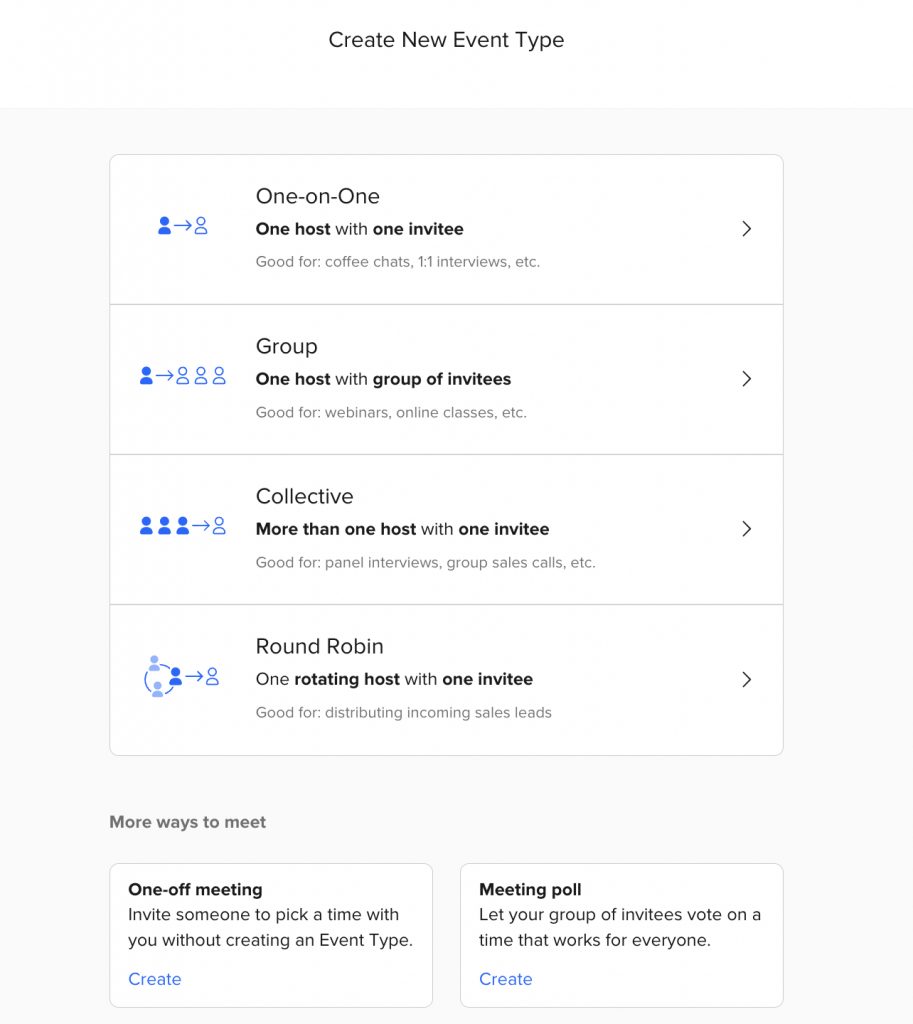
1. Unlimited Event Types
In a typical workweek, teams handle different kinds of meetings. A quick 15-minute call might be enough for a short discussion, while other meetings require longer time slots.
Without the ability to create separate event types, teams often end up manually adjusting meeting durations or availability each time they share a booking link. Having multiple event types on your Calendly alternative lets each meeting format exist with its own schedule, so the calendar doesn’t need constant changes.
2. A Fully Branded Booking Page
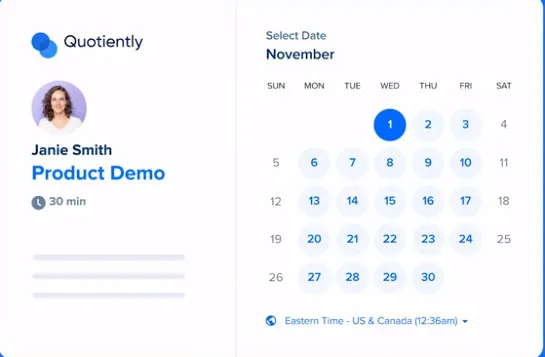
When someone receives a scheduling link, the booking page is where they finally confirm the meeting. If that page looks unfamiliar or heavily branded by another platform, it can feel disconnected from the company they’re trying to meet.
Businesses often prefer the booking page to match their own identity so the scheduling process feels like a natural extension of their communication.
3. Automated Meeting Reminders
Meetings are often scheduled days in advance. By the time the day arrives, participants may have several other tasks on their calendars. Automated reminders help bring the meeting back to attention shortly before it begins, which reduces the chances of someone forgetting or joining late.
4. Team Round-Robin Scheduling
In teams where multiple people are available for meetings, deciding who should take the next call can become a small but frequent coordination task. Round-robin scheduling automatically rotates bookings among available team members so meetings are distributed evenly without manual assignment.
5. Payment Collection During Booking
In some cases, an appointment isn’t fully confirmed until payment is completed. If payment happens separately, the booking process usually involves additional steps afterward. When payment can be collected during booking, the meeting and the payment are confirmed at the same time.
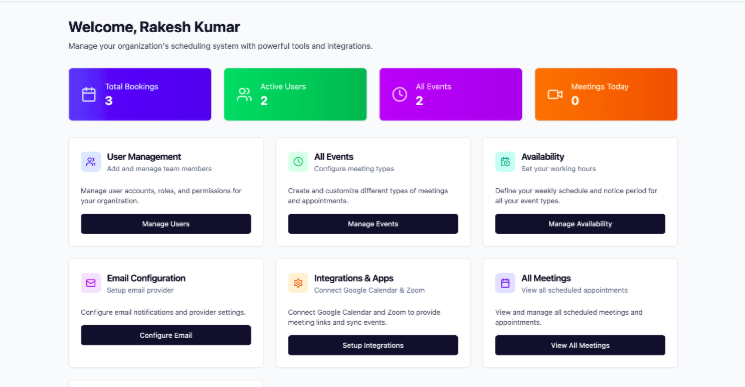
6. Google and Outlook Calendar Integration
Most professionals already manage their day through a digital calendar. When a scheduling tool connects with those calendars, new bookings appear instantly and availability updates automatically. This helps prevent situations where a meeting is booked at a time that has already been taken.
7. Automatic Timezone Detection
When meetings involve participants in different locations, confirming the correct time can sometimes require checking time conversions manually. Automatic timezone detection removes that step by displaying the meeting time according to each participant’s location.
At this stage, businesses typically begin exploring their options, often asking whether a Calendly alternative for business could offer a more practical solution. Read on.
The 3 Options Businesses Consider (And the Real-World Trade-Offs)
When a company decides to improve how it schedules meetings, sales demos, consultations, or onboarding calls, it usually ends up evaluating three practical options. Some businesses continue using existing scheduling tools, some attempt to build their own platform, and others adopt ready-made solutions.
Each option works, but the time investment, cost, and level of control are very different. Looking at how businesses actually approach this decision in real situations can make the choice much clearer.
Option 1 — Keep Using Calendly
For freelancers and small teams, continuing to use Calendly is often the easiest option. It’s simple to set up, requires no development work, and allows users to create a booking page and start sharing meeting links within minutes.
However, the challenge often appears when a company begins to grow. Calendly uses a per-seat pricing model, which means every team member who needs their own booking page requires a paid account. For example, imagine a company with:
- 1 founder
- 5 sales representatives
- 3 customer success managers
If each of them needs their own booking link, the business ends up paying for nine different users just to manage scheduling. Over time, what started as a simple scheduling tool becomes a recurring operational expense.
Another practical limitation is control. The booking experience lives within the Calendly ecosystem, which means businesses have limited influence over branding, customization, and product updates. If a company wants deeper integration with its own product or website, it often has to work within the boundaries of the platform.
For individuals or small teams, this option works well. But for growing businesses, relying entirely on a third-party scheduling tool may not always scale efficiently.
Option 2 — Build Your Own Scheduling Tool from Scratch
Some businesses decide they want complete control over their scheduling system and consider building one themselves. Developers often begin researching how to build your own Calendly clone or experimenting with frameworks to create a React Calendly clone.
On paper, this sounds like the perfect solution. The company can design the interface, choose the features, and fully customize the experience to match its workflow. But the reality is that scheduling software is more complex than it initially appears. A working platform must handle several important components, such as:
- Calendar integrations with services like Google or Outlook
- Timezone detection and accurate time conversion
- Booking availability logic and scheduling rules
- Automated reminders and notifications
- Payment integrations for paid appointments
Even when developers start with frameworks to build a React Calendly clone, turning that project into a stable production system takes significant time and effort. In most real development scenarios, this means:
- 6–12 weeks of development time
- $8,000–$25,000 or more in development costs
And after launch, the platform still requires ongoing maintenance, including bug fixes, API updates, and infrastructure management. For large enterprises with dedicated engineering teams, building a custom solution may be a worthwhile investment. But for most businesses, the time and resources required make this option difficult to maintain.
Option 3 — Use a Ready-Made Calendly Clone
The third option many businesses consider is using a ready-made scheduling platform.
Instead of spending months trying to build your own Calendly clone, companies can start with a system that already includes the core functionality needed for appointment scheduling. These solutions typically handle booking logic, calendar synchronization, reminders, and timezone management from the start.
One of the biggest advantages of this approach is speed. While custom development may take months, a ready-made system can often be configured and launched within days.
Another important benefit is branding and ownership. Many ready-made platforms allow businesses to run the scheduling system under their own brand and domain. This creates a booking experience that feels like a natural extension of the company’s website rather than a third-party service.
From a business perspective, this option often provides a practical balance between flexibility and efficiency. Companies avoid the complexity of building software from scratch while still gaining more control than they would with a purely subscription-based platform. If you’re planning to build your own Calendly clone, these are the key features you should look for.
What Makes a Good Calendly Clone? (Feature Checklist for Buyers)
When businesses evaluate scheduling tools, the goal isn’t just to replace a booking link. The right platform should simplify how meetings are managed, reduce manual work, and create a smooth experience for both teams and clients.
If you’re exploring a Calendly clone, it helps to approach the decision like a buyer’s checklist. The features below highlight what businesses should realistically expect from a modern scheduling solution.
1. Custom Branding and Domain
Your booking page is often the first interaction customers have with your business. If it looks generic or carries another platform’s branding, it can weaken your brand presence.
A good scheduling system should let you add your logo, match the page with your brand colors, and customize the booking interface. It should also allow you to host the booking page on your own domain so clients feel they are interacting directly with your company, not a third-party platform.
2. Multiple Event Types for Different Workflows
Different teams schedule meetings in different ways. Sales teams may want instant bookings, support teams might need approval-based appointments, and consultants often schedule sessions on specific days.
A strong scheduling platform should support multiple booking workflows so teams can set up meeting types that match how they actually work. This allows each department to manage its own scheduling style without disrupting the overall calendar system.
3. Reliable Calendar Synchronization
Scheduling software becomes much more effective when it stays connected to the calendars professionals already use. Integration with tools such as Google Calendar and Microsoft Outlook ensures that every booked meeting automatically appears in the user’s schedule.
This synchronization keeps availability updated in real time and helps prevent overlapping appointments.
4. Automatic Meeting Reminders
Missed appointments are a common challenge for service-based businesses. Without reminders, participants may forget about meetings or confuse the scheduled time.
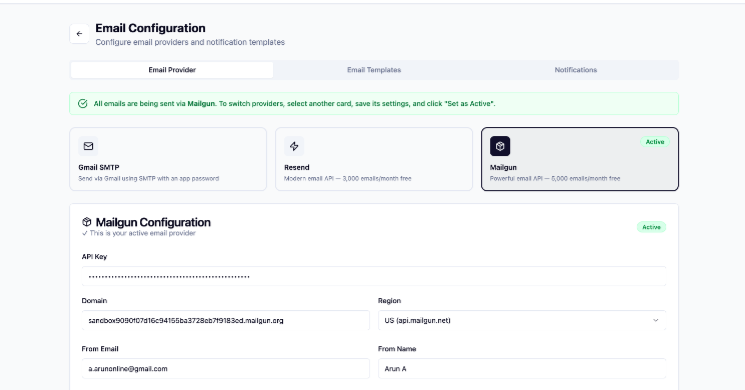
A good scheduling platform should automatically send reminders through email or SMS before the appointment begins. These notifications help participants stay prepared and significantly reduce no-show rates.
5. Team Scheduling Capabilities
In many organizations, scheduling is not limited to a single person. Sales representatives, consultants, or support agents may all handle bookings.
A useful scheduling system should support team-based workflows, including round-robin distribution. This feature automatically assigns meetings to available team members, ensuring that requests are handled quickly while workloads remain balanced.
6. Payment Integration for Booked Sessions
For businesses that charge for consultations, training sessions, or services, collecting payments during the booking process can simplify administration.
Scheduling platforms that support payment gateways allow customers to confirm their appointment and complete the payment in one step. This reduces cancellations and ensures that scheduled sessions are properly secured.
7. Mobile-Friendly Booking Experience
Many people schedule meetings from their smartphones, especially when responding to emails or messages while on the move.
A modern Calendly clone should offer a booking page that adapts smoothly to mobile screens. A responsive interface ensures that users can select time slots and confirm appointments without frustration.
8. Centralized Dashboard and Analytics
As appointment volume increases, businesses benefit from having visibility into their scheduling activity.
An admin dashboard helps track key metrics such as booking volume, team availability, and meeting trends. These insights can help managers optimize schedules and identify how time is being used across the organization.
9. One-Time Purchase Option
Another factor many businesses consider when evaluating scheduling software is the pricing structure. Subscription models can become expensive as teams grow.
Some platforms offer a one-time purchase option, allowing companies to run the system long-term without ongoing per-user fees. For organizations that want greater control over their tools and costs, this approach can be appealing.
Who Might Benefit Most from a Calendly Clone?
Scheduling tools are used across many industries, but their importance increases when appointments become a regular part of daily operations. In those situations, businesses often start exploring solutions that give them more flexibility and control, such as a Calendly clone or white-label scheduling software.
Below are some common use cases where businesses rely heavily on structured scheduling systems.
Source: https://ifttt.com/
Agencies
Agencies frequently manage meetings with multiple clients, ranging from project discussions and strategy calls to onboarding sessions. Since these meetings often involve different team members, coordinating availability across the team can become complicated.
A structured scheduling system helps agencies streamline bookings and ensure clients can easily schedule time with the right person.
Coaches and Consultants
For coaches, mentors, and consultants, scheduled sessions are usually the primary way they interact with clients. Because of this, the booking page becomes part of their professional experience.
Many professionals prefer white-label scheduling software so the booking process reflects their own brand rather than displaying third-party branding.
SaaS Startups
Software companies often use scheduled demos and onboarding calls to introduce their products to new users. These interactions are a key part of the customer journey.
Some startups choose to integrate a Calendly clone directly into their platform so users can schedule demos or support calls without leaving the product environment.
Healthcare and Wellness Businesses
Clinics, therapists, and wellness professionals depend heavily on appointment management. Their daily operations revolve around consultations, follow-ups, and treatment sessions.
A reliable scheduling system helps keep appointments organized and ensures patients can easily find available time slots.
HR and Recruitment Teams
Recruitment teams regularly coordinate interviews between candidates, recruiters, and hiring managers. Since each candidate may go through multiple interview rounds, scheduling can quickly become complex.
Tools that support automated scheduling and calendar synchronization help HR teams manage interviews more efficiently.
Education and Tutoring Platforms
Online tutoring platforms and education services rely on session-based bookings between instructors and students. A clear scheduling system allows students to select available lesson times while helping instructors manage their teaching schedule. Want to know the real-time cost?
Real Cost Comparison: Using Calendly vs. Building vs. Buying a Clone
When businesses start evaluating scheduling tools, cost is usually one of the biggest factors. At first, a subscription tool may seem inexpensive, but costs can increase over time as teams grow. On the other hand, building a custom platform provides full control but often requires a large upfront investment.
Because of this, many organizations compare three common options: continuing with Calendly, building a scheduling system from scratch, or purchasing a ready-made Calendly clone.
The table below provides a simple way to understand how these options differ in terms of cost, ownership, and implementation time.
| Feature | Calendly (Teams) | Build From Scratch | Calendly Clone |
| Upfront Cost | $0 | $10,000–$25,000+ | One-time purchase |
| Monthly Cost | ~$16 per user/month | Hosting & maintenance | Hosting only |
| 3-Year Cost (10 Users) | ~$5,760 | ~$12,000–$28,000 | One-time investment |
| White Label Branding | Not available | Fully customizable | Supported |
| Code Ownership | Platform controlled | Full ownership | Full ownership |
| Time to Launch | Immediate | 3–6 months development | A few days |
| Custom Features | Limited | Fully customizable | Available on request |
Understanding the Trade-Offs
Each option has its own advantages depending on the business context.
- Using Calendly is often the fastest way to start scheduling meetings. It requires no development effort, but the subscription model means costs grow as more team members need access.
- Building a system from scratch offers the highest level of flexibility. However, it usually requires significant development time, technical expertise, and ongoing maintenance.
- Using a ready-made Calendly clone sits somewhere in between. Businesses can launch quickly while still maintaining control over branding, customization, and long-term costs.
Source: https://mensurzahirovic.medium.com/
Ready to Launch Your Own Calendly Clone?
By now, it’s clear that scheduling tools play a much bigger role in business operations than simply booking meetings. As teams grow and appointment volume increases, many organizations start looking for solutions that offer more control over branding, customization, and long-term costs.
Instead of relying entirely on subscription-based platforms or spending months building a scheduling system from scratch, businesses can choose a ready-made calendly clone that helps them launch quickly while maintaining ownership of the platform.
Here comes Appkodes, a leading startup mobile app development company, which can build your own Calendly clone experience and integrate it directly into your workflow.
What Comes with the Solution?
The platform is designed to include the core features businesses expect from a modern scheduling system, such as:
- Custom-branded booking pages
- Multiple event types for different appointment formats
- Calendar integration with Google Calendar and Microsoft Outlook
- Automated email and SMS reminders
- Team scheduling and round-robin assignment
- Payment gateway integration for paid sessions
- Mobile-friendly booking pages
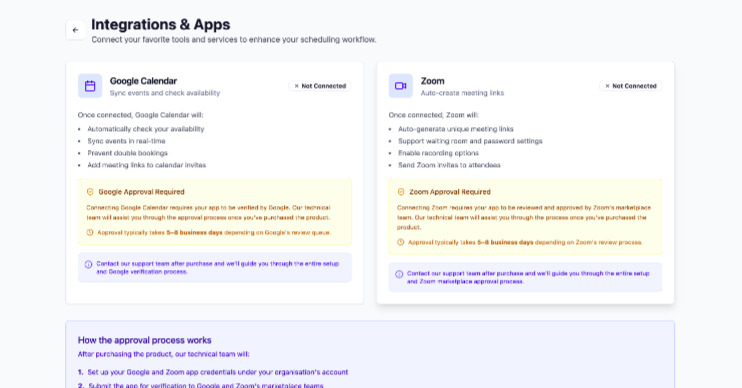
- Admin dashboard for managing bookings and users
- A one-time purchase model with full platform ownership
These features allow businesses to manage appointments efficiently while keeping the scheduling experience aligned with their brand.
Getting Started
Businesses interested in launching their own scheduling platform can begin by exploring the available options:
- View the live demo to see how the platform works
- Request a product walkthrough to understand its capabilities
- Contact the Appkodes team to discuss setup or customization needs
Exploring a demo first can help businesses understand how the platform fits their specific workflow.
Limited License Availability
To ensure proper support and maintain product quality, Appkodes releases a limited number of licenses for each version. Businesses that are planning to launch their own scheduling solution may want to explore the platform while licenses remain available.
For companies looking to move beyond basic booking tools, launching a Calendly clone can be a practical step toward building a more flexible scheduling system.
Frequently Asked Questions (FAQs)
1. What is a Calendly clone?
A Calendly clone is scheduling software built with features similar to Calendly. It allows businesses to let customers book meetings online, automatically sync calendars, send reminders, and manage appointments. The key difference is that businesses can host and control the platform themselves instead of relying entirely on a third-party tool.
2. Is it legal to build a Calendly clone?
Yes. Building software that offers similar functionality is generally legal as long as the product is developed with original code, design, and branding. Many scheduling platforms share common features like calendar syncing and automated bookings. However, copying the trademark, brand identity, or proprietary code of Calendly would not be allowed.
3. How much does a Calendly clone cost?
The cost can vary depending on how it’s developed. Building a scheduling platform from scratch can cost $10,000–$25,000 or more, depending on complexity. Subscription tools like Calendly charge a monthly fee per user. Another option is buying a ready-made calendly clone, which typically requires a one-time license cost plus hosting expenses.
4. Can I white-label a Calendly clone with my own brand?
Yes. Most clone solutions support white-label customization, allowing businesses to add their own logo, colors, domain, and branding. This means customers see the booking system as part of your platform rather than a third-party service.
5. What’s the difference between a Calendly clone and Cal.com?
A Calendly clone usually refers to a ready-made scheduling platform designed to replicate common booking features while allowing customization and ownership. On the other hand, Cal.com is an open-source scheduling platform that developers can modify extensively. It offers flexibility but may require more technical setup compared to ready-to-launch clone solutions.
6. Do I need technical knowledge to run a Calendly clone?
Not necessarily. Once installed, most scheduling platforms include an admin dashboard where you can manage bookings, event types, and users easily. Basic technical assistance might be required during initial setup or hosting configuration, but day-to-day operation usually does not require advanced development skills.

Arun Andiselvam
Founder of AppKodes. As a serial entrepreneur, I have successfully established five brands over the past 12 years. After creating a successful rank tracker for SEO agencies, I am currently dedicated to developing the world's first SEO Project Management software.