Design a Landing Page MVP Using Framer and Claude in 30 Minutes
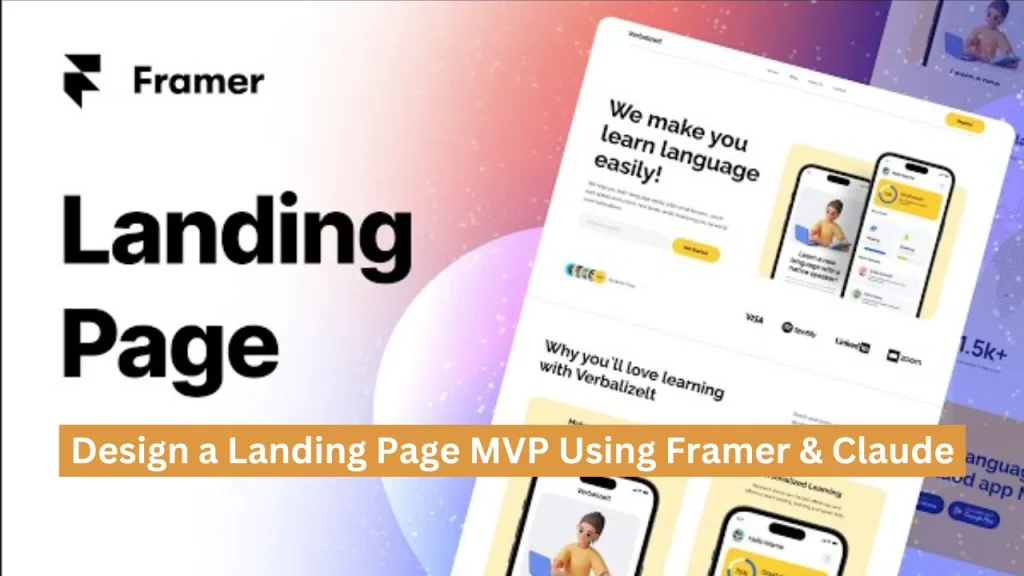
Let’s be honest: having a great idea isn’t enough anymore. If you want to succeed in business, your first real mission isn’t launching your product; it’s convincing people to remember your brand, trust it, and act on it. And to do that, you don’t need to run around giving physical efforts door-to-door. In today’s digital-first world, manual effort is just 25% of the game.
The remaining 75%? It’s all about how sharply and strategically you show up online, especially on your landing page.
That’s where most startups get stuck. You’ve got the idea, the vision, maybe even a logo. But then weeks go by designing the layout. Writing copy feels slow, scattered, or bland. And before you know it, you’ve delayed the launch by a month.
Sound familiar?
Here’s your challenge: Build a working, polished MVP landing page in just 30 minutes.
Yes, really.
Now think about this: we live in a world with over 300 million businesses, and it’s easy to feel like just one among many. But the brands that win are the ones that craft their first impression with clarity, emotion, and smart structure.
Just like you, everyone spends hours on digital platforms every day. When you open a food delivery app, what drives your order? It’s not just the menu. It’s the app design, the timing of offers, the simplicity, and how well the app understands your intent.
That’s strategy at play, not chance.
In this guide, you’ll learn how to create that same kind of experience for your idea. We’ll use:
- Framer to design fast, clean, no-code layouts that feel pro from the start
- Claude to generate rich, brand-aligned copy that connects with users instantly. First, run through this quick checklist to set a strong foundation.
Keep scrolling to find out how to design a landing page MVP with Framer & Claude AI in 30 minutes.
5-Minute MVP Pre-Launch Checklist for Non-Technical Founders
Before you begin designing your landing page MVP in Framer or generating compelling copy using Claude, it’s essential to take a strategic pause. This short pre-launch phase helps you clarify your offer, define your audience, and gather the necessary tools, ensuring that every decision you make during the build phase is effective.
Even if you don’t come from a technical background, this step is simple, practical, and essential for a successful launch.
Define the Core Elements of Your Landing Page MVP
A landing page MVP is not meant to be a full product; it’s a focused, single-purpose tool to validate your idea. That purpose can only be achieved when your page is built around a clear message, a targeted user group, and one specific conversion goal.
1. One Clear Value Proposition
Your value proposition is the single most important line on your page. It should express what your product does, who it helps, and why it matters, all in one concise statement.
Example:
“A simple way for small restaurant owners to sell leftover food at a profit without extra effort.”
Later, AI tools like Claude can help you refine this into an emotionally engaging headline. But first, this raw message needs to be crystal clear to you.
2. One Defined Target Audience
Your landing page should not try to appeal to everyone. Broad messaging weakens your conversion potential. Instead, define a specific user group you want to speak to.
Ask yourself:
- Who feels the problem most urgently?
- What do they do for work?
- Where do they hang out online?
- What language would they use to describe this issue?
Example:
“Independent café owners in urban areas often have unsold items at closing time.”
Specificity helps you write copy that connects, not just informs.
3. One Primary Call to Action
The purpose of a landing page MVP is not to educate, entertain, or over-explain. It’s to drive one meaningful action from the visitor. Choose a single CTA that aligns with your current goal.
Common MVP CTAs include:
- Join the waitlist.
- Book a free discovery call.
- Sign up for early access.
- Submit your email to get updates.
This single CTA should be visible across your page, reinforced by every section, and free of distractions.
Prepare the Basic Tools You’ll Use to Build
Once your messaging is aligned, you’ll want to have a few foundational tools in place. These will make your app design process faster and smoother, without the need for technical expertise.
1. A Simple Logo (or Temporary Placeholder)
While branding is important, it shouldn’t delay your MVP. A minimal logo, whether created in Canva, generated via Looka, or typed in bold text, will suffice at this stage. The goal is to provide visual consistency, not perfection.
2. A Framer Account and (Optional) Domain
Framer allows you to design and publish high-quality landing pages without writing code.
Here’s what to do:
- Create a free or paid account at Framer.com
- Choose a pre-built landing page template or start from scratch
- Use Framer’s free subdomain (e.g., youridea.framer.website) or connect your own domain later for a branded experience
This tool is fast, intuitive, and optimized for early-stage founders.
3. A Lightweight Form Tool to Capture Responses
Whether your CTA is email collection, interest submission, or call scheduling, you’ll need a reliable form embedded in your page. These tools require no code and integrate seamlessly with Framer:
- Tally.so – clean UI, free, embeddable
- Typeform – great for multi-step surveys
- NotionForms – works with Notion
- Airtable Forms – ideal for structured user inputs
Make sure your form tool provides an embed code or shareable link; you’ll need this in the next step.
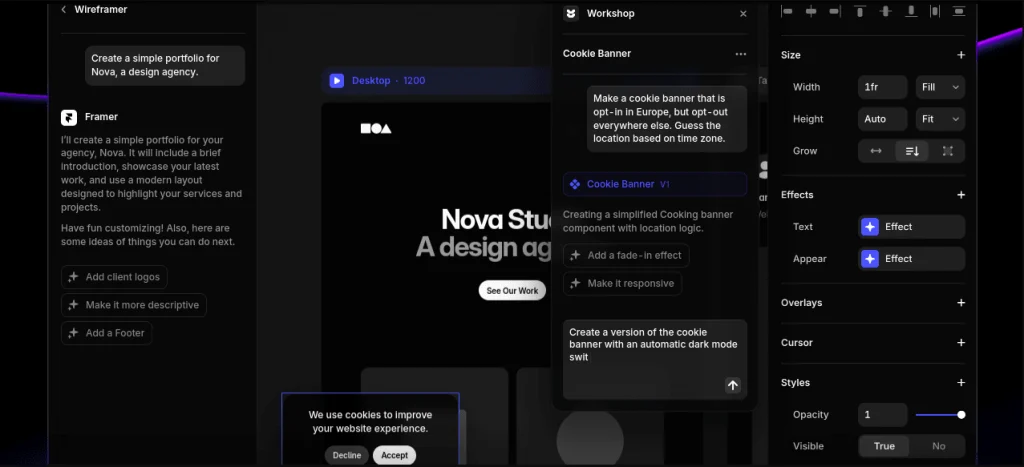
4. A Claude Prompt to Generate Compelling Copy
Claude can generate powerful headlines, taglines, and button text, but only if it receives a clear prompt. Before you open Claude, prepare a prompt that aligns with your earlier strategy.
Prompt Example:
“Write a short, emotionally-driven headline for a landing page targeting independent café owners who are frustrated with daily food waste and want to sell their leftovers easily.”
With this, Claude can give you engaging content that speaks directly to your audience’s needs. With content ready to go, the next step is choosing your build approach.
Choose Your MVP Build Style Template vs Freestyle (2 Founders, 2 Paths)
When it comes time to build your MVP landing page in Framer, you’re faced with one big question:
Should you go fast with a template or build something custom with blocks? Let’s look at how two non-technical founders made different choices, both successfully, and what you can learn from their stories.
Case 1: Maya Used a Framer Template and Got 500 Signups in 72 Hours
Maya is a content strategist with zero design background. She had an idea for a journaling app for women dealing with burnout. Her goal? Test interest before quitting her job. She didn’t want to spend weeks on design. Instead, she:
- Logged into Framer
- Choose a minimalist “Product Waitlist” template
- Updated the headline and copy using Claude
- Embedded a Tally form for email capture
- Hit “Publish” within 40 minutes
Then she shared the link in a few founder communities. What happened?
Within 3 days, over 500 people signed up. Maya validated her idea fast and had proof to show investors.
Case 2: Kunal Used Framer Blocks and Attracted a $5k B2B Client in a Week
Kunal is a former operations lead building a dashboard tool for startup accelerators. His clients were more design-conscious, and the product itself was very visual. Instead of using a template, Kunal:
- Started from a blank Framer page
- Used blocks to build a crisp, modern layout
- Customized the entire color palette to match his product UI
- Added smooth scroll sections for features, demo walkthrough, and pricing
- Linked it to a Calendly call for conversion
The result? One week later, an accelerator booked a call and paid for early access, with just the landing page as validation. Want similar results? Let’s walk through the 30-minute process that made it happen.
How to Build Your Landing Page MVP in 30 Minutes: A Step-by-Step Guide
You don’t need to hire a designer or developer to launch your idea anymore. With tools like Framer and Claude, you can go from idea to live landing page MVP in just 30 minutes without writing a single line of code.
This section breaks down the exact 30-minute workflow you can follow to create a clean, compelling, and conversion-ready landing page that looks professional and gets results.
Whether you’re looking to validate a product, build a waitlist, or test demand, this guide shows you how to move fast, without cutting corners.
Minutes 0–5: Generate Your Core Content with Claude
Start by opening Claude, an AI writing assistant, and asking it to help you generate the building blocks of your landing page. A sample prompt:
“I’m launching a [brief description of your product or idea]. Help me create a landing page headline, 3 main benefits, a call to action, and 2 common FAQs.”
In seconds, Claude gives you:
- A clear and compelling hero headline
- A list of benefits that explains your product’s value
- A CTA (Call to Action) that drives user engagement
- Two smart, audience-focused FAQs to build trust
This helps you avoid the stress of starting from scratch and ensures your copy speaks directly to your ideal audience.
Minutes 5–10: Choose Your Layout in Framer
Now that you have your core content, it’s time to bring it to life visually. Open Framer, which offers both templates and drag-and-drop blocks to build web pages visually no coding required.
You can either:
- Choose a pre-built template for a fast and structured start, or
- Start from a blank canvas and use Framer blocks to create a unique layout tailored to your brand
Swap out placeholder content with the text Claude gave you. Upload your logo (or use your startup name as text), and choose visuals or icons from Framer’s library to match your brand’s vibe. By the 10-minute mark, you’ll have a solid visual layout ready to go.
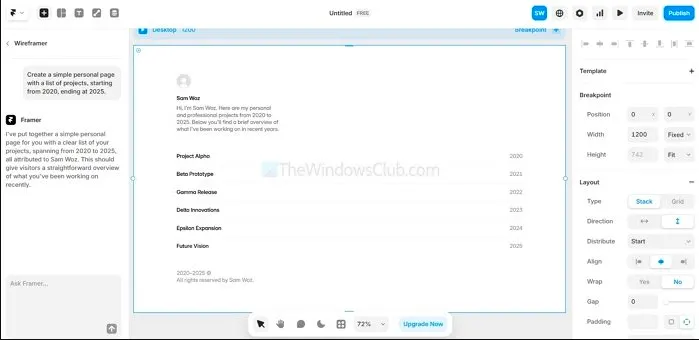
Source: https://reviews.thewindowsclub.com/
Minutes 10–20: Add Detailed Copy and Visual Enhancements
Now, it’s time to make your landing page feel real and persuasive. Ask Claude to expand your benefits section into short paragraphs, and request additional trust-building content like testimonials, social proof, or metrics. For example:
“Turn each benefit into 1–2 sentences and give me a sample testimonial and a credibility stat.” Then, update your page by:
- Adding this extended copy to your features or benefits section
- Customizing fonts, spacing, and button text for visual consistency
- Applying your brand colors, or choosing a clean preset palette from Framer
This is where your landing page becomes more than a placeholder it starts to reflect your vision and professionalism.
Minutes 20–28: Optimize Layout and Embed Your Signup Form
At this point, the structure and content are set—now it’s time to focus on usability and lead capture. Do the following:
- Preview the page on mobile and desktop, and make small adjustments to padding, alignment, or font sizes
- Add a form for collecting emails or signups using tools like:
- Framer’s built-in form block
- Tally. So is great for custom forms
- Typeform for interactive signups
- Connect your form to your email or CRM (or even a Google Sheet if you’re just starting out)
Make sure your CTA buttons are easy to find and click. If your form works well and the layout is clean, you’re nearly done.
Minutes 28–30: Final Check, Publish, and Share Your MVP
Take the final two minutes to:
- Test all buttons, links, and form submissions
- Click “Publish” in Framer and get your public landing page URL
- Optionally, connect a custom domain if you have one (Framer makes this easy)
Once live, start sharing your landing page with your target audience, founder groups, and post on LinkedIn, Twitter, or relevant startup communities. Also, use it as a conversation starter or a signup hub while you build the full product
By the end of this process, you’ll have:
- A fully functional landing page MVP
- Conversion-focused content tailored to your product
- A live form to capture user interest or feedback
- A professional web presence to validate your idea quickly. Next, let’s see how Claude can write your landing page like a pro.
How to Use Claude AI to Write Landing Page Copy Like a Pro
Design alone won’t sell your idea; copy is what connects. For non-technical founders building their MVP landing page in Framer, Claude AI is your secret weapon to transform raw thoughts into powerful, emotionally resonant messaging without hiring a full-time copywriter.
Here’s how to use Claude like a pro to craft every word on your landing page from hero headlines to feature blurbs with precision and personality.
1. Create Emotional, On-Brand Headlines in Seconds
Your hero section is the most valuable space on your landing page. Claude can generate emotionally charged one-liners that grab attention while staying aligned with your audience’s pain points.
Prompt Example: “Write a landing page headline for a meal prep app for busy moms, using a hopeful and empowering tone.”
Claude will return several headline variations, such as:
- “Dinner Done Right Even on Your Busiest Days”
- “Smart Meals for Moms Who Do It All”
Pick the one that best fits your vision or mix and match to refine further.
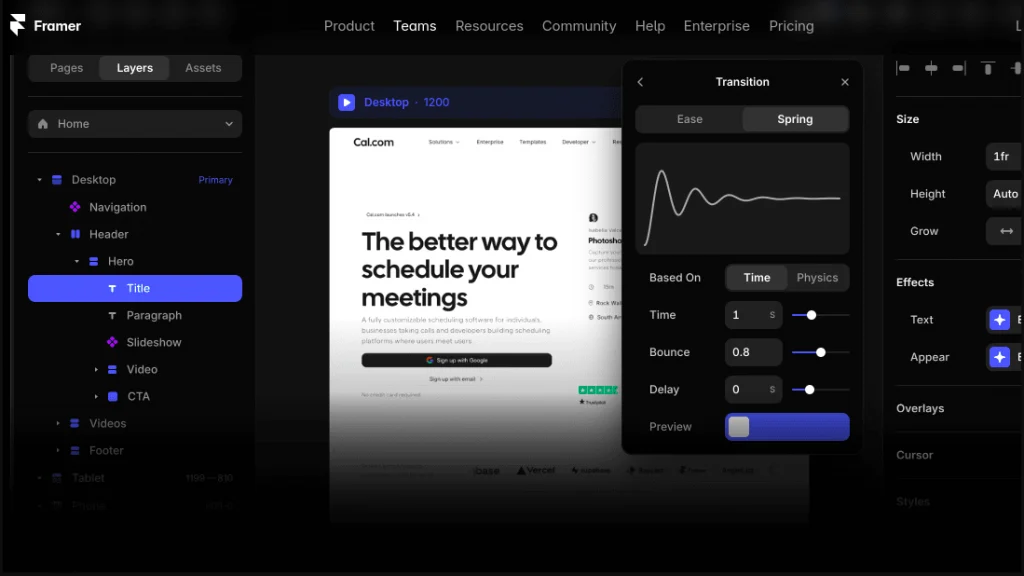
2. Generate FAQs Based on Real User Concerns
Most new founders guess what questions users might ask. Claude helps you go beyond guesses by generating smart, trust-building FAQ sections that reflect your audience’s mindset.
Prompt Example: “Generate FAQs for a pet-sitting platform targeting dog owners who travel frequently.”
You’ll get questions like:
- “How do I know my sitter is trustworthy?”
- “What happens in case of an emergency?”
These FAQs reduce user hesitation and increase your conversion rate.
3. Customize Your Tone: Confident, Casual, Bold, or Professional
You can easily tweak the tone across different parts of your page with Claude. Whether your brand is fun and friendly or authoritative and clean, Claude adapts.
Prompt Example: “Rewrite this features section in a bold, confident tone for a startup CEO audience.”
This makes your message feel more intentional and brand-aligned, essential for trust-building in competitive markets.
4. Expand Short Points into Full Feature Descriptions
Claude isn’t just about one-liners. It can turn bullet points or vague ideas into full paragraph content that sounds natural and persuasive.
Prompt Example: “Turn this feature: ‘Smart savings alerts’ into a 2-sentence paragraph written for college students.”
Claude’s output might be:
“Never miss a money-saving moment. Our smart alerts track deals that match your goals and notify you instantly before anyone else gets them.”
This gives life to your features without needing a copywriter.
Why Use Claude vs. ChatGPT for Landing Pages?
While both are strong AI writers, Claude has a specific edge when it comes to structuring long-form content and maintaining a consistent tone across sections. It remembers what you’re working on with greater contextual depth, which is ideal when your headline, benefits, FAQs, and CTA all need to sound like they come from the same voice.
Claude is especially helpful when:
- You want emotional and contextual nuance
- You’re building an MVP entire page in one sitting
- You need to adjust your tone quickly for different audience segments
Using Claude is like having a copy strategist in your corner, ready 24/7. For non-tech founders, this is your shortcut to clear, compelling, conversion-ready copy without coding or copywriting experience. Once your copy is live, the real magic happens through feedback and iteration.
How to Improve Your Landing Page MVP Using Real Feedback?
Launching a landing page MVP is an essential first step, but real success begins after it goes live. Your initial version helps you validate your core idea, but to truly convert visitors into sign-ups or users, your page needs to evolve. That evolution comes from data, feedback, and rapid iteration.
In this section, we’ll explore how non-technical founders can use tools like Framer, Claude AI, Fathom, or Splitbee to track performance, test new ideas, and optimize their landing pages, all without coding.
1. Monitor Key Metrics Using Simple Analytics
Modern analytics and AI MVP development tools have made it easier than ever to track how users engage with your landing page. Framer offers built-in analytics, and lightweight platforms like Fathom and Splitbee provide privacy-friendly insights without overwhelming dashboards.
Focus on tracking essential metrics like:
- Visitor count to understand your traffic flow
- Click-through rates (CTR) to measure interest in your CTAs
- Form submissions to see how well your page converts
- Bounce rate to identify if people are leaving too soon
These metrics help you assess whether your message is clear, your value is strong, and your layout encourages action.
2. A/B Test Claude-Generated Copy for Better Engagement
One of the quickest ways to improve your page is by experimenting with copy variations. Claude AI can instantly generate alternative versions of your:
- Hero headlines
- Subheadings
- CTA buttons
- Feature descriptions
Instead of guessing which copy works best, you can run A/B tests. Framer supports page variants, and tools like ConvertFlow or VWO make it easy to split-test two versions with minimal setup.
Example:
- Headline A: “Launch Your Startup Faster”
- Headline B: “Build and Validate Your Idea in 30 Minutes”
You’ll quickly see which one resonates more with your visitors.
3. Enhance the Page with Dynamic, Trust-Building Content
Once your foundation is stable, start introducing additional elements that build trust and clarity. Real feedback from users often points to what’s missing, like social proof, visuals, or a clearer explanation of how the product works.
Here are some additions worth considering:
- Demo videos showing your product in action
- User testimonials from early testers or beta partners
- Visual walkthroughs to simplify complex features
- New sections like “How It Works” or “Who It’s For”
Claude can also assist you in writing scripts for demo videos or improving testimonial copy to sound more compelling and natural.
4. Iterate Every 2–3 Days Based on Learnings
The key to landing page optimization is not perfection; it’s momentum. You don’t need to redesign everything at once. Instead, commit to a lightweight optimization cycle every few days.
Here’s a simple feedback loop:
- Review your analytics or user comments
- Pinpoint what’s not working (e.g., low conversions, unclear copy)
- Use Claude to brainstorm stronger alternatives
- Update your page in Framer in under 30 minutes
- Monitor the change and repeat
Over the course of 1–2 weeks, these small changes compound into meaningful improvements that can double or even triple your conversion rate.
Turn Your Claude AI App Plan into a Real MVP with Appkodes
As a startup founder, getting clarity is just the beginning. Claude helps you break down your idea, map the user flow, and write wireframe descriptions so you’re not stuck staring at a blank page or guessing what comes next. But once your MVP is mapped out, you’ll need an MVP software development partner who can bring that vision to life with speed and precision.
That’s where Appkodes, a startup mobile app development company, steps in.
- Flow mapping made real: We take your Claude-generated user journeys and translate them into intuitive app experiences.
- Wireframe to screen: Whether you used plain text or tools like Figma AI, our team builds functional screens that match your wireframe descriptions pixel-for-pixel.
- React Native expertise: Want a cross-platform mobile app? Our developers use React Native to ensure high performance on both iOS and Android, without doubling your budget.
- Startup-focused delivery: We work with non-technical startup founders every day. You bring the idea and the Claude-powered roadmap, and we handle the build, iteration, and launch.
- Claude + Appkodes = Zero-Code MVP Launch
Use Claude to create the blueprint. Let Appkodes turn that blueprint into a scalable, investor-ready app.

Arun Andiselvam
Founder of AppKodes. As a serial entrepreneur, I have successfully established five brands over the past 12 years. After creating a successful rank tracker for SEO agencies, I am currently dedicated to developing the world's first SEO Project Management software.