How to Choose a Construction Management System Open Source Solution for Your Build Firm
We all know construction projects have always been complicated, but did you know what happened recently? This industry’s pressure feels sharper than ever. Even though experts expected a small rise, U.S. construction spending fell by 0.3% in January, and most of the decline came from private projects.
Residential construction slowed by 0.8%, with single-family and multi-family housing activity declining due to rising mortgage rates, and offices and factories have been declining for eight straight quarters. Public spending did rise slightly, but government projects alone can’t fill the gaps. Materials and labor are becoming more expensive, and global uncertainty keeps budgets tight.
Even small delays or miscommunications can quickly grow into bigger problems. No wonder many construction projects go over budget.
Often, the real issue isn’t your team, it’s the tools you use. Scattered apps or rigid platforms don’t just slow work down; they quietly dictate how work happens. The people on site, the ones solving problems, making calls, and keeping projects moving, are your smartest assets, yet outdated software treats them like cogs.
Curious how some firms stay on time and on budget despite rising costs and tight schedules?
The difference is in the tools they use. Guess what? construction management system open source. Yes! It lets your workflow take the lead. For your firm, it’s a practical solution you’ve been looking for: everything stays under control, and your team gets the right tools to perform at their best.
Open source doesn’t change your team; it helps them keep every project on track efficiently and confidently.
This guide is for those looking for a Procore alternative open-source solution instead of using expensive platforms like Procore or Buildertrend. You’ll get simple steps to evaluate and choose the right open source CMS for your build firm, with enterprise-grade features without the high price.
By the end, you’ll see how open source systems can make your projects run smoothly and save time, while offering more flexibility and control compared to free construction software.
Step 1: Understand What “Open Source” Really Means in Construction Software
When you first hear the term “open source” in construction software, it can be misleading. Many assume it just means “free,” but that’s not the whole story. To make smart choices, it’s important to understand the differences.
Proprietary software is what most people are familiar with: a company owns it, you pay for a license, and they control updates, features, and support. Think of it as buying a fully-built house you can live in immediately, but you can’t change the floor plan without permission.
Freemium software is similar, but part of it is free while advanced features cost extra. It’s like a model home: you can try the basics, but if you want a bigger kitchen or custom flooring, you need to pay.
Open source software, on the other hand, gives you access to the underlying code. In theory, anyone can modify it, add features, or integrate it with other tools. But here’s the common misconception: open source does not mean free of all cost.
You still need to consider hosting, support, updates, and custom development. Without a plan for these, the “free” option can end up costing more than a proprietary system.
Within the open source project management construct, there are two main types.
- Fully community-driven CMS are built and maintained entirely by a developer community. They rely on contributions from users for updates and features, making them highly flexible but sometimes inconsistent in support.
- Open-core systems, by contrast, provide a free base version with essential features and offer paid modules for advanced functionality, combining flexibility with professional support when needed.
Examples of open source-adjacent tools in construction include systems for project tracking, scheduling, or collaboration that allow customization or integrations without locking you into a single vendor.
Open source makes sense for firms that have in-house development capacity, are growing and need flexibility, or want to avoid being tied to a single vendor. For these teams, it’s not just about saving money; it’s about control, adaptability, and future-proofing their workflow.
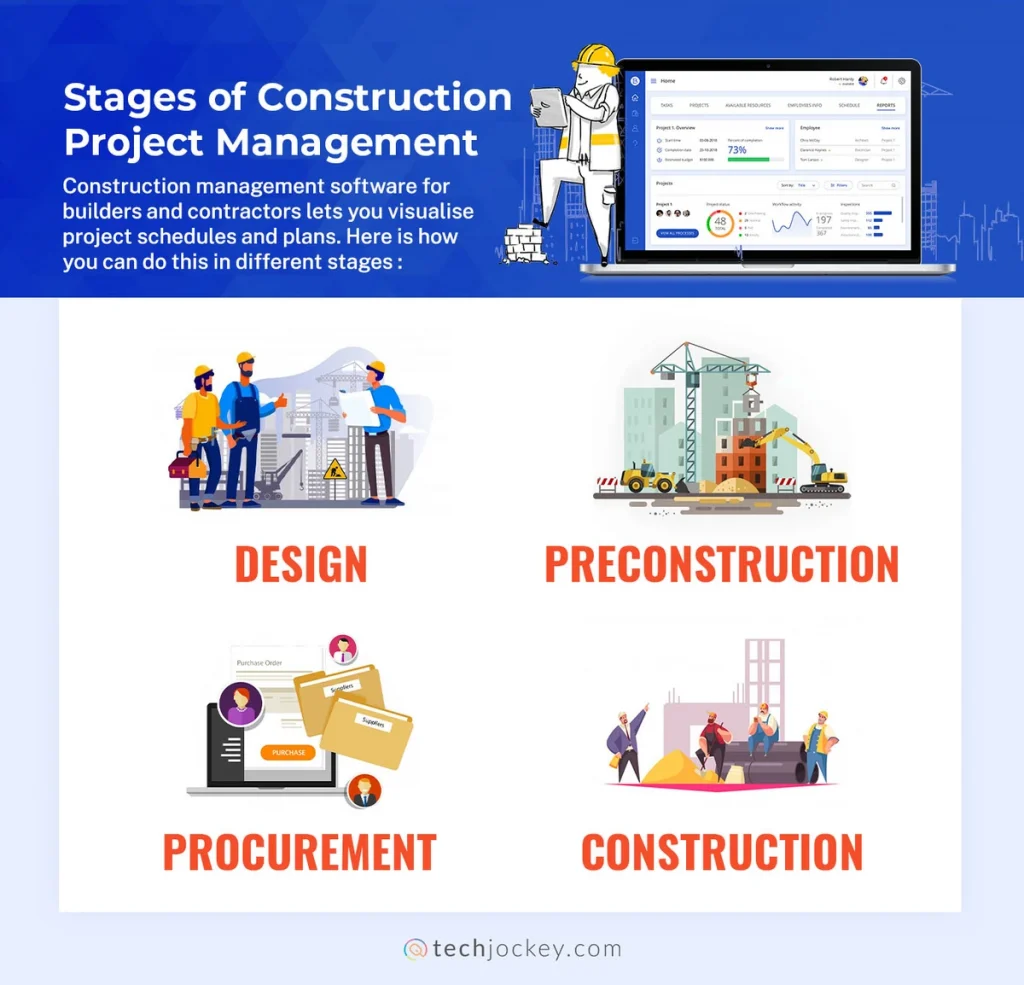
Source: https://www.techjockey.com/
Step 2: Audit Your Firm’s Current Pain Points and Workflow Gaps
Before you look at construction management software, ask yourself this: “Where is my firm really struggling?” The answer isn’t obvious until you step back and evaluate your workflow. Start with a simple self-assessment.
1. Identify Recurring Pain Points
Which tasks slow your team down the most? Are RFIs getting lost in emails? Are change orders still manual? Are deadlines slipping? Pinpointing these bottlenecks helps you focus on solutions that actually matter.
2. Map Your Workflow
From preconstruction planning to scheduling, field operations, financials, and project closeout, what happens at each stage? Visualizing the steps shows where miscommunication, delays, or extra work sneak in. Even small inefficiencies can ripple through the entire project.
3. Spot Integration Headaches
Take stock of the tools your firm already uses: QuickBooks, Excel, or various communication apps. How much time is wasted transferring information between systems? If data is scattered, errors multiply. Identifying these gaps ensures your new CMS will actually connect your workflow instead of adding another layer of complexity.
4. Check Your Team’s Capacity
Do you have someone who can configure and maintain a self-hosted system? Or would a cloud-based solution with support be a better fit? Knowing this prevents software from becoming another burden rather than a solution.
Quick red flags your system is holding you back:
- Delayed or missing RFIs
- Manual, error-prone change orders
- No real-time cost tracking
- Confusion over responsibilities
- Over-reliance on spreadsheets and emails
Completing this audit isn’t just about listing problems; it’s about knowing exactly what to fix. Once you understand your firm’s pain points, evaluating software becomes easier, faster, and far more effective. You’ll choose tools that actually solve your workflow headaches, not just add more features.
Step 3: Know the Must-Have Features in a Construction Management System Open Source
When you first hear about a construction management system open source, it might sound like “just software for construction.” But in reality, it’s the central hub that keeps an entire project alive and running smoothly.
Think of it as the brain behind your build: it coordinates tasks, keeps everyone informed, tracks money, and ensures deadlines are actually met. Without it, even experienced teams can run into delays, confusion, and costly mistakes.
1. Project Scheduling & Gantt Chart
It all starts with project scheduling. Every construction project is a series of interconnected tasks, pouring foundations, framing walls, installing plumbing, and so on. Some steps can’t happen until others are complete.
A Gantt chart acts as a visual roadmap, showing which tasks depend on one another, who’s responsible, and when everything needs to happen. Without it, crews can get out of sync, delays cascade, and deadlines slip. With it, you can spot problems before they start, adjust plans, and keep the project moving.
2. Document Management
Then comes the mountain of paperwork: drawings, RFIs (Requests for Information), submittals, contracts, and specifications. Without a central system, it’s easy to lose track or work from outdated files, which can cause errors, rework, or even safety issues.
That’s why document management with version control is critical. It ensures every team member, from the office staff to field crews, accesses the most up-to-date information, saving time and reducing mistakes.
3. Budget & Cost Tracking
Next, money. Construction budgets are never static. Material costs fluctuate, labor hours shift, and design changes happen. Real-time budget and cost tracking keeps a live record of expenses, including change orders, so there are no surprises at project closeout. This lets managers make informed decisions immediately, keeping projects profitable and under control.
4. Field Operations
Out in the field, accurate reporting is key. Teams need to log daily progress, take photos, and note issues, even in areas with poor connectivity. A CMS with daily logs, progress photos, and offline mobile access ensures that field information reaches the office in real time. Managers can see exactly what’s happening without constant site visits, and problems are solved quickly before they snowball.
5. Client Portal
Clients are also part of the project ecosystem. They want updates and transparency, but too often they rely on endless phone calls and emails. A client portal gives them direct access to progress updates, documents, and communication with the team. This builds trust, reduces confusion, and keeps clients informed without overwhelming your team.
6. Subcontractor Management
Subcontractors, who handle specialized parts of a build, can be difficult to coordinate. Subcontractor management tools handle everything from bid invitations and compliance documents to approvals and payments. Everyone knows what’s expected and when, which minimizes delays, confusion, and disputes.
7. Accounting Integrations
Finally, all of this ties back to finance. Integrating with QuickBooks, Xero, or a native general ledger keeps accounting clean and synchronized. No more double entries, fewer errors, and a clear understanding of project profitability at any moment.
When you put all of these pieces together, a construction management system open source isn’t just software; it’s the backbone of a successful construction project. Skip even one element, and your team faces delays, confusion, or budget headaches. Implement them all, and your projects flow smoothly, your clients stay happy, and deadlines actually stick.
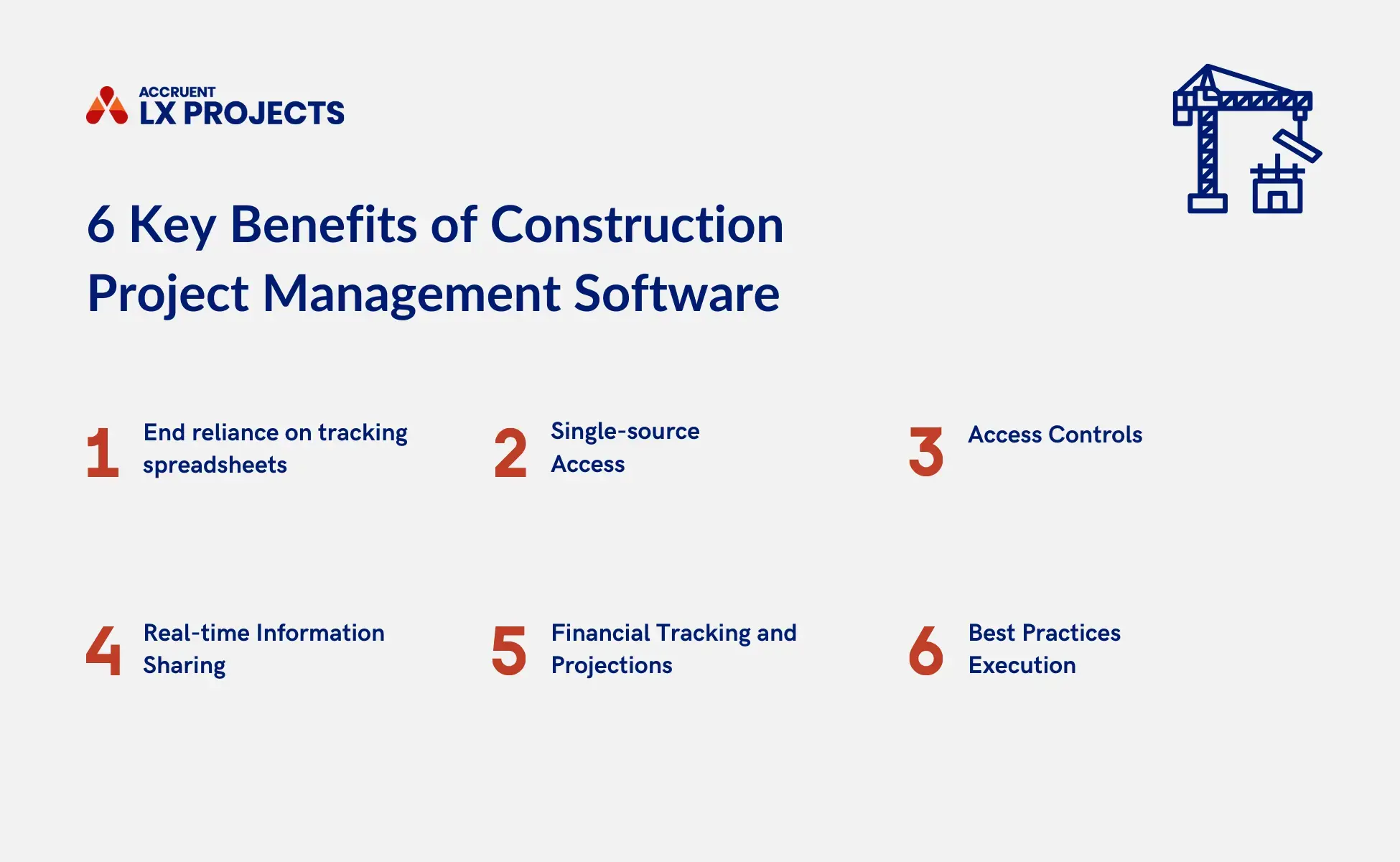
Source: https://www.accruent.com/
Step 4: Evaluate Open Source CMS Options Against Your Requirements
Once you’ve mapped your firm’s pain points and clarified what you need, the next step is evaluating potential construction management systems (CMS). This is where research meets reality: it’s no longer about features on paper but about knowing how well a system fits your workflow, your team, and your budget.
A simple way to start is with a scoring framework. Look at each option through five lenses:
- Features – Does the system cover project scheduling, document management, budgeting, field operations, client communication, and subcontractor management?
- Ease of Use – How intuitive is it for your team? Can someone pick it up without days of training?
- Community Support – For open source, a strong developer and user community can make the difference between solving problems quickly and getting stuck.
- Customisation – How easy is it to tailor the software to your workflow without excessive coding?
- Total Cost of Ownership – Don’t just look at licensing fees. Factor in hosting, setup, training, support, and potential consulting costs.
Once you’ve scored options, a 30-day pilot is invaluable. During this trial: test key workflows, involve the team members who will use the software daily, and define what success looks like, whether it’s faster RFI processing, real-time cost tracking, or better field reporting. Treat the pilot as a real project; the insights will guide your final decision.
Before committing, ask critical questions: Who maintains updates? What happens if the project is abandoned? Is there a clear upgrade path for new features? Open source offers freedom, but you need to understand long-term sustainability.
When comparing a construction management system open source to platforms like Procore or Buildertrend, it’s a trade-off. Open source gives flexibility and potential cost savings, but you may trade some convenience, integrated support, and out-of-the-box polish. Knowing what you gain and what you give up helps make a rational choice rather than an emotional one.
Also consider hosting options. Self-hosted open source gives maximum control, but requires IT resources and ongoing maintenance. Cloud-hosted options reduce the burden on your team and include support, but may have recurring fees and less control over data. Weigh the pros, cons, and costs carefully, as this decision impacts both your workflow and long-term project success.
Step 5: Calculate the True Total Cost of Ownership (TCO)
“Open source is free” is one of the most common assumptions in construction software and also one of the most misleading. The real question isn’t what you pay upfront, but what you actually spend over time. That’s your total cost of ownership (TCO).
To understand this clearly, you need to look beyond just the software. Even when there’s no licence fee, you’re still investing in several areas:
- Hosting (cloud or server costs)
- Setup and implementation
- Team training
- Ongoing support and maintenance
- Customisation to fit your workflow
Individually, these may seem small, but together, they define your real cost.
Take a practical example. A self-hosted open source project management construction might cost nothing to download, but once you add hosting (around €1,200 per year), part-time developer support (roughly €6,000 annually), and initial setup, your first-year cost can easily reach €8,000 or more.
Now compare that with paid tools. Platforms like Procore often fall in the range of €15,000–€25,000 per year, but that price includes infrastructure, updates, and support. Buildertrend, at roughly €9,000 per year, offers a more predictable middle ground with fewer technical responsibilities.
What this shows is simple:
- Open source reduces licence costs, but increases responsibility
- Paid tools increase upfront cost, but reduce operational effort
There are also hidden costs that don’t appear in pricing pages. Time spent managing developers, delays due to poor setup, handling security patches, or migrating data from Excel and email quietly impact both productivity and budget.
Open source starts to make more sense when your firm is operating at scale, especially if you’re running multiple projects a year and have some technical support in place. Without per-user or per-project pricing, the long-term value becomes clearer.
Before making a decision, pause and ask:
- What will this cost over the next 1–2 years, not just monthly?
- Do we have the resources to manage and maintain it?
- Will this reduce our workload or add another layer to it?
When you approach TCO this way, the decision becomes far more practical. It’s no longer about choosing the cheapest option; it’s about choosing the one that saves time, avoids costly mistakes, and supports your growth without hidden surprises.
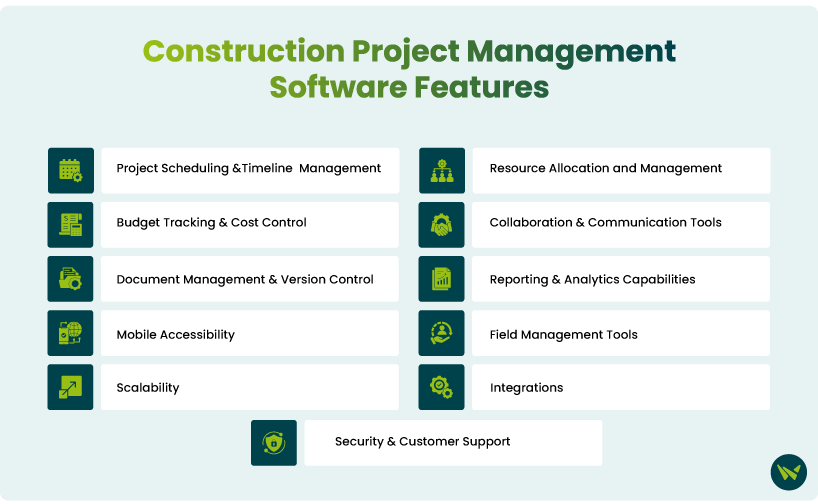
Source: https://softwarefinder.com/
Step 6: Plan Your Implementation and Team Onboarding
Choosing the right open-source construction management system is important, but how you introduce it to your team is what decides whether it works or not. A structured rollout helps avoid confusion and makes adoption smoother.
Start with a simple 3-phase rollout. In the setup phase, configure your projects, users, and basic workflows so the system reflects how your team already works. Then move to a pilot project, where you test the system on one real job. This helps you catch gaps early before scaling. Once things run smoothly, move to a full rollout across all projects.
Make sure the right people are involved from the beginning:
- A project manager to align workflows
- A finance lead for budgets and cost tracking
- A field superintendent to ensure it works on-site
- An IT/admin role to manage setup and access
For data migration, keep it focused. Move only what you need, like drawings, budgets, and contacts, and clean up outdated files before importing. This keeps the new system organised from day one.
Training should be role-based and practical. Office teams need to understand documents and financials, while field teams should focus on daily logs, photos, and mobile use. Avoid overtraining, and teach what they need to start using it immediately.
Finally, track progress with simple checkpoints:
- 30 days: team is using core features
- 60 days: workflows are smoother with fewer gaps
- 90 days: full adoption with better visibility and control
With a clear plan, an open-source construction management system feels less overwhelming, and your team is more likely to actually use the system consistently.
Common Mistakes Firms Make When Choosing a CMS (And How to Avoid Them)
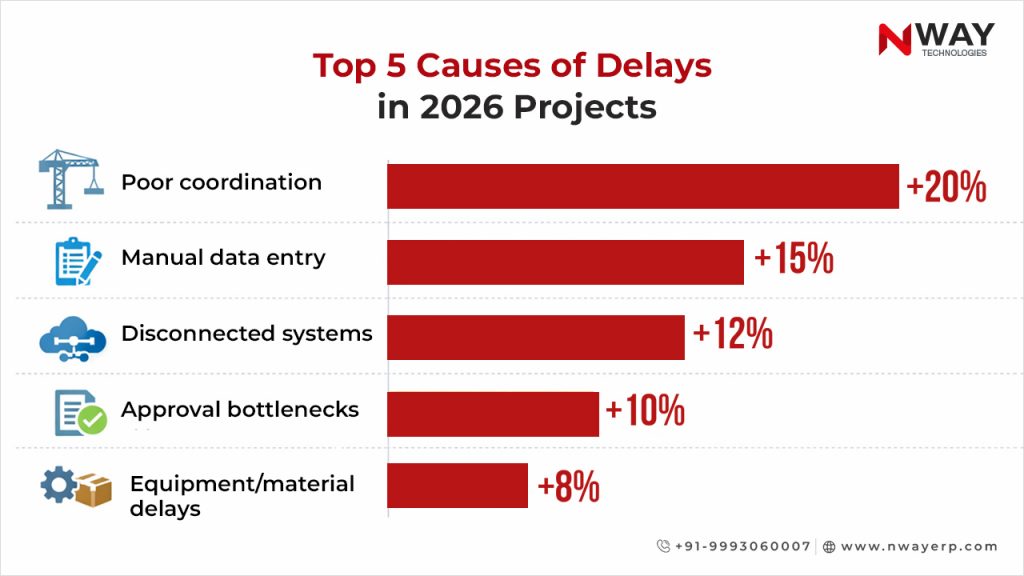
Choosing the right system isn’t about being perfect; it’s about noticing small problems early before they grow and slow down your Procore alternative open source workflow. Catch it early, fix it fast, and keep everything running smoothly.
Mistake 1: Choosing Based on Price Alone
Many firms go for the cheapest option without thinking long-term. A low price may save money upfront, but costs like setup, support, and inefficiencies add up later. Focus on the total cost of ownership, look at the 1–2 year cost, not just the monthly pricing.
Mistake 2: Skipping the Pilot Phase
Jumping straight to full rollout often leads to confusion and low adoption. Teams struggle because the system hasn’t been tested in real conditions. Start with one pilot project, fix issues early, then expand.
Mistake 3: Ignoring Mobile Usability
Office teams may like the software, but if it’s hard to use on-site, field teams won’t adopt it. This breaks the entire workflow. Test the mobile app with real field tasks, daily logs, photos, and updates before choosing.
Mistake 4: Overlooking Accounting Integration
If your CMS doesn’t connect with your financial tools, you’ll end up doing duplicate work and facing data mismatches. Ensure smooth integration with tools like QuickBooks or your existing accounting system.
Mistake 5: Not Involving Subcontractors
Subcontractors use the system daily, but many firms don’t consider their experience during evaluation. This leads to delays and poor communication. Include a few subcontractors in testing and get their feedback early.
Source: https://www.nwayerp.com/
Why Appkodes?
By now, you’ve probably realised this isn’t just about picking a tool. It’s about understanding what “construction management system open source” really means, identifying where your current system is slowing you down, comparing options the right way, and thinking through costs and implementation before making a decision.
When you follow this step-by-step approach, the choice becomes a lot clearer and a lot less risky.
Because in the end, choosing an open-source construction management system solution is more than saving money; it means finding something that actually fits how your team works.
If you’re at that stage where you’re evaluating options, you don’t have to figure everything out alone. You can start simple
Maybe with a checklist
Maybe with a tool comparison
Or even by talking it through with someone who understands your workflow.
And if you’re curious to see how a well-built system looks in practice, exploring a solution from Appkodes, built with insights from platforms like Procore, Buildertrend, and CMiC, can give you a clearer picture.
If you want to go deeper, there’s more to explore, from detailed comparisons to a full feature breakdown, and even a cost calculator to help you make a practical decision.
At this point, it’s not about more research; it’s about taking the next step with clarity, with a leading startup mobile app development company that leads you. Join hands with us today!

Arun Andiselvam
Founder of AppKodes. As a serial entrepreneur, I have successfully established five brands over the past 12 years. After creating a successful rank tracker for SEO agencies, I am currently dedicated to developing the world's first SEO Project Management software.