MVP Ideation Prompts: How to Use Claude to Create Feature Lists
Most people still think of Claude as just a chatbot that answers questions. But for startup founders, Claude has quietly become something much more than a powerful thinking engine that helps shape Minimum Viable Products (MVPs).
Since its debut in 2023, Claude. developed by Anthropic has gone through a rapid evolution.
The original Claude 1 introduced a human-aligned assistant focused on helpfulness and safety.
Claude 2 brought significant upgrades in language fluency and context management.
Then came Claude 3 in 2024, a breakthrough release that turned it into a genuine reasoning partner.
With the ability to handle up to 200,000 tokens of context window, hold long-running conversations, and understand nuanced intent, Claude 3 became a co-strategist.
Claude has seen its strongest user growth in the United States and India, where adoption rates outpace other regions, accounting for over a third of its global user base. As adoption continues to grow each year, it is now an integral part of the daily tasks for thousands of non-technical entrepreneurs and product teams alike.
One of the biggest shifts happening in MVP development today is how founders are moving away from the traditional basic tasks, coding assistant approach, and turning to Claude as their partner for creative tasks.
In the old model, planning meant sitting in front of a blank doc, jotting down every feature that came to mind, and hoping something would stick. The result? Bloated feature lists, endless backlogs, and MVPs built on guesswork rather than insight.
Claude flips that process entirely. Because it retains memory across sessions when enabled, it adapts with you, refining its suggestions as your thinking evolves.
The difference is stark: traditional tools passively record what you tell them. Claude actively helps clarify foggy ideas, pushes back on assumptions, and brings the kind of product logic you’d expect from a seasoned team.
Still using sticky notes for MVP development? That’s a 2015 mindset trying to solve 2025 challenges. This guide is a playbook for founders who want to ditch outdated planning methods and search for an answer to the question, how to use claude to create feature lists. Let’s begin by knowing the difference.
Claude 3 vs Other AI Tools for MVP App Planning
AI adoption among founders is skyrocketing. Claude has over 18 million active users worldwide, and they are using AI assistants for their product development, and one-third of them leverage AI specifically for scoping MVP features and utility functions.
According to industry analytics, MVPs planned with general-purpose AI tools like ChatGPT, Gemini, or Copilot fail to meet user expectations, due to vague outputs or over-scoping. However, AI development-fueled MVPs are showing dramatically better outcomes. Almost 6.2% of startups worldwide started using AI-powered development tools.
The benefits?
- cost reduction
- 10× faster time-to-market (from ~6 months down to 2–3 weeks)
- Higher success rate, measured by engagement and PMF
| Criteria | Claude 3 / 4 | ChatGPT (GPT‑4) | Gemini (Google) | Copilot (Microsoft) |
| Reasoning Quality | Deep, multi-step, goal-aware | Strong, less product-oriented | Moderate; broad GPT-level | Dev-centric; lacks product focus |
| MVP Feature Prioritization | RICE, MoSCoW, Kano | Requires prompt help | Basic | Not supported |
| User Scenario Simulation | Detailed flows, edge cases | Limited UX intuition | Lacking | Not designed for UX |
| Context Retention Across Sessions | With memory (Pro) | Limited; resets quickly | Early-stage | None |
| Lean MVP Advisory | Trade-offs, constraints | List-heavy | Suggests features | Focuses on full build |
| Adaptive Strategic Co-planning | Evolves with your plan | Static; manual follow-ups | No adaptation | No strategic depth |
| Ideal for Product Strategy & Validation | Yes | Content creation | Research & info | Code assistance |
So, how to use Claude to create feature lists for your MVP ideation? First, let’s make sure you understand what that means.
What Does MVP Ideation Mean?
A common mistake founders make is packing in too many features early on, which slows down progress. This delays launch and increases risk, especially if users don’t end up needing or using those extras.
MVP ideation is the process of figuring out which features must be included in the first version of your product, your Minimum Viable Product. An MVP isn’t the full product. It’s just the core version that solves the main user potential issues and lets you test your concept with real users.
Think of it like this: you don’t need to build the full restaurant app with loyalty programs, chat support, and order tracking from day one. You only need the basics, maybe just “Browse menu, Place order, Make one-time payment.”
By doing app MVP ideation well, you’re forcing yourself to prioritize what matters now and set aside everything that can come later. But why, Claude?
Why is Claude Useful for Feature Ideation?
Once you understand what MVP ideation means, the next challenge is how to do it effectively. Powerful too, like Claude, especially Claude 3 here, surprisingly becomes your insightful partner in shaping your product.
For example, let’s say you’re debating whether to build a full user authentication system or start with a guest checkout flow. Instead of flipping a coin or following your gut, you can ask Claude. It will walk you through the implications of each approach, from user friction to technical debt, and even suggest hybrid AI models based on your goals.
What makes Claude 3 especially powerful for MVP planning is its ability to simulate user scenarios. You can describe your idea in natural language, and Claude will help you analyze customer desire, real-world use cases, edge cases, and potential friction points, almost like having a UX researcher and product manager in the same chat.
Also, help you apply app targeting, sort features. And because it’s fast and always available, Claude enables rapid iteration. You can brainstorm, revise, and challenge ideas without slowing down your momentum.
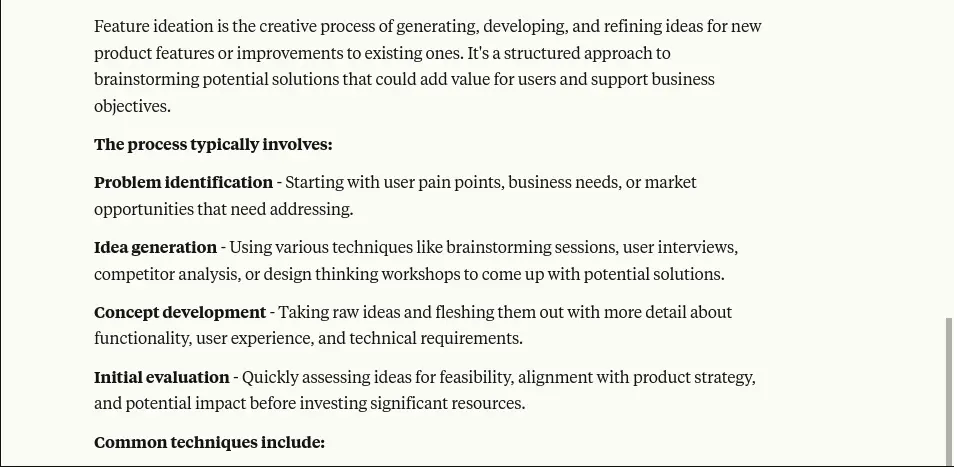
Claude 3’s fast processing and deep understanding make it ideal for quick, iterative development cycles. You can brainstorm, revise, and challenge your ideas as often as needed without losing time or momentum. It doesn’t just store information; it remembers your product vision, tracks your thinking across sessions (where memory is enabled), and evolves its responses as your strategy matures.
What sets Claude 3 apart is how it helps:
- Work through product decisions with logic
- Focus on outcomes over features
- Spot weaknesses before they become costly
- Align every feature with real user goals
With Claude 3, MVP ideation becomes a reasoning process. You’re not reacting, you’re planning. And you’re not stuck in analysis paralysis, you’re moving forward, guided by structured thought and product logic.
To move from intention to action, the next step is knowing which kinds of prompts unlock Claude’s true potential, starting with the types of AI tools prompts you should try.
Types of AI Tools Prompts You Should Know
When building an MVP, the quality of your questions often determines the clarity of your solution. Instead of randomly brainstorming features, founders can get far better results by organizing their thinking around strategic prompt categories.
These categories help guide generative AI tools like Claude Pro to generate ideas that are grounded in user needs, validation goals, and business priorities. If you’re exploring how to use Claude to create feature lists, these prompt types are a great starting point.
Below are five essential types of prompts for Claude to explore, each offering a different lens through which to shape your MVP.
1. Problem-Solving Prompts
This category focuses on tying every feature to a specific user problem. Too often, MVPs get filled with features that feel useful but don’t directly address the core issue the product is meant to solve. Problem-solving prompts help you cut through the noise and build around purpose.
For example, you might ask:
“What’s the core problem I’m solving, and which features address that directly?”
or “Which user pain points need to be addressed in version one?”
These questions make sure you’re building a solution, not just a product.
2. User-Centric Prompts
User-centric prompts help you look at the MVP through the lens of your end users. They bring empathy into the process, helping you design options around real expectations and behaviors.
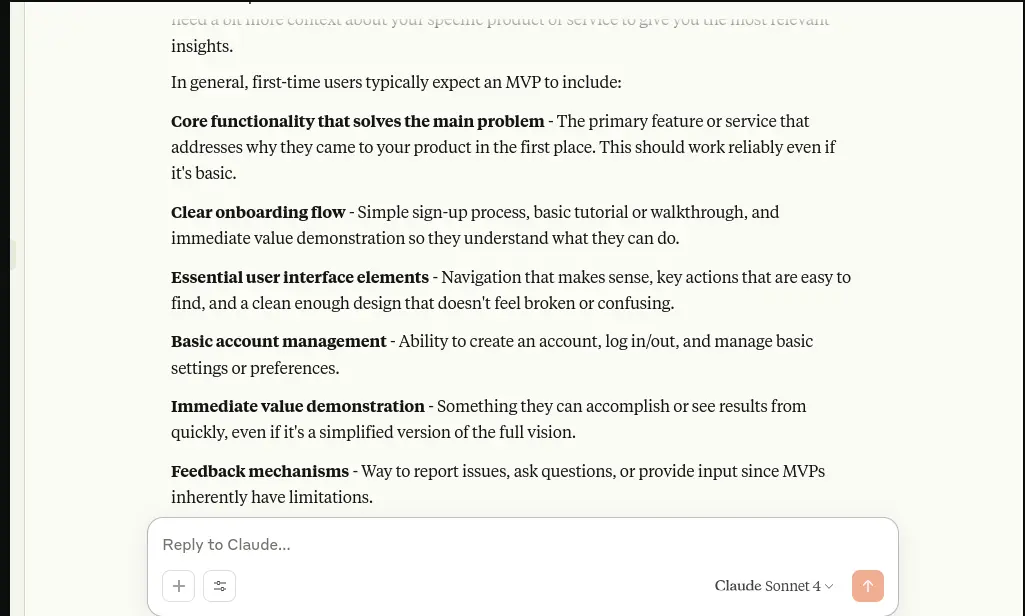
Think of questions like: “What would a first-time user expect to see in the MVP?”
or “If I’m a freelancer using this tool, what do I need first?”
This approach ensures that the experience makes sense from day one, improves usability, and increases the chance of early retention.
3. Validation Prompts
The goal of an MVP goes beyond shipping a product; it’s about validating whether your concept can gain real traction. Validation prompts keep the focus on proving demand and testing assumptions.
Instead of adding features for the sake of completeness, ask: “Which features help test if the idea has market demand?”
or “What can I launch quickly to gauge interest?”
These AI prompts make sure you’re building to learn, not just building to build.
4. Prioritization Prompts
After identifying potential features, the key question becomes: which ones should you prioritize for development? These prompts make it easier to evaluate which features are critical versus nice-to-have. A popular approach is to sort features into categories like Must, Should, and Could.
For example, asking: “Can you organize these features into Must, Should, Could?” or
“Which of these are blockers for launch?” Supports building a roadmap that matches your objectives and delivery schedule.
5. Cut-Back Prompts
Finally, when the scope starts to balloon, cut-back prompts help you trim the excess without losing the core value. These are especially useful when you’re racing toward a launch deadline or operating with limited resources.
Prompts like: “Which features can I delay for later versions without hurting the core?”
Asking, “If I had to remove half of this list, then what are the features that serve my purpose?” helps to keep your MVP tight and strategic.
Now let’s put that lean mindset into practice. Here’s a step-by-step example of a Claude AI MVP development prompt in action so you can see exactly how to go from idea to essential feature set.
Step-by-Step Example of Claude AI Prompt in Action
To understand how to use Claude to Create Feature Lists and practically support MVP planning, let’s walk through a real example from idea to launch-ready feature list using a dating app concept. This will show how a single well-structured prompt engineering can lead to a focused, buildable MVP in just a few steps.
Step 1: Define the Idea and the Prompt
Imagine you want to create a dating app that helps people form more meaningful, interest-based connections.
Instead of endless swiping, your goal is to encourage users to find potential matches based on shared values, hobbies, and life goals. Now the challenge is figuring out what to build first. So you turn to Claude and prompt it with:
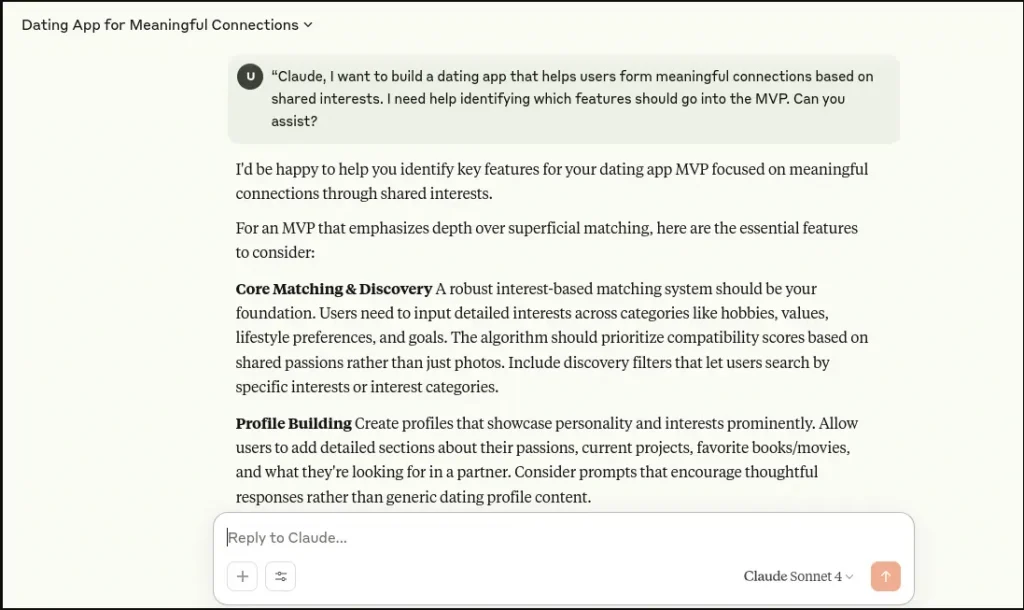
“Claude, I want to build a dating app that helps users form meaningful connections based on shared interests. I need help identifying which features should go into the MVP. Can you assist?
This prompt is simple but clear; it tells Claude the product type, the core goal, and what you’re asking it to do.
Step 2: Analyze Claude’s Structured Response
Claude processes the request and responds with a clear breakdown of what to include in the first version. It starts with the essentials: user sign-up and profile creation, followed by a tagging system where users can select interests and values.
Matching is based on these tags and location. To support meaningful interactions, Claude includes a like/pass mechanism and an in-app chat feature that only unlocks when two users mutually like each other. It also suggests including basic safety tools like blocking or reporting a profile.
Then Claude goes a step further and suggests what can wait. It flags features like profile prompts for deeper self-expression, photo verification for safety, or real-time notifications as useful but not necessary for the MVP.
Claude even helps you think beyond features by recommending a simple onboarding survey to collect user intent and track behavioral signals like how many users complete their profiles or send a message after matching. These elements support validation, giving you insight into how people are using the app and whether your concept resonates.
Step 3: Finalize Your MVP Scope
Based on Claude’s guidance, you now have a lean, testable version of your app. Your MVP will allow users to sign up, set up a basic profile, select interests, find matches based on shared tags and proximity, and chat with those they connect with.
You’ll also include basic moderation tools and a short onboarding question to learn what users are looking for. This setup is enough to deliver value while giving you early feedback on engagement and user satisfaction.
Step 4: Understand the Outcome
Refine your prompt with purpose. So, Claude helps you go beyond brainstorming. It turns an abstract idea into a prioritized roadmap.
You avoid feature bloat, stay focused on solving the user’s core problem, and build something you can launch and learn from. What’s powerful is how Claude guides your thinking; you’re not just getting a list, you’re building a strategy.
This example shows that with the right structure and intent, Claude becomes more than a tool; it becomes a partner in your MVP process. Whether you’re launching a dating app or any user-facing product, this kind of step-by-step clarity is exactly what early-stage founders need.
Turn the AI response into an actionable MVP scope that reveals the key insight. Distill your product idea into a focused feature set you can confidently build, launch, and test.
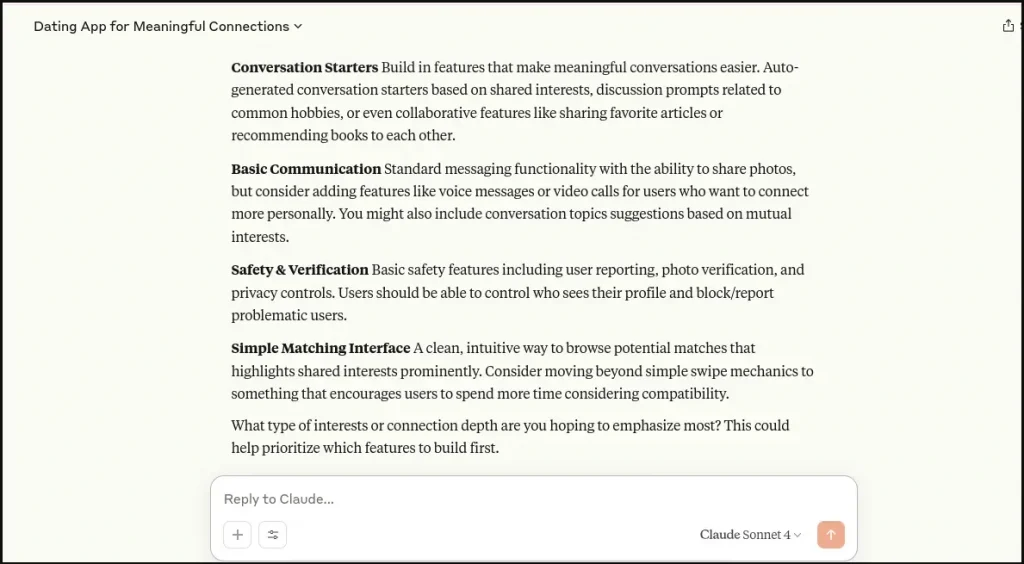
This approach isn’t limited to dating apps. Whether you’re creating a marketplace, productivity tool, or community platform, the same process applies: start with clarity, prompt with intent, and below are some tips that make your MVP design smarter.
Tips to Get Better Results from Claude for the MVP Development Process
Want sharper, more generated output from Claude? These tips are designed to help you avoid vague responses, feature overload, and planning dead ends while turning Claude into a true co-strategist for your MVP.
#1 Use Time or Budget Constraints to Avoid Overbuilding
Struggling with feature creep? Give Claude a constraint:
“What if I had 7 days and a $500 budget, what features should I keep?”
By limiting scope, it encourages efficiency and lean, value-driven product thinking.
#2 Ask for Lightweight Validation Ideas
Use text prompts like:
“How can I test user interest before building?” or
“What’s a quick way to validate this feature with real users?”
Claude will suggest simple methods like waitlists, surveys, or early landing pages to help you prove demand.
#3 Define Success Before You Ask
Before prompting Claude, ask yourself: “What do I want to walk away with?” Then say it directly:
“Claude, show me what a fast, no-code MVP would look like if I only had two weeks to build it using Glide or Bubble.”
Claude’s code snippets align their suggestions to your outcomes definition of success timeline, tools, or giving you the desired tone and results you can use.
#4 Ask Claude to Compare MVP Options
Stuck between two ideas or features? Ask:
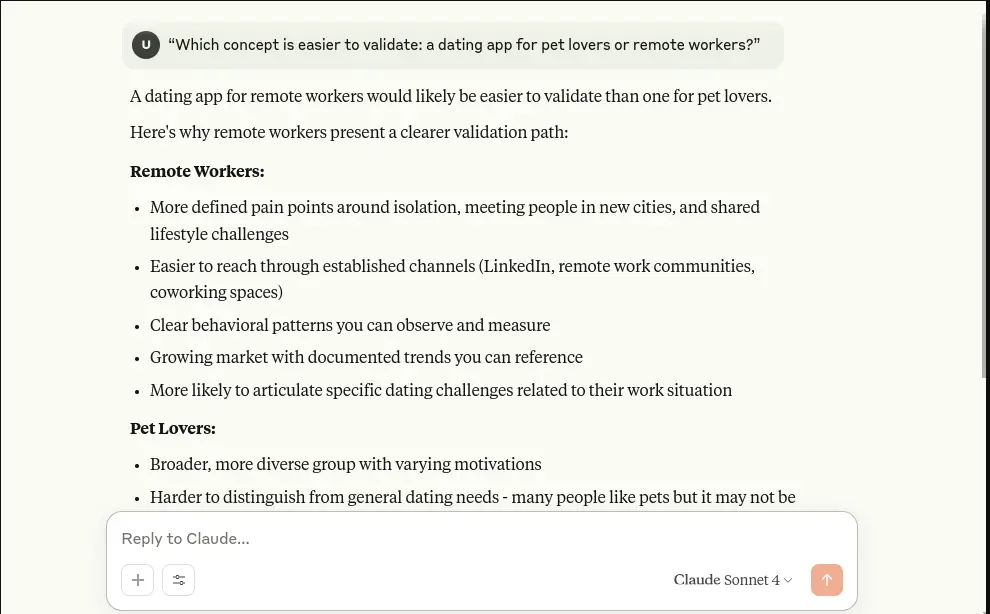
“Which concept is easier to validate: a dating app for pet lovers or remote workers?”
Claude can evaluate pros, cons, and effort, helping you prioritize the idea with faster learning potential.
#5 Use Claude to Create a Launch Narrative
Ask Claude to simulate how a user would discover and use your MVP. For example:
“What’s the user journey for someone signing up for this ai MVP on day one?”
This reveals friction points in onboarding, highlights areas where users might feel lost or overwhelmed, and helps you optimize the flow for clarity and retention, even before development begins.
#6 Use Claude AI to MVP Design the Initial Week of Product Experience
Ask Claude:
“What should I aim to build in the first week, assuming I’m using no-code tools?”
It helps you stay grounded, avoiding overcommitment while maintaining momentum and setting achievable goals.
#7 Ask for Real-World Analogies or Benchmarks
Not sure if your idea is unique or practical? Ask:
“What other MVPs started like this?” or
“What would this feature look like in an app like Airbnb or Tinder?”
Claude can help you benchmark and borrow proven UX or feature patterns from successful apps. With those insights in hand, you’re ready to apply the MVP framework through Claude’s structured, goal-driven process.
Applying the MVP Framework with Claude
Planning an MVP often involves tough decisions, especially when it comes to deciding what to build first, what to delay, and what to skip entirely. That’s where product planning frameworks come in.
Tools like MoSCoW, ICE, and RICE help founders think clearly and prioritize effectively. The good news? You can apply these frameworks without spending hours learning them.
Claude can apply them for you, turning complex tasks into structured roadmaps.
If you’re wondering how to use Claude to create feature lists, this is one of the smartest ways to do it by combining AI with proven planning methods. Here are three simple and powerful frameworks you can apply with Claude:
MoSCoW Prioritization
This framework helps you categorize features by importance and necessity. “Must” features are critical to solving the user problem; “Should” features enhance the core experience; “Could” features are optional; and “Won’t” features can be ruled out for now.
# Ask
Claude, can you group these features by what’s essential vs. optional using the MoSCoW method?
It will help you trim the fat and focus only on what matters for the MVP launch.
ICE Scoring
ICE helps evaluate features based on how much value they might deliver (Impact), how confident you are that they’ll work (Confidence), and how easy they are to build (Ease). Each feature is scored usually 1 to 10 per category and then ranked.
#Try
“Apply ICE scoring to these 6 features and recommend which 2 to build first.”
Claude will walk you through the logic and even suggest what to test quickly.
RICE Prioritization
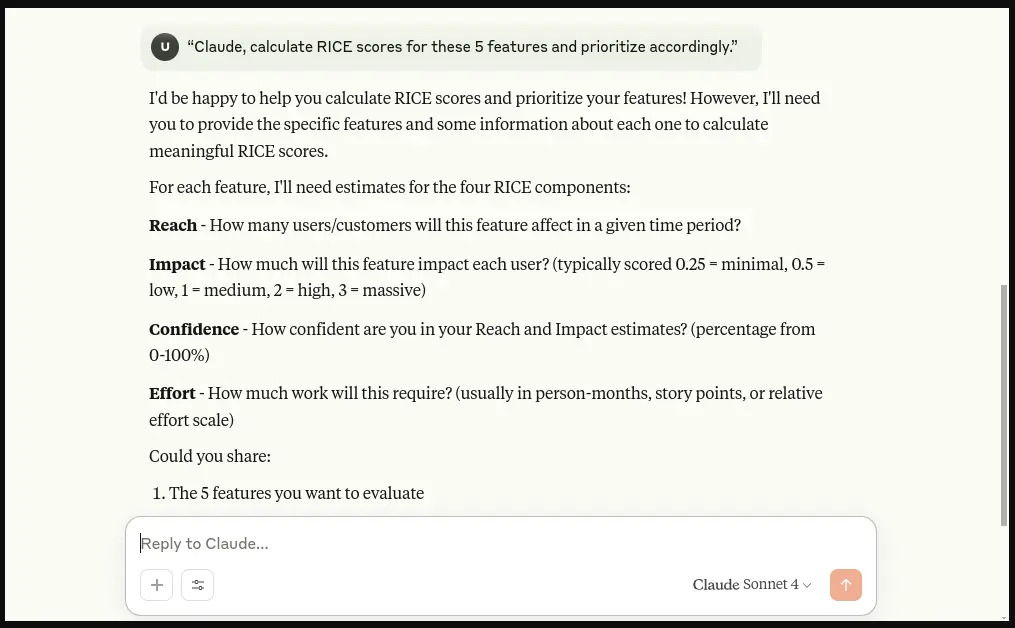
RICE is slightly more advanced and is great for teams thinking about scalability. It measures each feature by how many users it will reach, the potential impact, your confidence in its success, and the effort required to build it.
#Use
“Claude, calculate RICE scores for these 5 features and prioritize accordingly.”
This helps you make decisions based on scale and efficiency, not just instinct.
The big advantage: With training on a massive dataset, Claude mimics the decision-making of top product teams, making it easier to build an MVP that aligns with market needs and user value.
Create Claude and Launch an MVP with Appkodes MVP Development
Quick execution often makes the difference between success and missed opportunity during product launches and market research. With tools like Claude (powered by advanced models like the Sonnet model), you can move from idea to execution faster than ever.
Claude 3 Opus can generate clean code snippets, can prompt injection, write foundational boilerplate code, and work across multiple programming languages, including Python code. Whether you’re building your stack from scratch or using a modern tech stack, Claude assist by generating exactly what you need, with precision and speed.
And it doesn’t stop there.
You’re interacting with an AI, and also working with it. Interacting with Claude feels like having a technical co-founder who understands your vision, drafts product logic, and even writes ad copy. It allows you to evaluate needs by analyzing customer feedback.
But MVP success isn’t just about speed; it’s also about security and quality.
That’s why many founders team up with a startup mobile app development company. While Claude rapidly outlines how to use Claude to create feature lists, Appkodes, and our MVP software development, delivers secure, scalable code, with a focus on data security from day one.
Claude’s ability to operate at various speeds, like 3 per million, 15 per million, or 25 per million, and even 75 million token throughput, ensures fast response and low-latency execution depending on your project’s needs.
Claude plans it.
Appkodes builds it.
You launch it.

Arun Andiselvam
Founder of AppKodes. As a serial entrepreneur, I have successfully established five brands over the past 12 years. After creating a successful rank tracker for SEO agencies, I am currently dedicated to developing the world's first SEO Project Management software.