Best Point of Sale System for Food Trucks: Choosing One That Won’t Fail You Mid-Rush
Choosing the best Point of Sale system for a food truck is not really about faster payments. That is what it looks like on the surface, but in real food truck operations in the U.S., the pressure is very different.
In cities like Los Angeles, New York, and Austin, demand does not rise gradually. It spikes. One moment it is quiet, and the next moment a line forms instantly. Customers arrive already decided, already in a hurry, and expecting fast movement without delays.
This is the environment in which food truck businesses operate every day.
The U.S. food truck services market size is expected to reach US $3.1 billion by 2033, with more than 40,000 active trucks competing in dense urban locations and events. Even established operators typically generate $250K–500K annually, but with tight profit margins of just 6–9%, meaning operational inefficiency quickly becomes costly.
Revenue is also highly concentrated. Around 60–70% of daily sales usually happen within just 2–4 peak hours. This makes performance during rush periods more important than any other part of the day.
That is why even small friction points matter. A slightly slow payment screen, an extra step in checkout, or system lag does not feel significant individually, but during rush hours, it directly reduces customer throughput.
This is also why cashless ordering became standard in the industry, and why systems like Square POS are widely used across food trucks in the U.S, not as a perfect solution, but because they can handle high-volume transactions without breaking flow under pressure.
But in real rush conditions, weaknesses become visible quickly. Customers still expect service within around 7 minutes, yet during peak hours it often extends beyond 12. In that gap between expectation and execution, revenue loss quietly builds up.
As industry operators often point out, food trucks rarely fail because of food quality; they fail because operational systems slow down when demand is highest.
This guide on the Best Point of Sale System for Food Trucks will help you explore standard vs custom-built POS systems and understand which approach truly fits your food truck operations.
Five Things That Separate Good Systems from Expensive Mistakes
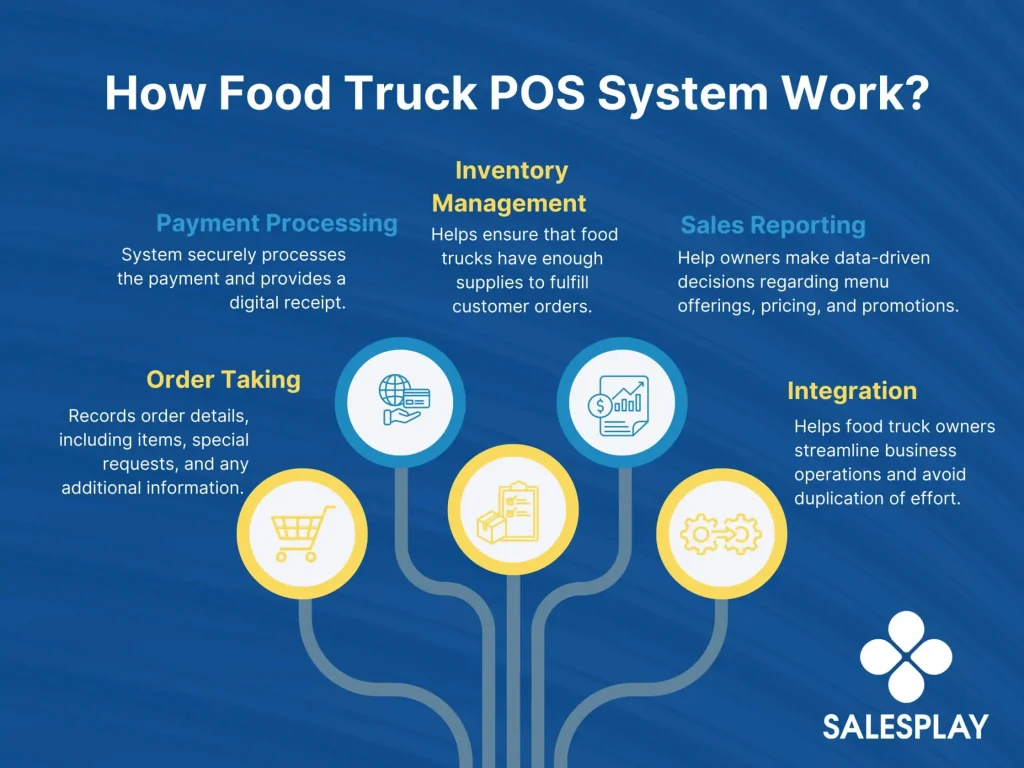
In the food truck business, a POS system is tested in real work, not in demos. The real difference between a good system and a bad one shows up during rush hours, network issues, and daily busy service. Here is how the Best Point of Sale System for Food Trucks actually behaves in real use.
Source: https://salesplay.com/
1. Order and Payment Flow
A good system is built for fast, repetitive order entry without breaking the service flow. Staff can add items, apply modifiers, and complete payment in a few clear steps, without switching between multiple screens. The process stays predictable even when the queue grows, which helps maintain consistent speed during peak hours.
An expensive mistake may look fine during setup, but it slows down in real use. Staff often need to switch screens, search for items, or fix errors before checkout. During rush hours, this friction builds up. What feels like a small delay per order quickly reduces how many customers you can actually serve.
2. Payment Handling and Transaction Accuracy
A good system processes payments cleanly and keeps records consistent. Whether it’s a card, digital payments, or retries, every transaction is clearly tracked. If an issue occurs, it can be traced and resolved quickly without disrupting operations, keeping end-of-day reconciliation simple.
An expensive mistake creates confusion in payment tracking. Failed transactions may appear as pending, retries can create duplicates, and refunds may not sync properly. In a fast-moving food truck environment, these issues increase stress during service and add extra work after closing.
3. Offline Mode and Sync Recovery
A good system continues to take orders even with an unstable internet. It securely stores all offline transactions and syncs them automatically once connectivity returns. This happens in the background, so staff can continue service without interruption.
An expensive mistake may allow offline orders but fail during reconnection. Orders can duplicate, go missing, or not match payment records. In some cases, staff must manually fix or re-enter data after service, increasing errors and slowing operations during already busy periods.
4. Staff Usability During Live Service
A good system is easy to learn and use, even for new staff. The interface is simple and predictable, reducing the number of decisions needed per order. During peak hours, staff can focus on customers instead of figuring out the system, which keeps service fast and consistent.
An expensive mistake requires more effort to operate. Staff may need to remember multiple steps or navigate complex menus. Under pressure, this leads to slower service, more mistakes, and inconsistent training across the team.
5. Menu Updates and Accuracy
A good system ensures that any changes to menu items, prices, or availability are reflected instantly across all devices. Everyone works with the same updated information, preventing confusion during service.
An expensive mistake creates delays or inconsistencies. Different devices may show different prices or availability, leading to incorrect orders and pos billing issues. In a fast-paced environment, this directly affects customer experience and service efficiency.
Best Point of Sale System for Food Trucks (2026): Top Options Explained
Every platform below was evaluated based on real pricing as of Q1 2026. The “Best for” labels indicate the primary pos use case fit, not a universal recommendation. Each system serves a different type of operator depending on budget, scale, and operational needs.
1. Toast POS
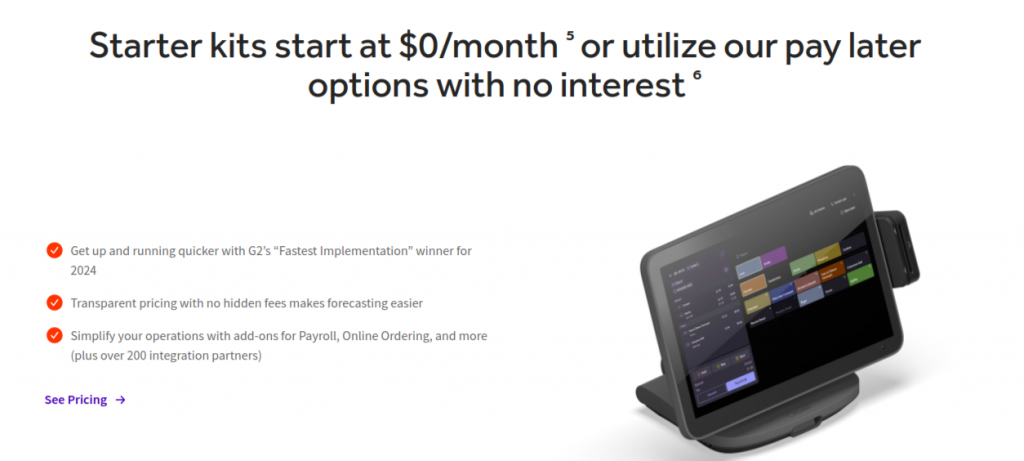
Before choosing a POS system for your food truck, it’s important to understand why Toast stands out. Founded in 2012 by MIT engineers, Toast began as a mobile payments solution but quickly evolved after identifying a major gap: most POS systems were outdated, slow, and not designed for real restaurant workflows.
Instead of modifying legacy systems, Toast rebuilt the entire experience from the ground up, creating a restaurant-first platform that connects ordering, payments, kitchen operations, and reporting into one unified system. This approach allowed them to design features specifically for how food businesses actually operate during peak hours.
Today, Toast powers 100,000+ restaurant locations, including food trucks, cafes, and large chains. This scale proves the system performs reliably in high-pressure environments where speed, accuracy, and order flow directly impact revenue.
What sets Toast apart is its deep specialization in food service. Unlike generic cloud-based POS systems built for multiple industries, Toast focuses exclusively on restaurants. Every feature from handheld ordering to kitchen display systems is optimized for fast-moving queues, limited space, and high-volume service, making it especially well-suited for food truck operations.
Pros
- Built for fast service → handles rush-hour queues smoothly
- Handheld ordering → take orders anywhere around the truck, reduce crowd buildup
- Kitchen display system → clear communication in tight spaces, fewer mistakes
- Offline mode → continues taking orders even with poor internet (common for trucks)
- All-in-one control → orders, payments, reports, and staff in one system
Cons
- Higher cost → can be heavy for small or starting food trucks
- Setup time → initial configuration and training required
- Hardware dependency → works best with Toast’s own devices
- Add-ons cost extra → full functionality increases monthly spend
Toast works best when you want a tightly integrated system rather than a highly modular one.
2. Square POS
Block, Inc., formerly known as Square, was founded in 2009 with a simple goal to make payment processing easy for small businesses. What started as a small card reader solution quickly evolved into a full business ecosystem, now powering millions of sellers globally.
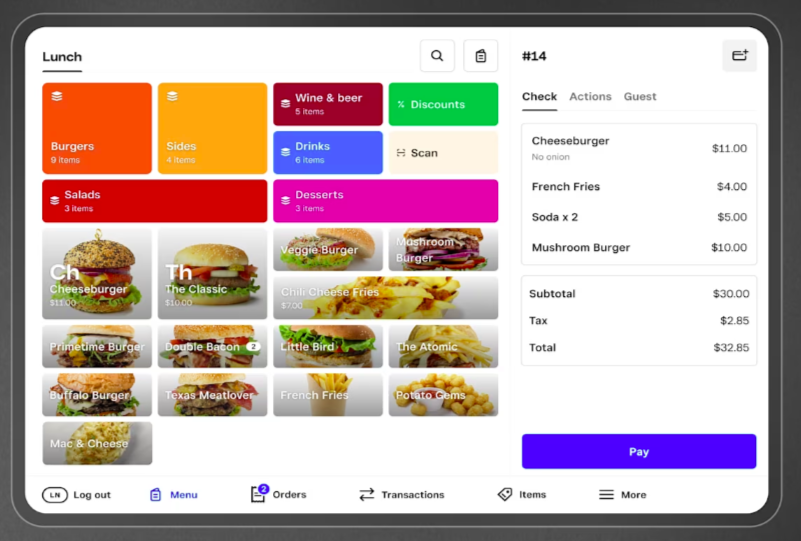
Its restaurant-focused product, Square for Restaurants, is built as a flexible POS system that combines payments, order management, and business tools into one platform. Unlike traditional systems, Square is known for its ease of use and quick setup, making it especially popular among small restaurants, cafes, and food trucks.
Today, Block serves millions of merchants worldwide, including hundreds of thousands of food and beverage businesses, showing strong adoption across both small and growing operations.
What makes Square different is its simplicity and accessibility. Instead of complex, industry-heavy systems, it offers an intuitive interface that helps operators manage both front-of-house and back-of-house operations from a single dashboard. Businesses can handle orders, customize menus, accept payments, and track real-time sales without needing extensive training.
Pros
- Very easy to use → staff can start quickly without training
- Quick setup → start selling the same day
- Low upfront cost → ideal for new or small food trucks
- Works on mobile/tablets → no need for heavy hardware
- Simple payments → fast checkout, supports contactless and digital payments
Cons
- Not built deeply for kitchen flow → can cause coordination issues during peak rush
- Limited advanced features → lacks deeper control for scaling trucks
- No strong offline capability → internet issues can affect operations
- May need extra tools later → as business grows, limitations appear
Square is best suited for simplicity and early-stage operations rather than complex restaurant systems.
3. Lightspeed POS
Founded in 2005, Lightspeed Commerce is a POS and restaurant management platform built for businesses that need more control and scalability as they grow. What makes it different from simpler systems is its strong focus on inventory management and advanced reporting, making it suitable for food trucks that are moving beyond basic order-taking and starting to optimize operations.
In daily use, Lightspeed helps food truck owners manage orders, update menus, and track inventory in real time. It runs on tablet-based systems, which work well in compact truck setups, and allows you to monitor ingredient usage and stock levels, a key advantage when dealing with limited storage and high-demand service during peak hours.
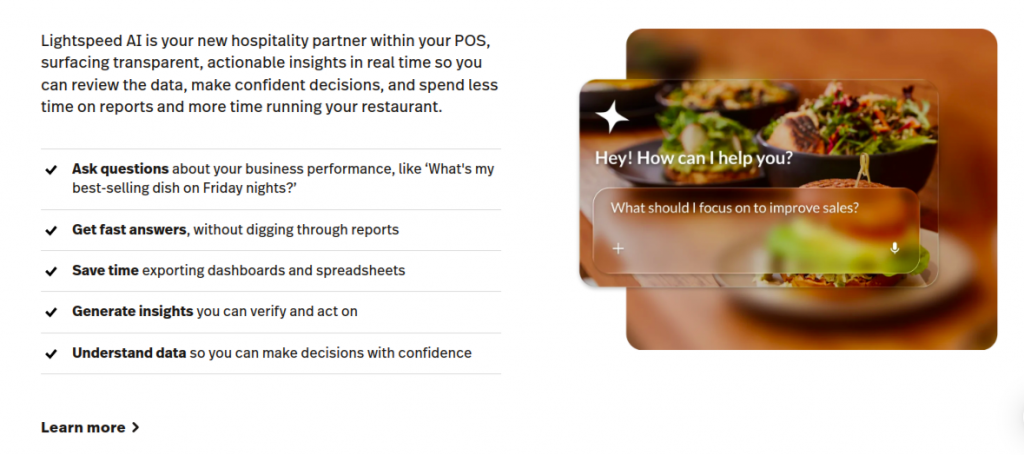
It also provides detailed analytics and business insights, helping you understand sales trends, best-selling items, and overall performance. This makes it easier to take data-driven decisions and scale your business over time. However, because of its advanced capabilities, it can feel slightly complex for small or early-stage food trucks that only need basic POS technology.
Pros
- Strong inventory tracking → useful for managing ingredients in a limited space
- Advanced reporting → clear insights into sales and performance
- Flexible setup → works well with tablet-based systems
- Scalable platform → supports growth into multiple trucks or locations
- Integration support → connects with online ordering and other tools
Cons
- Higher cost → pricing increases with features and usage
- More complex system → requires time to learn and set up
- Not beginner-friendly → compared to simpler POS systems
- Many features as add-ons → increase overall cost
- Maybe more than needed → for small or starting food trucks
4. TouchBistro POS
Founded in 2010 in Toronto, TouchBistro is a restaurant POS system built specifically for food service businesses, with a strong focus on ease of use and iPad-based mobility. What makes it different is its approach of combining POS, payments, inventory, and guest engagement tools into one system, while keeping the interface simple enough for daily service operations.
TouchBistro helps food truck owners take orders, manage menus, process payments, and track sales from a single platform. Its iPad-based setup works well in compact spaces, and features like tableside ordering, menu customization, and bill splitting help speed up service and reduce errors.
It also includes tools for inventory, staff management, and reporting, along with offline functionality that allows the system to keep running even if the internet connection drops.
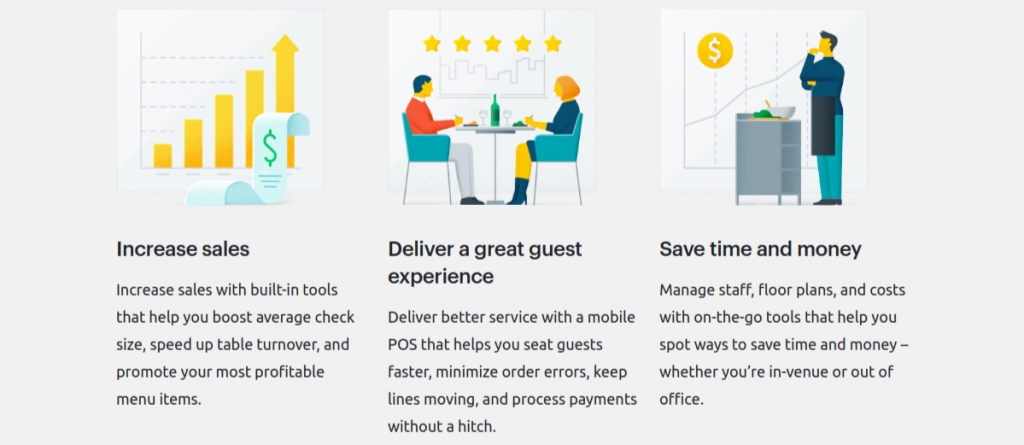
TouchBistro stands out for its balance between simplicity and restaurant-specific features. It offers more built-in tools than basic point of sale software, while still being easier to use than highly complex platforms. However, it may require add-ons for full functionality, and it is best suited for food trucks that want a structured system without going into heavy enterprise-level complexity.
Pros
- Built specifically for restaurants → includes menu, order, and staff management features
- Easy-to-use interface → staff can learn quickly, reducing training time
- iPad-based system → perfect for compact food truck setups
- Works offline → continues taking orders and payments without internet
- Customizable + integrations → can adapt as your food truck grows
Cons
- Works only on Apple devices → limits hardware flexibility
- No free plan or trial → upfront commitment required
- Add-ons increase cost → total pricing can grow quickly
- Some features, like online ordering, cost extra
- Contract-based pricing → less flexibility compared to newer POS systems
5. Clover POS
Founded in 2010, Clover Network is a cloud-based POS platform designed for small and medium-sized businesses, including restaurants and food trucks. Now owned by Fiserv, it combines payment processing with POS software and hardware into one system.
What makes Clover different is its flexible hardware options and app marketplace, allowing businesses to customize the system based on their needs.
It helps food truck owners accept payments, manage inventory from a single platform, and supports multiple payment types, including cards and contactless payments, and works on various devices like handheld readers and countertop terminals. The POS system is cloud-based, so you can monitor sales, refunds, and reports remotely, which is useful for mobile businesses.
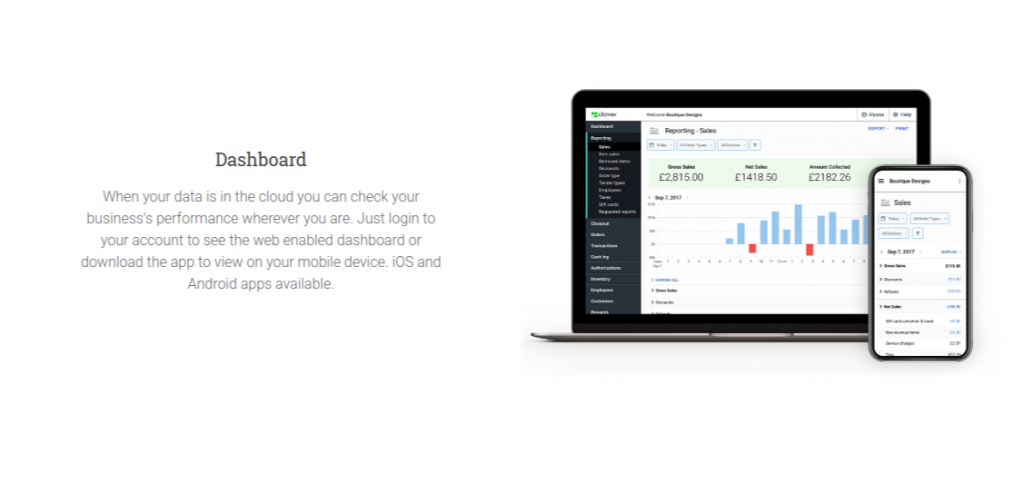
Stands out for its customization and flexibility, especially through its app ecosystem that allows you to add features as needed. For food trucks, this means it works well for payments and basic operations, but may not match the depth of restaurant-specific systems when handling complex kitchen workflows or high-volume rush scenarios.
Pros
- Flexible hardware options → handheld, countertop, and mobile devices available
- Easy payment processing → supports cards, contactless, and digital payments
- App marketplace → add features based on your needs
- Cloud-based system → access reports and data from anywhere
- Suitable for small businesses → simple to start and scale gradually
Cons
- Not restaurant-focused → lacks deep kitchen workflow features
- Hardware can be expensive → upfront cost higher than basic systems
- Dependent on payment processor → limited flexibility in some setups
- Add-ons required → full functionality increases cost
- May not scale well → for high-volume or complex food truck operations
6. Lavu POS
Lavu is a restaurant-focused POS provider launched in 2010, built to offer small food businesses a simple, mobile-friendly system without heavy hardware. It runs on iPad, making it ideal for food trucks that need a compact setup while still accessing essential POS functionality for daily operations.
In real-world use, Lavu focuses on speed and simplicity, delivering core POS functionality like order taking, modifiers, payments, and sales tracking in a clean interface. This makes it easier for food truck owners to handle rush hours without dealing with complex workflows. It also includes basic inventory tracking and reporting, helping you stay in control of day-to-day performance.
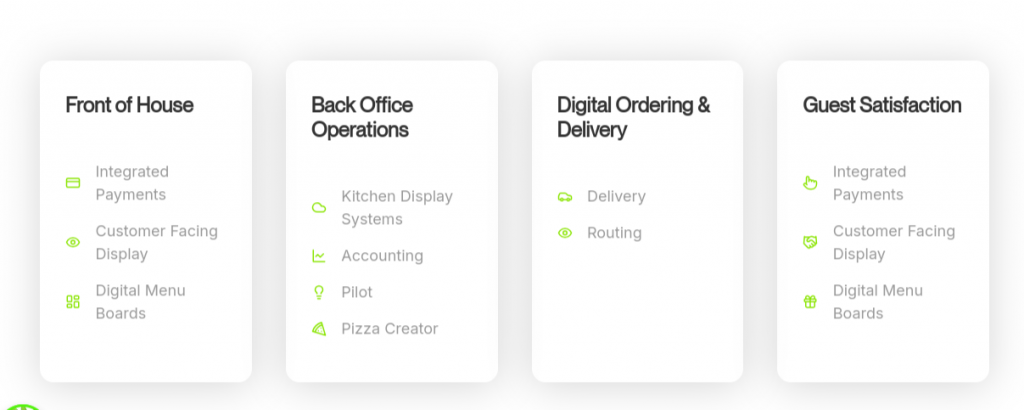
What sets Lavu apart is its affordable and straightforward approach as a POS provider. It gives you the essential POS functionality needed to run a food truck efficiently without overwhelming you with advanced features. However, for high-volume operations or long-term scaling, its capabilities may feel limited compared to more advanced systems.
Pros
- Flexible configuration options
- Lower cost than enterprise systems
- Supports multiple service formats
Cons
- Smaller integration ecosystem
- Less polished interface
- Support experience may vary
Lavu offers flexibility at a lower cost but lacks the scale of larger platforms.
7. Aloha POS
Aloha POS, developed by NCR Voyix, is one of the oldest and most widely used restaurant POS systems, built primarily for large-scale and high-volume food businesses. It has been used for decades by enterprise restaurant chains and is known for its stability and operational depth, especially in environments where consistency and reliability are critical.
In daily operations, Aloha provides a full restaurant management system that includes order processing, payments, kitchen display systems, online ordering, and real-time reporting. It supports both fixed terminals and handheld devices, along with offline functionality that allows transactions to continue even during internet outages. The system also integrates multiple channels like dine-in, takeout, and delivery into one platform, helping businesses manage complex order flows efficiently.
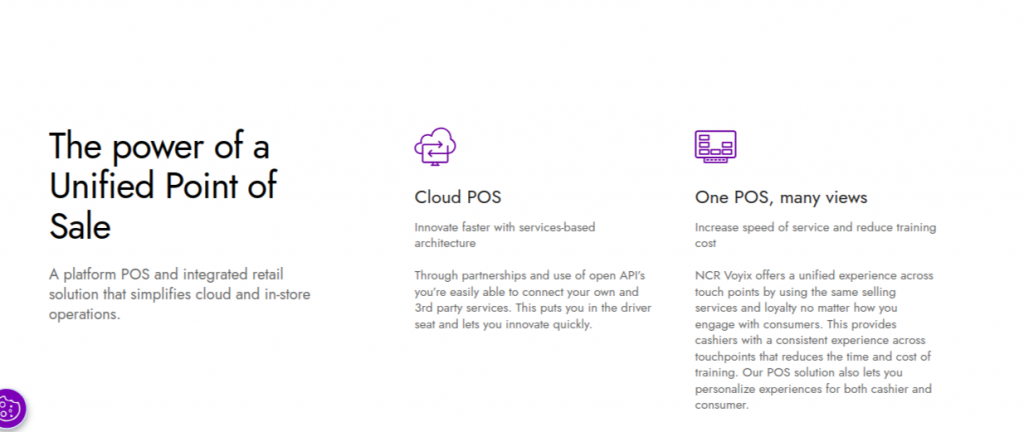
What makes Aloha different is its focus on large-scale operations and deep customization. It is designed to handle high transaction volumes, multiple locations, and detailed operational workflows. However, this also makes it more complex and less beginner-friendly compared to modern POS systems. For food trucks, it may be useful only in cases where the business is operating at a very large scale or as part of a larger chain, rather than for small or independent setups.
Pros
- Highly reliable → proven in high-volume restaurant environments
- Handles complex operations → multi-location and large-scale setups
- Strong offline capability → continues during internet issues
- Deep customization → adaptable for detailed workflows
- End-to-end system → covers ordering, payments, reporting, and more
Cons
- Complex to use → requires training and technical setup
- Expensive → better suited for enterprise-level businesses
- Not beginner-friendly → overkill for small food trucks
- Hardware and system dependency → less flexible than modern POS
- Slower innovation → compared to newer, cloud-first platforms
8. Custom POS by Appkodes(Built for Food Truck Operations)
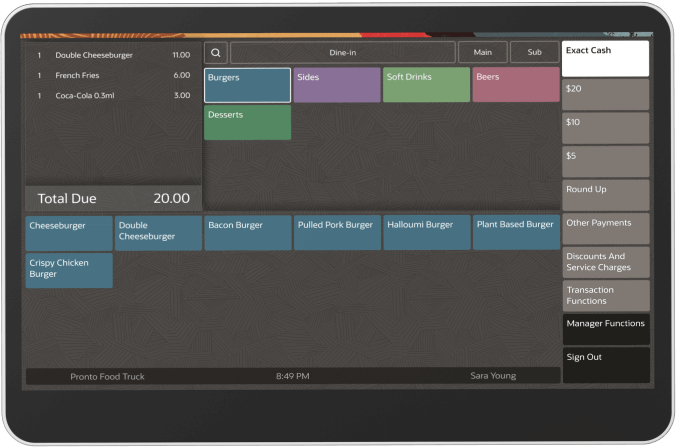
A custom POS for food truck is a system built specifically for a business rather than purchased as a ready-made product. It is designed around the actual workflow of the food truck, including payments, offline handling, and operational structure.
In a custom POS food truck, various features can be added depending on business requirements, such as order management and workflow automation where orders from counter, QR, or delivery channels are directly routed to the kitchen, ingredient-level cost tracking to calculate food cost and monitor usage and wastage, revenue and sales tracking for real-time profit visibility, and expense tracking for operational costs like ingredients, labor, and utilities.
Source: https://www.gloriafood-pos.com/
It can also include low-stock alerts, order sync, analytics dashboards for sales and performance insights, and multi-truck or multi-location control for scaling operations. You can include all these options based on your business needs to build a fully customized POS system.
Pros
- Fully tailored setup → designed exactly for your POS for food truck workflow
- Beginner-friendly (when built right) → simple interface, no unnecessary features
- Faster operations → optimized for your menu, order flow, and peak-hour speed
- Scalable → supports growth from single truck to multiple locations
- No platform limitations → full control over features, integrations, and updates
Cons
- Higher initial cost → development investment required upfront
- Not instant → takes time to design and build
- Depends on the developer → quality varies based on who builds it
- Ongoing support needed → maintenance, updates, and fixes required
- Requires clear requirements → you need to know your workflow to get the best result
Custom POS systems offer enhanced customer and inventory management but require strong long-term technical ownership.
How a Best POS System Actually Reduces Food Waste in Food Trucks
Food waste in food trucks is not usually caused by one big mistake. It happens because of many small inefficiencies like over-preparation, poor demand estimation, delayed decisions, and weak inventory visibility. A Point of sale for food truck does not directly remove food waste, but it reduces the conditions that create it by improving data accuracy, timing, and control.
1. Demand-to-Prep Alignment (Core Waste Reduction Mechanism)
The biggest source of food waste is over-preparation. Many food trucks prepare food based on experience or assumption instead of real demand. A POS system helps reduce this by recording every sale in real time and building a clear pattern of what sells, when it sells, and how demand changes across the day or week. Over time, this allows operators to prepare food more accurately based on real sales behavior instead of guesswork. When preparation matches actual demand more closely, leftover food naturally reduces.
2. Ingredient-Level Consumption Tracking (Indirect Inventory Control)
A food truck pos system does not always track ingredients directly, but it tracks item sales, which indirectly shows how ingredients are being used. This helps operators understand which items consume stock faster, which ingredients are rarely used, and which products are at risk of going unused. In food trucks where storage space is limited, this visibility helps prevent over-ordering and reduces the chance of ingredients expiring before they are used.
3. Order Accuracy and First-Time Correctness
Food waste also comes from order mistakes that require remaking food. When orders are taken manually or verbally, there is a higher chance of wrong items, missing modifiers, or incorrect quantities. A POS system reduces this by standardizing order entry, making sure the kitchen receives clear and structured instructions. When orders are correct the first time, there is less need to remake food, which directly reduces ingredient waste.
4. Timing Efficiency in Preparation vs Sale Flow
Another common source of waste is a timing mismatch between preparation and actual sales. Food is often prepared too early and then sits waiting for customers, especially during uneven rush hours. A POS system improves this by showing real-time order flow, helping staff manage cooking priority, and reducing unnecessary early preparation. When food spends less time waiting, the risk of spoilage or quality loss is also reduced.
5. Purchase Planning Based on Sales Cycles
POS data also helps identify patterns in demand, such as busy days, slow periods, and seasonal spikes. With this information, operators can plan purchases more accurately instead of buying excess stock “just in case.” Better alignment between purchasing and actual demand reduces the risk of ingredients expiring or going unused, which is a major hidden source of food waste in food trucks.
Break-Even: How Fast Your POS Pays You Back
Don’t look at your food truck POS system cost as a yearly cost. Look at how fast it earns that money back.
Use this:
Break-even (months)=Annual POS Cost/Monthly Revenue Gain+Monthly Savings
What matters here are just two numbers:
- How much extra do you make every month (faster orders, higher ticket size)
- How much do you stop losing (waste, errors, missed orders)
| System | Software Pricing | Hardware Cost | Processing Fees | Total Cost Nature |
| Toast Go 3 | $69 – $165/month | $500 – $1,200 | ~2.49% + fixed fee | Mid to high, bundled ecosystem |
| Square (Mobile POS) | $0 – $60/month | $300 – $800 | ~2.6% + fixed fee | Low entry, scales with fees |
| Lightspeed Restaurant | $119 – $289/month | $500 – $1,500 | ~2.6% – 3% | Higher cost, analytics-focused |
| TouchBistro | $69 – $249/month | $400 – $1,200 | Third-party (~2–3%) | Moderate, add-ons increase cost |
| Clover Flex 4 | $59 – $129/month | $600 – $1,500 | ~2.3% – 2.6% | Hardware-heavy model |
| Lavu POS | $59 – $199/month | $400 – $1,200 | Third-party (~2–3%) | Flexible but varies by setup |
| NCR Aloha | $200+ /month (custom pricing) | $1,000 – $3,000+ | ~2–3% | Enterprise, high upfront |
| Custom POS | No fixed monthly | $500 – $2,000 (hardware) | Depends on gateway (1.5%–3%) | Fully variable cost structure |
Scenario 1: Using a Standard POS
Let’s say you’re running a common pos system, something like Square:
- Cost: $1,800/year
- You gain ~$250/month from slightly faster checkout
- You save ~$150/month from fewer mistakes
You recover your cost in about 4.5 months.
That’s decent, but notice where it comes from: small improvements, not operational changes.
| Cost Type | Range | Nature |
| Development | $3,000 – $20,000+ | One-time (depends on features) |
| Hosting | $20 – $200/month | Ongoing |
| Maintenance | Variable | Ongoing |
| Integrations | Variable | Build + upkeep |
Scenario 2: Moving to a Custom Setup
Now assume your system is actually built around your workflow:
- Cost: $3,000/year
- You gain ~$500/month (faster line movement during rush)
- You save ~$250/month (better prep + inventory control)
You recover your cost in about 4 months.
Higher cost, but faster return, because it impacts peak-hour performance directly.
What This Means in Real Terms
If your POS is working properly, it should pay for itself within a few months, not a year.
Most operators ask: “How much does this cost me?”
The better question is: “How much faster does this make me during rush?”
Because in a food truck, that’s where the money is.
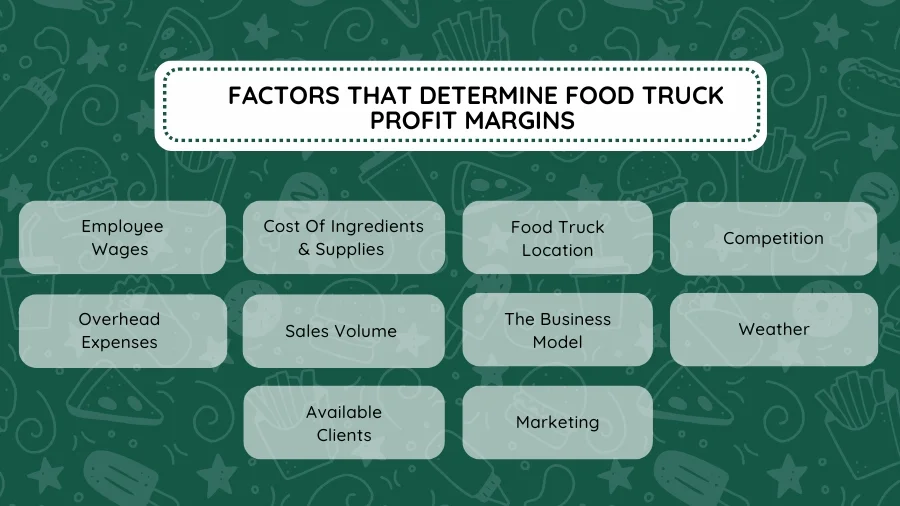
POS Performance Across Growth Stages (Solo Truck → Fleet Scale)
No POS system stays best at every stage. As a food truck business grows, the needs change, and different systems perform better or worse depending on scale, especially when choosing the Best Point of Sale System for Food Trucks.
Solo Truck Stage (1 Truck)
At the starting stage, speed and simplicity matter most. The system should be easy to set up, easy to learn, and fast for daily use.
- Toast Go 3 works well because it is fast and stable for single-truck operations
- Square is strong because it has a very simple setup and a smooth basic workflow
- Custom POS is usually not preferred here because setup takes time and planning, even though it gives full control later
At this stage, most operators prefer ready-made systems because they want to start quickly without technical effort.
Small Growth Stage (2–5 Trucks)
When more trucks are added, control and reporting start becoming important. Basic systems still work, but management becomes harder.
- Lightspeed becomes stronger because it offers better reporting and centralized control
- Toast still performs well, but starts feeling limited in deeper control features
- Square becomes less efficient as scaling increases
- Custom POS starts becoming more useful here because it can be designed for multi-truck workflows, but it still needs proper setup and investment
This is the stage where operators start thinking beyond basic billing and focus more on system control.
Fleet Stage (6+ Trucks)
At this level, operations become complex. The system must handle integrations, reporting, and multiple locations smoothly.
- NCR Aloha is highly stable and built for large-scale operations
- Lightspeed still works well, but may need configuration for complex setups
- Square becomes less suitable for large fleet operations
- Custom POS becomes very strong here because it can be fully tailored for fleet control, centralized data, and specific workflows without platform limits
At this stage, flexibility and system architecture matter more than simplicity.
Mid-Tier Systems Behavior
Systems like Lavu, TouchBistro, and Clover perform well in early stages but gradually reduce efficiency as complexity increases.
- They are easy to start with
- But they become limited in scaling and customization
- Custom POS starts to outperform them as operations grow because it is not restricted by a fixed system design
Specialized Platforms
Systems like HungerRush and Ordering.co stay consistent in specific use cases like delivery or online ordering.
- They work well for focused operations
- But they do not fully scale into enterprise-level fleet control
- Custom POS can match or exceed them if built for those exact workflows
Custom POS Across All Stages
Unlike other systems, Custom POS behaves differently at every stage:
- Early stage → slower to start due to setup effort
- Growth stage → becomes more valuable as workflows get customized
- Fleet stage → strongest option because there are no system limits
It starts as an investment, but becomes a long-term infrastructure advantage.
Source: https://restaurantify.com/
What’s Changing in Food Truck Tech and What to Plan for
Food truck operations are evolving quickly as technology becomes more central to speed, accuracy, and customer experience. Modern systems are no longer just about billing—they now handle orders, inventory, and real-time decision-making. Understanding these shifts is key when evaluating the Best Point of Sale System for Food Trucks.
#1 AI-Powered Upsell Prompts
One of the most practical changes is happening inside the POS itself. Platforms like Toast and Square are making upselling automatic instead of staff-dependent. Instead of relying on someone to suggest a drink or combo during a rush, the system triggers it at the right moment, just before checkout. These suggestions are based on real order patterns, time of day, and contextual data.
For a food truck, this means consistent add-ons without slowing down service. When configured with high-margin items, it can increase average order value by around 8–12%, reducing missed revenue during peak hours.
#2 Voice Ordering at the Window
Voice ordering systems capture spoken input and convert it directly into POS orders. Companies like Presto Automation and SoundHound AI are developing this to reduce manual order-taking at the counter.
In operation, this can speed up how quickly orders are captured and reduce dependency on a dedicated staff member. However, in real environments, especially noisy events or varied accents, accuracy is still a limitation. Because of this, adoption is currently limited, but the core value lies in reducing front-end bottlenecks as the technology improves.
#3 Autonomous Payment Kiosks
Kiosks are already proving useful in high-volume setups. These are self-service ordering systems connected to platforms like Revel Systems and Toast, allowing customers to browse, order, and pay without staff interaction.
This changes the order flow completely. Instead of a single queue, multiple customers can place orders at the same time. In busy environments, this can reduce wait times by 30–40%. However, it doesn’t increase kitchen capacity; if preparation is slow, delay shift from ordering to fulfillment.
#4 Dynamic Menu Pricing
Dynamic pricing systems adjust menu prices in real time based on demand, time, or cost factors. Platforms like Lightspeed are exploring this capability within POS systems.
In practice, this allows pricing to respond directly to operating conditions, rising slightly during high demand and adjusting during slower periods. While it helps manage margins and demand, adoption in food trucks is still limited, as pricing changes need to align with customer expectations.
POS Decision Checklist for Food Truck Owners
Before choosing a POS system, don’t rely on demos or feature lists. Use these real-world checks to understand how it performs in actual food truck operations.
Rush Hour Performance
Your POS must be able to handle continuous order flow during peak hours without slowing down. If the system lags, freezes, or makes order entry slow when the truck is busy, it will directly affect your sales and customer experience. A reliable system should stay fast and stable even under heavy pressure.
Offline Reliability
Food trucks often operate in areas with weak or no internet connection. Your POS should still be able to take orders offline and sync them automatically once the connection returns. If orders fail or get lost during downtime, it leads to immediate revenue loss.
True Cost Check
Don’t evaluate the system only based on monthly pricing. You need to understand the full cost per order, including subscription fees, transaction charges, hardware costs, and any hidden add-ons. Without this clarity, your actual expenses can become much higher than expected.
Exit & Migration Check
Before committing, check how easy it is to leave the system later. Your data, menu, and sales history should be exportable without complications. If switching systems later becomes difficult, you may end up locked into a platform that no longer fits your business.
Staff Training Check
A good POS should be simple enough for new staff to learn quickly. If training takes too long or the interface is confusing, it slows down your operations during busy hours. The best systems reduce training time and improve speed at the counter.
Profit Visibility Check
Your POS should clearly show what is making money in your business. This includes best-selling items, peak-hour performance, and profit insights per menu item. Without this visibility, it becomes harder to optimize your menu and pricing decisions.
Scalability Check
Even if you currently operate one truck, your POS should support future expansion. It should allow multi-truck management, shared menus, and centralized reporting. If it cannot scale, you may need to replace the entire system when your business grows.
Why Appkodes Can Be Your Best Partner
Appkodes, a leading startup mobile app development company, builds portable POS systems designed specifically for food truck operations where speed, reliability, and real-time control actually matter. Instead of adapting your business to software limits, we design the system around how your truck runs in real situations.
Our development team works closely with you to understand your daily flow, taking orders in rush hours, handling offline payments, managing menu changes, and tracking inventory without delays or confusion. Everything is built to reduce friction during service, not add complexity.
We also focus on solving real operational pain points like order mismatches, slow syncing, and system downtime during peak demand. The goal is simple: keep your sales moving without interruptions, even in high-pressure environments.
And as your business grows, we make sure your mobile pos software grows with you, whether it’s adding more trucks, expanding menus, or handling higher order volumes without breaking performance.
Ready to build the Best Point of Sale System for Food Trucks that actually fits your food truck, not the other way around? Connect with our Appkodes experts today and get an idea of how your custom solution can be designed so that you can improve businesses, reduce future errors, and increase real-time sales rates and efficiency.

Arun Andiselvam
Founder of AppKodes. As a serial entrepreneur, I have successfully established five brands over the past 12 years. After creating a successful rank tracker for SEO agencies, I am currently dedicated to developing the world's first SEO Project Management software.